
Close Menu
CEOColumnCEOColumn
    What's Hot

    The Essentials of Safe and Stylish Home Enhancements

    April 20, 2026

    How to Recover Your Home After Severe Weather Damage

    April 20, 2026

    Retirement Planning: The Afterparty That Lasts 40 Years

    April 20, 2026
    Facebook X (Twitter) Instagram
    Facebook X (Twitter) Instagram
    CEOColumnCEOColumn
    Subscribe
    • Home
    • News
    • BLOGS
      1. Health
      2. Lifestyle
      3. Travel
      4. Tips & guide
      5. View All

      What Your Sleep Patterns Are Telling You About Your Mental Health

      April 17, 2026

      How a Where to Buy Farm Equipment Online Directory Can Save You Time

      April 17, 2026

      What to Expect and Do on Your First Day at the Gym

      April 17, 2026

      Complete Guide to Eye Care: Cataract, LASIK & Retina Specialists

      April 16, 2026

      A Guide to Finding Your Favorite Premium Brands with Ease

      April 12, 2026

      Best Bra for Women: How to Choose the Right One for Your Body Type

      April 4, 2026

      How to Plan Memorable Family Things to Do in Park City

      April 3, 2026

      How to Style a Bedroom with the Kana Japanese bed frame

      April 2, 2026

      Coorg: Where Forest Silence Meets Refined Mountain Living

      March 27, 2026

      Understanding the Appeal of Luxury Rehab in CA in Modern Treatment

      March 19, 2026

      Serengeti Safari Day Explained Without Itineraries Or Timetables

      March 13, 2026

      Top Tourist Attractions in Athens: A First-Time Visitor’s Complete Guide

      February 25, 2026

      Simple, Creative Solutions for Tidy Cables

      April 20, 2026

      Why Most Renovations Fail at the Electrical Planning Stage (And How to Avoid It)

      April 18, 2026

      How to Get an A+ Grade in Any Subject

      April 14, 2026

      The NFL Chants Most Likely to Distract Drivers

      March 26, 2026

      The Essentials of Safe and Stylish Home Enhancements

      April 20, 2026

      How to Recover Your Home After Severe Weather Damage

      April 20, 2026

      More Screen Time Means More Tech Neck with UBIOSKA Changing Daily Neck Care

      April 20, 2026

      Hulk Hogan Height, Age, Net Worth & Wife 2026

      April 19, 2026
    • BUSINESS
      • OFFLINE BUSINESS
      • ONLINE BUSINESS
    • PROFILES
      • ENTREPRENEUR
      • HIGHEST PAID
      • RICHEST
      • WOMEN ENTREPRENEURS
    CEOColumnCEOColumn
    Home»News»Vidwud AI’s Image to Video Tool Review: Static Images into Stunning Visual Stories

    Vidwud AI’s Image to Video Tool Review: Static Images into Stunning Visual Stories

    OliviaBy OliviaJune 12, 2025Updated:June 25, 2025No Comments6 Mins Read

    In the ever-evolving realm of content creation, static visuals are rapidly making way for more dynamic and engaging multimedia. One innovation leading this shift is the image to video AI free tool offered by Vidwud.com, a platform making high-quality video creation accessible to everyone — from casual users and content creators to businesses and educators.

    In this review, we dive deep into Vidwud’s cutting-edge tool that converts simple images into high-impact videos using the power of artificial intelligence. Whether you’re a digital marketer looking for thumb-stopping content or a student working on a visual project, this tool might just be your next secret weapon.

    Table of Contents

    Toggle
    • What is the Vidwud Image to Video AI Tool?
    • First Impressions & Interface
    • Key Features That Stand Out
      • 1. No Editing Skills Required
      • 2. AI-Powered Enhancements
      • 3. High-Quality Output
      • 4. Variety of Themes & Music
      • 5. Fast Processing Time
    • How to Use the Tool – Step-by-Step Here’s a walkthrough of how to convert an image to a video using Vidwud AI:
    • Use Cases for Different Audiences
      • Content Creators & Influencers
      • Businesses & Marketers
      • Educators & Students
      • Photographers & Designers
    • Performance and Limitations
      • Pros
      • Cons
    • What Makes Vidwud Stand Out?
    • Why Try the Image to Video AI Free Tool?
    • Conclsuion

    What is the Vidwud Image to Video AI Tool?

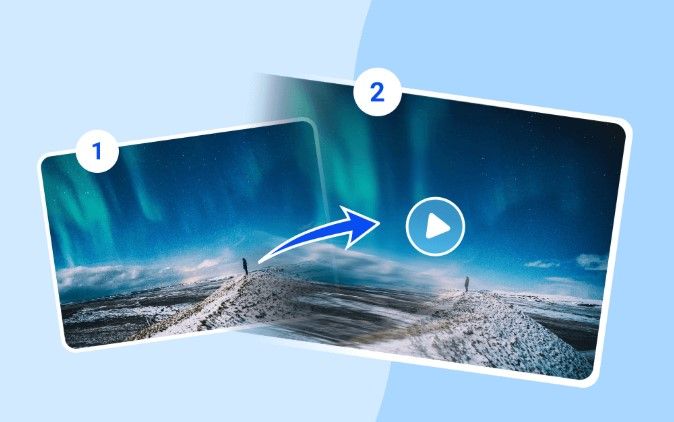
    Vidwud.com is a free and intuitive online tool that allows users to upload static images and automatically convert them into short, animated videos. The tool is designed to be user-friendly and doesn’t require any prior video editing skills. Within minutes, a plain photo can be turned into an eye-catching animation with transitions, background music, effects, and AI enhancements.

    Whether you want to:

    • Animate a portrait photo
    • Create a social media reel from product photos
    • Turn event images into visual stories
    • Make image slideshows into shareable videos

    The Image to Video AI free tool from Vidwud can handle it all effortlessly.

    First Impressions & Interface

    The landing page of the tool at Vidwud Image to Video AI is clean, modern, and inviting. With a bright interface, bold call-to-action buttons, and an accessible layout, users are welcomed into a creative space without being overwhelmed by too many features.

    Uploading an image is as easy as dragging and dropping, and the processing speed is impressive. Within seconds, the AI gets to work transforming the still photo into a lively piece of video content. You don’t need to sign up or download any software — everything runs seamlessly in the browser.

    Key Features That Stand Out

    1. No Editing Skills Required

    One of the most compelling features of Vidwud’s tool is its accessibility. Anyone, regardless of their technical background, can generate video content. The platform handles all the transitions, motion effects, and music pairing on its own.

    2. AI-Powered Enhancements

    Artificial Intelligence is at the heart of this tool. The system detects key elements in your photo (e.g., faces, scenery, focus areas) and animates them intelligently. This includes panning, zooming, motion overlays, and fade transitions that give life to the image.

    3. High-Quality Output

    Despite being a free tool, the video quality is surprisingly good. Videos are rendered in HD resolution and include smooth transitions and effects that rival what you’d expect from paid tools.

    4. Variety of Themes & Music

    The tool includes several built-in templates and royalty-free background music to suit different moods: romantic, professional, cinematic, and more. This makes it perfect for social media content, business presentations, or personal projects.

    5. Fast Processing Time

    The AI runs quickly, even when rendering complex animations. From image upload to video download, the entire process takes less than a minute in most cases.

    How to Use the Tool – Step-by-Step
    Here’s a walkthrough of how to convert an image to a video using Vidwud AI:

    1. Visit the Tool Page: Go to image to video AI free page
    2. Upload Your Image: Drag & drop or click to upload your JPG, PNG, or WebP file.
    3. Choose a Theme: Select from available video themes (e.g., cinematic, nature, romantic).
    4. Customize (Optional): Add text overlays, choose background music, or trim the duration.
    5. Generate Video: Click the ‘Create Video’ button and let the AI work its magic.
    6. Download or Share: Save the final output or share directly on social platforms.

    No installation, no payment — just seamless functionality.

    Use Cases for Different Audiences

    Content Creators & Influencers

    Instagram reels, YouTube shorts, and TikTok videos thrive on visual impact. Influencers can quickly generate video posts from product photos, selfies, or scenic shots using Vidwud’s tool.

    Businesses & Marketers

    Turn product images or infographics into short promotional clips. With built-in music and animations, your brand message can become much more engaging.

    Educators & Students

    Create educational slides or mini video lessons from diagrams or presentation slides. The simplicity of the tool helps students focus on storytelling rather than editing.

    Photographers & Designers

    Offer added value to clients by converting their portraits into shareable video keepsakes. You can even use it to pitch creative concepts with dynamic previews.

    Performance and Limitations

    While Vidwud performs extremely well in most aspects, here are a few things to note:

    Pros

    • Completely free and browser-based
    • Intuitive interface
    • Fast and clean video generation
    • No watermarks
    • No account creation necessary

    Cons

    • Limited manual editing controls (if you want very specific effects)
    • Currently optimized for short videos (not for long-form content)
    • No batch processing (you have to do one image at a time)

    These limitations are minor and often expected for free AI tools.

    What Makes Vidwud Stand Out?

    The AI backbone of Vidwud enables users to enjoy a “plug and play” video creation experience. You don’t need to worry about transitions, camera angles, or syncing music — the tool intelligently handles all of that behind the scenes.

    The real magic lies in the way Vidwud AI understands the image and crafts a story through motion and sound. It’s not just animating a photo — it’s bringing your memories, products, and moments to life.

    Why Try the Image to Video AI Free Tool?

    Whether you’re a hobbyist experimenting with digital media or a startup creating MVP content on a tight budget, Vidwud’s tool ticks all the right boxes.

    • Free
    • Fast
    • Fun
    • Futuristic

    In a world where video content is king, using tools like this helps democratize creativity. You don’t need a studio, a team, or a budget. Just an image — and a story to tell.

    Conclsuion

    After thoroughly testing and evaluating the features, interface, and output quality, we confidently give Vidwud’s Image to Video tool a 9.5/10 rating.

    It’s beginner-friendly, powerful, and — most importantly — free. While there’s room for a few improvements (like advanced editing options), it’s already one of the best tools in its category.

    If you haven’t tried it yet, head over to vidwud.com and explore the Image to Video AI free tool. You’ll be amazed at how easily a still photo can turn into a cinematic video.

    Share. Facebook Twitter Pinterest LinkedIn Tumblr Telegram Email
    Previous ArticleHow QA Teams Keep Software Projects on Track
    Next Article How Modern CEOs Are Influencing Contemporary Wedding Fashion Trends
    Olivia

    Olivia is a contributing writer at CEOColumn.com, where she explores leadership strategies, business innovation, and entrepreneurial insights shaping today’s corporate world. With a background in business journalism and a passion for executive storytelling, Olivia delivers sharp, thought-provoking content that inspires CEOs, founders, and aspiring leaders alike. When she’s not writing, Olivia enjoys analyzing emerging business trends and mentoring young professionals in the startup ecosystem.

    Related Posts

    Best 5 Platforms to Order Indian Mangoes in the USA This Season

    April 20, 2026

    How Nashville Startups Are Building Better Workspaces Through Professional Cleaning

    April 20, 2026

    How Camera Confidence Affects Content Performance More Than You Think?

    April 18, 2026
    Add A Comment
    Leave A Reply Cancel Reply

    You must be logged in to post a comment.

    Latest Posts

    The Essentials of Safe and Stylish Home Enhancements

    April 20, 2026

    How to Recover Your Home After Severe Weather Damage

    April 20, 2026

    Retirement Planning: The Afterparty That Lasts 40 Years

    April 20, 2026

    Simple, Creative Solutions for Tidy Cables

    April 20, 2026

    More Screen Time Means More Tech Neck with UBIOSKA Changing Daily Neck Care

    April 20, 2026

    Global Business Without Borders: How Crypto Enables Faster International Operations

    April 20, 2026

    Kado Bar Rizz 25K Review 2026: Is the 25,000 Puff Disposable Vape Worth It?

    April 20, 2026

    Best 5 Platforms to Order Indian Mangoes in the USA This Season

    April 20, 2026

    How Nashville Startups Are Building Better Workspaces Through Professional Cleaning

    April 20, 2026

    Hulk Hogan Height, Age, Net Worth & Wife 2026

    April 19, 2026
    Recent Posts
    • The Essentials of Safe and Stylish Home Enhancements April 20, 2026
    • How to Recover Your Home After Severe Weather Damage April 20, 2026
    • Retirement Planning: The Afterparty That Lasts 40 Years April 20, 2026
    • Simple, Creative Solutions for Tidy Cables April 20, 2026
    • More Screen Time Means More Tech Neck with UBIOSKA Changing Daily Neck Care April 20, 2026

    Your source for the serious news. CEO Column - We Talk Money, Business & Entrepreneurship. Visit our main page for more demos.

    We're social. Connect with us:
    |
    Email: [email protected]

    Facebook X (Twitter) Instagram Pinterest LinkedIn WhatsApp
    Top Insights

    The Essentials of Safe and Stylish Home Enhancements

    April 20, 2026

    How to Recover Your Home After Severe Weather Damage

    April 20, 2026

    Retirement Planning: The Afterparty That Lasts 40 Years

    April 20, 2026
    © Copyright 2025, All Rights Reserved
    • Home
    • Pricacy Policy
    • Contact Us

    Type above and press Enter to search. Press Esc to cancel.

    Go to mobile version