

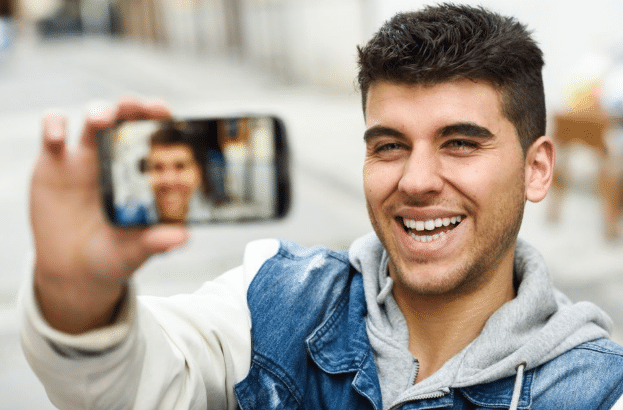
To get good AI headshots, upload a few clear, recent selfies with even light, a neutral expression, and your usual hair and glasses. Adobe Firefly’s headshot generator works from just one or a couple of reference photos, so a handful of casual selfies can become polished headshots for LinkedIn or a company site.
Maybe you need a headshot for a new job, a conference speaker page, or your company’s team directory, and your camera roll is full of casual selfies. You don’t need a studio session to get something professional. AI headshot tools can turn everyday photos into polished portraits. They just differ a lot in how many photos they want, how they use those photos, and how long they keep them. Knowing those details helps you pick a tool that fits the photos you already have and the privacy you expect.
Can an AI Headshot Generator Work With 5 Selfies?
Yes, an AI headshot generator can work with 5 selfies, depending on how it builds your headshots.
Tools that train a personal model on your face usually ask for a bigger batch. HeadshotPro asks for about 15 photos, and reviews of Aragon describe uploading 14 selfies. BetterPic works from a smaller set of roughly 6 to 10 photos.
Firefly takes a different approach. Instead of training a model on many photos, it uses one or a couple of reference images plus a text prompt describing the look you want. You can adjust how closely the result follows your reference and set lighting, camera angle, and color and tone. That means five casual selfies give you more than enough to work with. Pick the best one or two as references and keep the rest as backups.
Which AI Headshot Generator Site Lets You Upload Selfies and Casual Photos?
Most AI headshot generator sites let you upload selfies and casual photos, but they vary in how many they need and how they handle your images. The table below compares four options.
| Platform | Best for | Key details |
| Adobe Firefly | Turning one or a few casual photos into multiple headshot styles | Works from reference images; accepts JPG, PNG, or WEBP up to 100 MB (minimum 512 x 512 pixels); lighting, camera angle, and color controls; free daily generations; Firefly model output safe for commercial use |
| BetterPic | Users with a modest set of photos | Works from about 6 to 10 photos; AI upload assistant checks photo quality; AI studio for edits |
| HeadshotPro | Large batches of styled headshots | Asks for about 15 photos; trains on your uploads; input photos deleted within 7 days, with an option to delete sooner |
| Aragon | Many variations from a full selfie set | Reviews describe uploading 14 selfies; guidance recommends consistent facial hair and glasses across photos |
If your camera roll is light on good photos, a reference-based tool like Firefly gives you the most flexibility.
AI Headshots and Privacy: What Do Training Data Terms Say?
For AI headshots, privacy and training data terms answer two questions: what happens to your uploaded selfies, and whether they’re used to improve the company’s AI.
Adobe states that it does not train Firefly on customer content and that it doesn’t claim ownership of content you create with Firefly. Its models are trained on licensed content, such as Adobe Stock, and public domain content where copyright has expired. Partner models available in Firefly may have different terms.
Other tools handle uploads differently. HeadshotPro uses your photos to train a model of your face, says input photos are deleted within 7 days, offers a delete option, and states it never sells photos.
Before uploading, read each tool’s privacy policy and terms for three details: how long uploads are kept, whether they train shared models, and who owns the results.
AI Headshots: How Many Photos Should You Upload, and Which Selfies Work?
How many photos you should upload for AI headshots depends on the tool. Reference-based tools like Firefly need one or a couple, while model-training tools often ask for 6 to 15 or more. In every case, quality matters more than quantity.
Use even light: Face a window or step outside on an overcast day. Avoid harsh overhead light.
Keep it current: Use photos that match your hair, glasses, and facial hair today.
Shoot at eye level: Hold the camera straight ahead, not from above or below.
Skip filters and crowds: Upload unfiltered photos of just you, with your face clearly visible.
Vary angles slightly: For tools that ask for many photos, include a mix of straight-on and slight turns.
FAQ
Can I use AI headshots on LinkedIn?
Yes. Adobe says Firefly headshots can be used for professional profiles, websites, portfolios, and marketing materials. Choose a result that looks like you, so people recognize you when you meet in person or on video.
Is the Firefly headshot generator free?
Yes, with an Adobe account. Free accounts get free daily generations, and paid plans add higher-volume generation and access to more partner models.
What if my selfies are low quality?
Retake one or two in better light rather than uploading many weak photos. Firefly requires images of at least 512 x 512 pixels, and sharper photos give the AI more detail to preserve your features.
