
Close Menu
CEOColumnCEOColumn
    What's Hot

    How to Create a Realistic Business Growth Plan That Delivers Results

    August 5, 2026

    Why Keeping Your PC Updated Matters: The Complete Guide to Better Performance and Stable Gaming

    August 5, 2026

    Continuous Evaluation Keeps Priorities Fresh

    August 5, 2026
    Facebook X (Twitter) Instagram
    Facebook X (Twitter) Instagram
    CEOColumnCEOColumn
    Subscribe
    • Home
    • News
    • BLOGS
      1. Health
      2. Lifestyle
      3. Travel
      4. Tips & guide
      5. View All

      Mindfulness vs Medication: Which Helps You Feel Less Broken

      August 5, 2026

      Creating Memorable Events Through Thoughtful Food Experiences

      August 2, 2026

      How Legal Representation Can Change the Outcome of a Serious Spine Injury Case

      July 30, 2026

      Best Practices for Coding Nonspecific Gastrointestinal Symptoms

      July 30, 2026

      Why Pop-Up Retail Still Works So Well at Busy Events

      July 27, 2026

      Alexandrite as a Meaningful Gift

      July 21, 2026

      Timeless Elegance: The Essential Guide to Day Dresses

      July 17, 2026

      Art of High-End Glass in Modern Interior 

      July 17, 2026

      What Makes a Private Jet Brokerage Genuinely Worth Working With

      July 31, 2026

      Why California CEOs Keep Choosing Summerlin, Nevada

      July 20, 2026

      How to Plan a Fun-Filled Day in Pigeon Forge

      July 9, 2026

      How International Visitors Are Redefining Urban Living in London

      June 24, 2026

      The Executive’s Guide to Getting Real Value From an Annual Conference

      July 22, 2026

      How Australians Pay for Online Games: Safety and Fees Explained

      July 11, 2026

      Understanding the Value of Professional Legal Guidance

      June 18, 2026

      How Attorneys Balance Negotiation and Litigation Strategies

      June 18, 2026

      What Are the Four Elements of a Negligence Claim in Alabama?

      August 5, 2026

      The Best Lab Grown Diamond Jewelry Retailers to Consider

      August 5, 2026

      Why Paying a Dallas Traffic Ticket Online Could Backfire 

      August 4, 2026

      Top Reasons Private Event Spaces Enhance Special Occasions

      August 4, 2026
    • BUSINESS
      • OFFLINE BUSINESS
      • ONLINE BUSINESS
    • PROFILES
      • ENTREPRENEUR
      • HIGHEST PAID
      • RICHEST
      • WOMEN ENTREPRENEURS
    CEOColumnCEOColumn
    Home»News»How to Get Pinterest Unblocked at School or Work

    How to Get Pinterest Unblocked at School or Work

    OliviaBy OliviaOctober 13, 2025Updated:October 15, 2025No Comments6 Mins Read

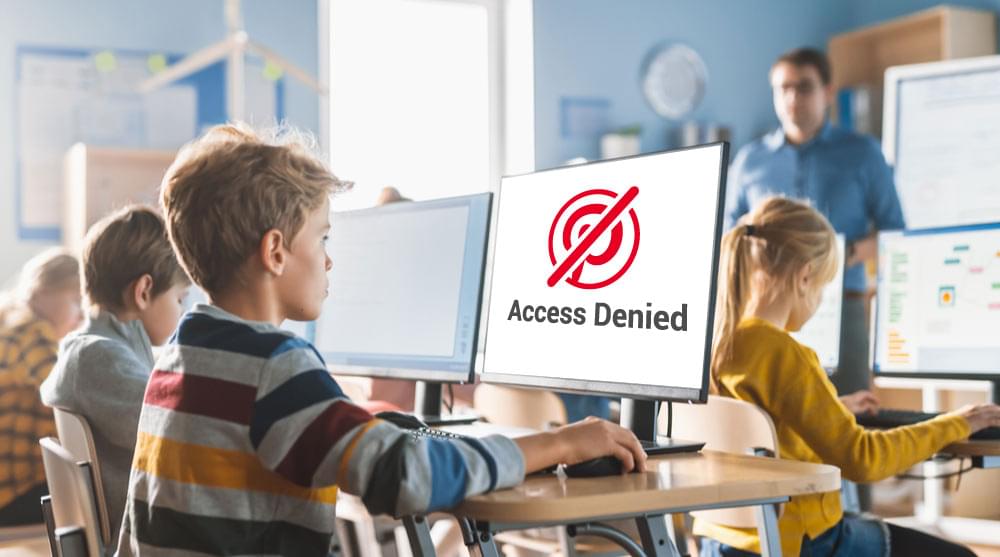
    Pinterest is often blocked at schools and workplaces, which is really frustrating when you need it to work on a project or get an idea. This is to make sure that they do not get distracted by the network, and for security reasons. Most users are still wondering how to get Pinterest unblocked at school or work, not only to have fun but also to study. 

    I know that people are very excited about online technologies. This is due to the possibility of obtaining the information without paying anything. There are an even greater number of methods to access Pinterest while still staying safe at school and not breaking school policies. 

    In this blog post, I will discuss why it is blocked in schools and offices and how you can access Pinterest unblocked at school or work.

    Table of Contents

    Toggle
    • Why Schools Should Block Pinterest in the First Place.
    • Methods to Access Pinterest Unblocked at Schools and Work
      • 1. Pinterest Unblocked Access Through Web Proxies
      • 2. You can use browser Extensions to Access Pinterest unblocked
      • 3. Mobiles and Hotspots Solutions
      • 4. Google Sites and Mirror Websites
      • 5. Multipurpose Mobile VPN Services
    • Sum-Up

    Why Schools Should Block Pinterest in the First Place.

    There are specific rules set by the Children’s Internet Protection Act (CIPA), which require schools to block offensive material against children. Many schools and workspaces block apps like Pinterest, rather than attempting to censor content separately. 

    It is not realistic to focus on every post made with more than 522 million monthly active users. Besides that, this platform possesses ineffective parental controls and instant messaging. And this is used by 60% of online predators to get in touch with a victim. 

    It is helpful to understand the reasons behind the blocking of Pinterest in schools. The majority of schools block Pinterest at school due to several reasons: 

    • Interruption Aversion: Pinterest is highly addictive. Such quick personal video sessions of fifteen minutes can easily turn into hours. This includes content of watching food inspiration, interior design, and animal memes.
    • Content Control: Although the content on Pinterest is not particularly active or negative. Schools usually remain on the safe side when it comes to user-generated content on websites. 

    With this awareness, you will be able to treat the Pinterest unblocked school methods responsibly and ethically.  

    Methods to Access Pinterest Unblocked at Schools and Work

    There are a lot of ways through which you can get Pinterest unblocked, but here are some of the most effective ones: 

    1. Pinterest Unblocked Access Through Web Proxies

    Getting access to Pinterest is as simple as using one of the web proxy services. Imagine a proxy as a middleman between your gadget and your Pinterest. You only need to connect to the proxy server, and the proxy server will fetch Pinterest content on your behalf. 

    Some of the most common and famous proxies are:

    • ProxySite.com
    • Croxyproxy.com
    • FilterBypass.me

    This is where you can find an Unblock Pinterest proxy to help you unblock Pinterest. To use a proxy for this purpose, just:

    • Go to the proxy site.
    • Enter the URL of Paste Pinterest (pinterest.com) in the proxy URL box.
    • Press “Go” or “Browse”.
    • Pinterest should now be available with the help of the proxy.

    2. You can use browser Extensions to Access Pinterest unblocked

    An unsuitable block of access to Pinterest can be easily unblocked with the help of a browser extension. The extensions do this by redirecting your traffic to other servers or altering how your browser logs in to blocked sites. Some of these extensions are mentioned below:

    • Express VPN
    • SetupVPN
    • Browsec VPN
    • DotVPN

    Now I will mention the Installation Process, which will help you install these extensions on your system: 

    • Go to the add-ons store (Chrome Web Store when using Chrome) in your browser.
    • Search for VPN extensions or proxy extensions. 
    • Install one of your choice. 
    • Extend the servers and choose a location.
    • Go to Pinterest, and it has now opened.

    The benefit of browser extensions is that it is easy to install and configure once. And they function automatically each time you visit banned online resources.

    3. Mobiles and Hotspots Solutions

    There is also a possibility that the most basic software is the most relevant. On behalf of the blocked-out school network at Pinterest, stay tied to your mobile data plan. This is because if your school has blocked Wi-Fi and you have a data plan available to your phone, you can still create a mobile hotspot. 

    Let’s discuss how you can set up and use your mobile hotspot for getting Pinterest Unblocked:

    • Find your phone’s settings
    • Find out what is meant by Personal Hotspot or Mobile Hotspot. 
    • Users should activate the functions and get a password.
    • Connect your laptop or Chromebook to the WiFi on your phone. 
    • Pinterest can be accessed for free using the data connection of your phone.

    4. Google Sites and Mirror Websites

    Geniuses cannot ignore the Pinterest unblocked on Google Sites. Lazy learners often create mirror pages or Google Sites pages with Pinterest content, which can feel like a Pinterest unblocked web page. 

    Let’s discuss the location and how  you can access these mirror websites:  

    • Search with your browser, Pinterest unblocked Google sites.
    • Search at sites.google.com.
    • Examine these locations cautiously; not all of them are current. 
    • Highlight the bookmarks that can be used in the future. 

    Precautions: Be aware of the mirror sites you access. Use popular sites and avoid those that seem suspicious or ask for unusual requests.

    5. Multipurpose Mobile VPN Services

    A more cost-effective alternative to paying for access to Pinterest is using Virtual Private Networks (VPNs). A Pinterest unblocked VPN is also popular, especially among students, because it not only encrypts internet traffic but also routes it through servers. It helps make it appear as if you are surfing from a different place. 

    Let’s discuss how you can use these VPN services to access Pinterest unblocked: 

    • Select and subscribe to a VPN service.
    • Install the VPN app and log in
    • Choose a location where the server will be installed (preferably in your home country, where the speeds are quicker).
    • Turn the VPN connection on.

    Sum-Up

    Since Pinterest is being blocked at schools and workplaces, there are effective and responsible methods to access it. By using web proxies, browser extensions, mobile hotspots, or mirror websites, you can unlock Pinterest for inspiration and project ideas. 

    Understanding why it’s blocked helps you navigate these solutions safely and ethically. Whether you are a student seeking creativity or a professional looking for ideas, these tips make sure you can utilize Pinterest without distractions.

    Share. Facebook Twitter Pinterest LinkedIn Tumblr Telegram Email
    Previous ArticleHow Long Has Jay Towers Been Married? Full Timeline
    Next Article Beginner’s Guide to Choosing the Perfect DJ Controller
    Olivia

    Olivia is a contributing writer at CEOColumn.com, where she explores leadership strategies, business innovation, and entrepreneurial insights shaping today’s corporate world. With a background in business journalism and a passion for executive storytelling, Olivia delivers sharp, thought-provoking content that inspires CEOs, founders, and aspiring leaders alike. When she’s not writing, Olivia enjoys analyzing emerging business trends and mentoring young professionals in the startup ecosystem.

    Related Posts

    Why Keeping Your PC Updated Matters: The Complete Guide to Better Performance and Stable Gaming

    August 5, 2026

    Alzheimer’s Caregiver Resources: Comprehensive Guide for Family Support

    August 5, 2026

    Ceramic Tile for Shower vs Porcelain Tile for Shower: Which Material Lasts Longer?

    August 1, 2026
    Add A Comment
    Leave A Reply Cancel Reply

    You must be logged in to post a comment.

    Latest Posts

    How to Create a Realistic Business Growth Plan That Delivers Results

    August 5, 2026

    Why Keeping Your PC Updated Matters: The Complete Guide to Better Performance and Stable Gaming

    August 5, 2026

    Continuous Evaluation Keeps Priorities Fresh

    August 5, 2026

    Mindfulness vs Medication: Which Helps You Feel Less Broken

    August 5, 2026

    Alzheimer’s Caregiver Resources: Comprehensive Guide for Family Support

    August 5, 2026

    The Importance of Implementing an Equipment Inventory Management System for Businesses

    August 5, 2026

    What Are the Four Elements of a Negligence Claim in Alabama?

    August 5, 2026

    The Best Lab Grown Diamond Jewelry Retailers to Consider

    August 5, 2026

    Optima Tax Relief Explains When Lawsuit Settlements Are Taxable

    August 4, 2026

    5 Leading Law Firms in Atlanta for Diverse Legal Matters 

    August 4, 2026
    Recent Posts
    • How to Create a Realistic Business Growth Plan That Delivers Results August 5, 2026
    • Why Keeping Your PC Updated Matters: The Complete Guide to Better Performance and Stable Gaming August 5, 2026
    • Continuous Evaluation Keeps Priorities Fresh August 5, 2026
    • Mindfulness vs Medication: Which Helps You Feel Less Broken August 5, 2026
    • Alzheimer’s Caregiver Resources: Comprehensive Guide for Family Support August 5, 2026

    Your source for the serious news. CEO Column - We Talk Money, Business & Entrepreneurship. Visit our main page for more demos.

    We're social. Connect with us:
    |
    Email: [email protected]

    Facebook X (Twitter) Instagram Pinterest LinkedIn WhatsApp
    Top Insights

    How to Create a Realistic Business Growth Plan That Delivers Results

    August 5, 2026

    Why Keeping Your PC Updated Matters: The Complete Guide to Better Performance and Stable Gaming

    August 5, 2026

    Continuous Evaluation Keeps Priorities Fresh

    August 5, 2026
    © Copyright 2025, All Rights Reserved
    • Home
    • Pricacy Policy
    • Contact Us

    Type above and press Enter to search. Press Esc to cancel.

    Go to mobile version