

A business can spend months building a new service and still struggle to explain it in a few sentences.
This happens with subscription plans, software services, consulting packages and new customer programs. The people who built the service know how every part works. A new customer does not.
What the customer sees may be a long landing page, a sales deck or a list of features. All of the information can be accurate and still leave one basic question unanswered:
What does this service actually do for me?
A short visual story can sometimes answer that question better than another paragraph. It does not need to explain the entire service. It only needs to show the problem, what changes and why that change matters to the customer.
What Does the Customer Need to Understand?
When a new service launches, businesses naturally want to talk about everything they have built.
There may be new integrations, dashboards, plans, automation features and technical improvements. Those details matter, but they do not all belong in the first explanation.
Consider a company launching a service that helps small retailers manage deliveries from several carriers.
Internally, the company might describe integrations, automated routing and a centralized dashboard. A shop owner may understand the same service more easily through three simple moments:
Problem: The owner keeps switching between different delivery systems.
Service: Information from those systems appears in one place.
Result: The owner can quickly see which orders need attention.
This does not explain every feature. It gives the customer a reason to understand the details that come next.
Start With Three Simple Points
It is easy to start thinking about visuals too early.
A team opens a video tool and begins discussing style, camera movement, prompts and reference images. None of those decisions will fix a message that is difficult to understand.
Before making anything, write down three things:
Before: What is difficult for the customer now?
Change: What does the service do?
After: What becomes different for the customer?
The answers should be simple enough for someone outside the company to understand.
This step often reveals a problem that was already there. Businesses sometimes describe a service through the language used to build it rather than the language a customer would use to understand it.
Turning the Message Into a Visual Story
Once the message is clear, the team can see whether it still makes sense when shown rather than described.
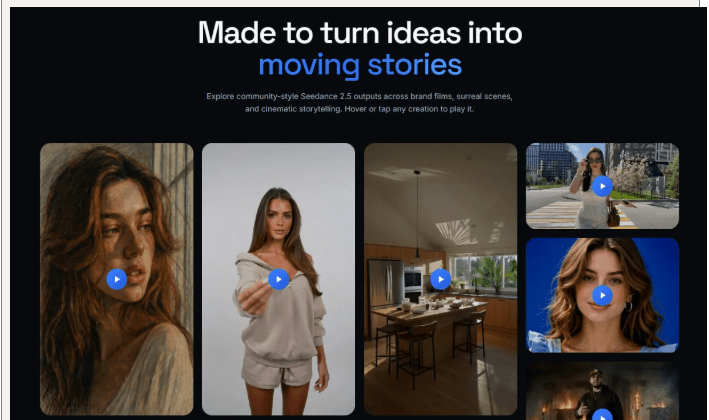
This is where Seedance 2.5 can be useful. On XMK, Seedance 2.5 supports video generation of up to 30 seconds in a single pass, along with supported image, video and audio references. This gives teams enough room to explore a short visual explanation while using relevant source material to guide the concept.
The important part is not how many references can be added. It is whether those materials help make the explanation clearer.
A business might work from its own product visuals, interface concepts, approved graphics or internally created reference material. Instead of trying to describe every visual detail from scratch, the team can use those materials as context while exploring the story.
The first version does not have to become a finished advertisement. Its first job is much simpler: show whether the idea still makes sense once people can actually see it.
Keep Each Story Focused
A short explanation becomes difficult to follow when it tries to cover the entire service.
Imagine a company launching a business travel platform. It handles booking, approvals, expenses, company travel rules and reporting.
Putting all five areas into one short story would probably create more questions than answers.
The company could instead make one story about approvals. An employee needs to arrange a trip, the request reaches the appropriate manager, and the booking moves forward after approval.
Expense tracking can have its own explanation. So can travel rules.
This also makes it easier to speak to different customers. A finance manager may care about spending controls, while an employee may simply want to know whether arranging a trip will become easier.
They do not need to watch the same explanation.
What a Visual Draft Can Reveal
Turning a business message into scenes can expose problems that are easy to miss in a document.
Take a sentence such as:
“We provide an integrated customer support solution.”
It sounds reasonable in a meeting. But what should the first scene actually show?
Perhaps a customer is waiting for a reply. Maybe an employee is switching between several support tools. Or a manager is trying to find an unresolved case.
The moment the team has to choose, it also has to answer a more important question:
What problem does this service really solve?
That is where a visual draft becomes useful beyond video production.
A product manager may notice that an important condition has been left out. Someone in sales may recognize a point that customers regularly misunderstand. Marketing may discover that the story is trying to communicate three benefits when one would be enough.
The discussion becomes less about whether people like the video and more about whether the business is explaining itself clearly.
Seedance 2.5 can help teams explore different ways to present these short concepts using supported multimodal references, but adding more material does not automatically improve the explanation. A simple story still needs a clear point.
Accuracy Still Matters
Making a service easier to understand is different from making it look better than it really is.
If a service normally takes two business days to produce a result, a visual should not suggest that it happens instantly. If an interface is only a concept, viewers should not be left thinking they are seeing the finished product.
The same applies to benefits. A visual story can make a real advantage easier to see, but it should not invent an advantage simply because it produces a stronger scene.
Reference material also needs care. Teams should use assets they are authorized to process and check XMK’s current content rules before using identifiable people, copyrighted works, confidential information or other restricted material as references.
A visual explanation should simplify the message, not change the facts behind it.
Test for Understanding
The easiest way to judge a short service story is to show it to someone who does not already know the offer.
Then ask what the service changed for the customer.
If the viewer can explain that in one or two sentences, the story is probably doing its job.
If they remember the visuals but still cannot explain the service, the problem may not be the quality of the video. The message may simply be trying to do too much.
That is why creating a short visual story can be useful even before a business decides where or whether to publish it. The process forces a team to decide what customers really need to understand and what can be left for later.
Seedance 2.5 provides another way to put that explanation into motion and see whether it works. But the tool comes after the more important decision: choosing what to say and what to leave out.
A new service does not always need a longer explanation.
Sometimes it just needs a clearer one.
