

Before writing this post, we looked at a simple question: why do so many audio-related blogs and tutorials still get strong traffic, even in 2026?
A few SEO case studies from SaaS and creator tools blogs point to the same pattern — “how to edit audio online”, “cut MP3 online”, and “remove background noise from audio” are still steady, high-intent search terms. They’re not flashy keywords, but they consistently convert because the intent is clear: people just want a quick way to fix an audio file without installing software.
If you’ve ever tried trimming a voice note or extracting audio from a video, you already know why these searches exist. Most users don’t want to learn editing software — they just want something that works immediately, ideally in the browser or a simple audio cutter.
So instead of listing every tool on the market, this guide focuses on the ones people actually end up using in real workflows, and where each one fits.
- AudioCut.io
Best for: Simple, fast browser-based audio editing without uploading files
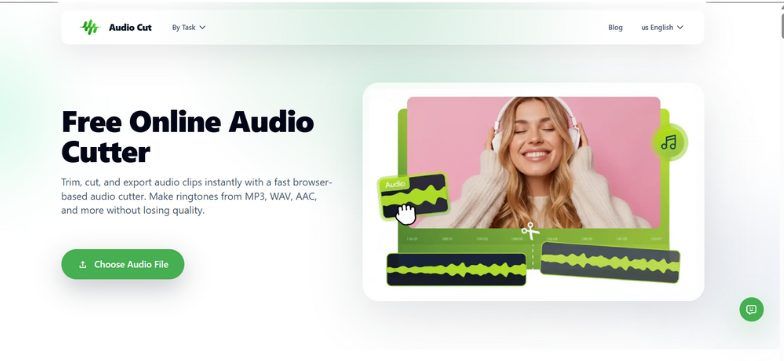
A lot of users first try AudioCut.io for one reason: they just want to cut something quickly with an audio cutter. But what usually keeps them using it is how “frictionless” it feels compared to traditional editors.
One common user scenario is pretty simple: a creator downloads a podcast recording, opens AudioCut, and just drags to remove silence or mistakes. No login, no upload bar, no waiting for processing.
What stands out in real usage is that everything runs locally. That might sound technical, but in practice it just means the file stays on your device. For people handling client interviews or internal meeting recordings, this alone is often the deciding factor.
Instead of trying to be a full DAW, AudioCut focuses on a few core tasks that actually get used:
Crop Music
This is the most frequently used feature. You open a waveform, zoom in, and cut exactly what you need. A lot of users describe it as “what I thought iMovie audio trimming would feel like, but faster.” It’s commonly used for trimming podcast intros, removing awkward silences, or pulling clean clips for social posts.
Splitter AI
This is where things get more interesting. Instead of manually trying to isolate parts of audio, users can separate vocals from background noise or music.
A typical case: someone recorded a Zoom interview in a noisy room. Instead of re-recording or abandoning the file, they run Splitter AI and get a noticeably cleaner voice track. It’s not magic, but for most everyday content, it’s “good enough to save the recording.”
Extract Audio
This is one of the most practical features for creators working across video and audio.
For example, a YouTuber uploads a screen recording, extracts just the voice track, and reuses it as a podcast episode. Another common use is repurposing webinar recordings into blog audio snippets or social clips.
It removes the need for a separate converter, which sounds minor until you realize how often people switch tools just for this step using an audio cutter workflow.
Limitations: AudioCut is still not trying to replace professional editing software. If you expect timeline-based multi-track mixing like a DAW, it will feel limited. But for 80% of everyday editing tasks, users tend to stick with it because it simply gets out of the way.
- Audacity (Web-Compatible Use Cases)
Best for: Users who want deeper control over audio editing
Audacity still shows up in almost every “audio editing tools” discussion, and for good reason. Even though most people associate it with desktop software, many users now run it in web-accessible setups or lightweight browser environments.
The typical user here is different from AudioCut users. They’re not just trimming audio — they’re cleaning noise, adjusting frequencies, or working on multi-track projects using tools more advanced than a basic audio cutter.
A common pattern is podcast editors who move from simple tools to Audacity once they start caring about consistent sound quality across episodes.
Limitations: The learning curve is real. Many first-time users open it, see the full interface, and immediately close it again. It’s powerful, but not forgiving.
- Clipchamp
Best for: People editing audio as part of video content
Clipchamp is often discovered accidentally — usually when someone is already editing a video and realizes they can handle audio in the same place instead of a separate audio cutter tool.
A typical workflow looks like this: a creator records a talking-head video, removes background music, adjusts voice levels, and adds light audio mixing — all without leaving the editor.
For beginners, this “all-in-one” setup is actually the main advantage. There’s no need to think about audio as a separate process.
Limitations: If you’re only working with audio files, Clipchamp feels slightly unnecessary. It’s optimized for video-first workflows.
- Soundtrap
Best for: Collaborative audio creation and podcast teams
Soundtrap feels less like a tool and more like a shared workspace. You don’t just edit audio — you build it with other people instead of relying on a simple audio cutter workflow.
This shows up clearly in real usage. Podcast teams use it to co-edit episodes remotely. Music collaborators use it to layer tracks without sending files back and forth. Teachers use it for student audio projects.
The real value here is collaboration. Being able to work on the same audio project in real time removes a lot of version confusion (“final_v3_really_final.wav” type problems).
Limitations: For solo users doing quick edits, it’s often more than necessary, and the subscription becomes a consideration pretty quickly.
- Adobe Podcast
Best for: Cleaning up voice recordings that were not recorded in ideal conditions
Adobe Podcast gained popularity because it solves a very specific frustration: bad microphone audio.
A common real-world scenario is someone recording on a laptop mic during travel or in a noisy room. Normally, that file would sound unusable. Adobe Podcast takes that same recording and makes it sound noticeably clearer — almost like it was recorded in a controlled environment, far beyond what a basic audio cutter can do.
Another feature people actually use is transcript-based editing. Instead of zooming into waveforms, users delete words from text and the audio updates automatically. For long interviews, this saves a surprising amount of time.
Limitations: It’s almost entirely focused on spoken audio. If you’re editing music or doing anything beyond voice cleanup, it’s not the right fit.
- Udio
Best for: Creating background music instead of editing existing audio
Udio sits in a different category entirely. Users don’t come here to edit audio — they come to generate it rather than use an audio cutter.
A common use case is content creators who need background music but don’t want to deal with licensing platforms. Instead of searching stock libraries, they describe the mood they want and generate a track.
For example, “calm ambient music for productivity video” or “uplifting intro music for YouTube channel.”
The output can then be downloaded and used inside other editing tools.
Limitations: It’s not a replacement for audio editors. You can’t fix recordings or clean files here, and results often require a few attempts to get something usable.
Side-by-Side Comparison
| Tool | Best For | Local Processing | Free Tier | Learning Curve |
|---|---|---|---|---|
| AudioCut.io | Fast browser editing (cut/split/extract) | Yes | Yes | Low–Medium |
| Audacity | Advanced audio editing | Yes | Yes | High |
| Clipchamp | Audio inside video editing | No | Limited | Low |
| Soundtrap | Team collaboration | No | Limited | Medium |
| Adobe Podcast | Voice cleanup | No | Limited | Low |
| Udio | AI music generation | No | Limited | Low |
How to Choose (Based on Real Use)
Looking at actual user behavior across blogs, forums, and product reviews, most people don’t “shop for audio tools” — they solve one specific problem and move on.
- If your goal is simply to cut, split, or extract audio quickly, AudioCut.io tends to be the most straightforward starting point as a lightweight audio cutter.
● If you’re working in a team or podcast environment, Soundtrap becomes more relevant.
● If your biggest issue is poor recording quality, Adobe Podcast is often the fastest fix.
● If you need background music, Udio fills that gap instead of editing tools.
In practice, many users end up combining just one or two of these tools rather than using everything.
The pattern is actually quite simple: the best online audio editor is usually the one that disappears into the workflow and lets you finish the task without thinking about the tool itself.
