

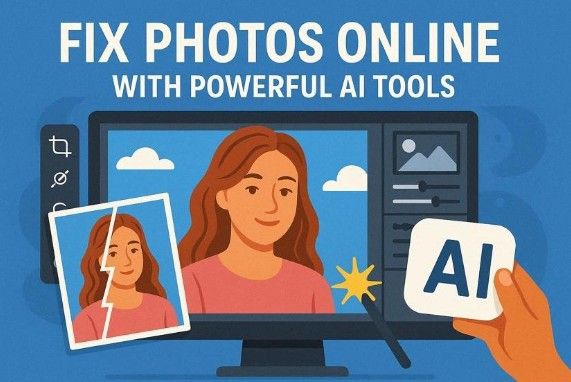
In a dominant era of high-resolution visuals , anything that is even slightly blurry instantly draws less attention. Blurred photographs often diminish emotional resonance and visual authenticity. Whether it’s due to camera shake, improper focus, or compression, the results require immense focus. Thus, the decision to fix blurry pictures extends mere aesthetic refinements; it represents the restoration of visual clarity.
Any advanced restoration techniques powered by AI-driven solutions now enable users to recover lost sharpness and texture. With this perspective in mind, we’ve compiled a few online solutions in the article, each designed to fix blurriness.
Part 1. Why Do Pictures Become Blurry?
From motion instability to focal inconsistencies, the following issues compel users to unblur images online:
- Unsteady Cameras and Shaky Hands: It’s the camera shake that blurs images when your hands move while clicking, happening more in low-light conditions.
- Subjects Dancing Instead of Standing Still: If a subject keeps moving when you’re capturing, it becomes a streak or a ghost in the result.
- Focus Systems Missing Their Intended Target: Cameras must decide exactly what distance to make sharp because when it chooses the wrong spot, it becomes softer or unclear.
- Glass Optics and Dirty Viewing Pathways: Dust, fingerprints, or fog on the lens can soften details and lower contrast, making the entire scene appear washed out.
- Dim Illumination and Struggling Shutter Speeds: In dark spaces, the camera often slows the stutters or raises the ISO, causing blur from shake or noise.
Part 2. 5 Best AI Tools to Clear Blurry Images in Seconds
You’re now ready to fix blurry pictures with complete fine texture refinement, and improve visual sharpness through AI-assisted solutions discussed:
1. Repairit Online
Amid the advancing sphere of digital remediation technologies, Repairit Online emerges as a highly adaptive restoration platform. The platform uses AI assistance to make old or blurry photos clearer without you doing any manual editing. It studies your pictures, finds soft or unclear parts, and sharpens them to restore lost details. You can clear out-of-focus images with just one click using its AI Enhancer tool.
It adds convenience for beginners to remove blur without having to learn complex photo-editing steps. Most importantly, staying online, you sharpen soft edges like faces, eyes, and outlines that look fuzzy in damaged pictures. For more complex blurriness, users can opt for its desktop version that allows them to unblur without limits.
Key Features
- Works with Many Image Formats: You can upload many image file types, such as JPG, JPEG, and WEBP, from different cameras or devices.
- Improves Clarity Without Losing Natural Look: Repairit aims to keep photos looking natural while removing blur and noise during the process.
- Free Review and Download Facility: Once the process comes to an end, it allows you to preview and save the final versions directly.
Simple Guidelines to Unblur Images with Repairit Online
These foundational guidelines enable users to effectively unblur images online using Repairit with greater precision:
Step 1. Upload Blurry Picture and Choose AI Enhancement
Browse the AI Photo Enhancer page for Repairit, access the “AI Enhancement” option, and click “Add.” After this, search and upload all the blurry portraits from your device to the tool.

Step 2. Begin the Photo Enhancement/Portrait Enhancement Process
Moving forward, select the “AI Enhancement Model”, then choose the “Photo Enhancement” option from the 2 options. Once done, press the “Start” button to initiate the unblurring process.
Step 3. Examine and Download Unblurred Image
Upon receiving the “Processed Successfully” message, preview the images and save the fully unblurred ones.
 2. Picsart Unblur Images
 2. Picsart Unblur Images
 On Picsart, simply upload an image, and it automatically identifies the blurry or soft parts to work on. It includes an AI image sharpener that boosts fine details like faces and fix blurry pictures to the best quality.
Key Features
- You can unblur and depixelates up to dozens of images
- It can be used to repair old pictures as well.
- The platform contains a built-in AI Photo Editor for editing.
Guidelines to Address Blurry Pictures Using Picsart
Step 1. Visit Picsart on your browser, then click the “Browse Files” option to upload out-of-focus images.
Step 2. Doing so, the tool will automatically unblur essential details, making the image ready for preview and “Download.”
3. Pixelcut Unblur Image Online
Pixelcut upscale images to higher resolutions, such as 4K, while keeping them as sharp and natural as possible. After the “unblur image online” process, you can further retouch and enlarge the picture within the same interface.
Key Features
- The platform allows you to improve multiple pictures simultaneously.
- Users can compare the before-and-after results before downloading.
- Besides working on web browsers, it has a mobile app too.
Tutorial to Unblur Images with Pixelcut
Step 1. Search for Pixelcut and click the “Unblur Image” option to add a blurry image.
Step 2. Once the tool processes and unblurs it, compare, then press the “Download” button to save.
4. Canva Remove Photo Blur
To clear blurry photo, Canva provides a dedicated “Blur” tool that incorporates a brush to highlight the unblurred parts. Within the same interface, you can adjust the unblur Intensity using a slider in the tool.
Key Features
- Offers Image Upscaler to automatically enlarge and sharpen images.
- With the same Blur tool, you can add blurriness to the pictures.
- It has an AI Enhancer that improves darkness, blurriness, and low-quality images.
Detailed Manual to Remove Blur with Canva
Step 1. On Canva, click the “Upload Your Image” option to upload your image, then access the “Tools” section. Later on, select the “Blur” tool from the given options to proceed.
Step 2. Next, choose the “Remove” option, adjust the Brush and Intensity scale, then highlight parts to unblur. In the end, simply press the “Remove Blur” button to eliminate the blurriness from the image.
5. Fotor Unblur Image
Fotor can fix blurry pictures in just one click with the help of its AI Unblur tool. The platform incorporates edge detection to identify where lines and details are soft, enabling texture reconstruction in nearby pixels.
Key Features
- Once it’s finished unblurring, it shows a preview screen.
- With its batch enhancer, you can unblur multiple images at once.
- Users can either download or further edit images in the Photo Editor.
Manual to Fix Blurry Pictures with Fotor
Step 1. Start by accessing the main page for Fotor, then press the “Upload Image” button. Browse your blurry picture or choose one from the already provided options to test the tool.
Step 2. Soon, when the blurriness is removed, click “Download” to secure the image.
As we move forward, here’s a concise comparison table for the tools we discussed, focused on “unblur image online”:
| Unblur AI Tools | Main Unblur Method | Batch/Multiple Images | Upscale/Resolution Boost | Best Used Case |
| Repairit Online | AI Photo Enhancement modes | Yes (with desktop version) | Handles AI upscaling up to 400%. | Instantly repair, unblur, and enhance images. |
| Picsart Unblur Images | AI Blur Remover | Supported | Improves clarity and resolution. | Fast unblurring and sharpening for social pictures. |
| Pixelcut Unblur Image | AI Photo Enhancer/Upscale | Batch processing in Pro Plan | Upscales up to 4K-16K | Making product images, screenshots, and pixelated photos sharp. |
| Canva Remove Photo Blur | Specialized Blur tool | Only single image unblurs | Image Upscaler tool can enlarge or sharpen. | Fixing blur inside designs and posts |
| Fotor Unblur Image | AI Blur Remover and Sharpener | AI batch enhancer to unblur many images. | Offers AI image upscaler for HD and 4K clarity. | Clearing blur and text for photos. |
Conclusion
In conclusion, the potential to fix blurry pictures has now evolved as an essential aspect of current digital image refinement. With the emergence of advanced enhancement technologies, restoring sharpness and recovering lost details has never been more accessible. From all the discussed online options, it is suggested to use Repairit for unblurring images with its AI Enhancement modes.
