


Editing software is usually chosen on a feature list and judged on the first difficult project. Those are different tests, and only the second one matters. What separates a tool you keep from one you abandon is narrower than the marketing suggests: how quickly it lets you make a first cut, whether it accepts the footage you already shoot, and what it hands back, meaning a file good enough to publish and a cut that can still be changed after delivery without new footage. Everything else is a preference dressed up as a requirement. Price and brand come after those three, and mostly they follow from them once the first cut works.
Ready in Your First Hour
A Timeline That Reads Like a Story
A good timeline looks like the film: pictures where pictures belong, sound underneath, titles on top. If the interface forces you to think about tracks before scenes, the first hour is spent learning the furniture instead of the craft. Look for a layout where trimming, splitting and moving clips are one gesture each, because those three actions account for most of the work. A capable video editor should let you cut something watchable before you have opened a single settings panel. If you can describe the film to someone after an hour, the timeline is doing its job. That test is worth repeating after every session, because a layout that fights you rarely improves under deadline, and the deadline always arrives.
Tools Sitting Where You Expect Them
Every editor hides the same functions somewhere. The question is whether somewhere is where your hand already goes: colour near the preview, audio near the waveform, export at the end of the process rather than in a submenu. A tool that puts the next action under the cursor saves minutes per session, and those minutes are the difference between finishing and postponing. Menus you never open are not features, they are inventory. Count how many clicks it takes to mute a clip and how many to fade it, and you will know the tool. Two numbers, gathered in a minute, settle more arguments than an afternoon with a comparison table.
It Takes the Footage You Already Shoot
Phone, Camera and Screen Recordings
Real projects mix formats: a phone clip, a camera file, a screen recording from a call. Import should be boring, which means no conversion dance and no mystery about frame rates. Check that the app reads the common codecs straight from the card and keeps the originals intact, so the source you shot is still the source you have. Anything that quietly rewrites your footage on import will cost you later, usually on the day a client asks for a different cut. Check that audio and video arrive together, because a clip that imports silently is a clip you will sync by hand. Import two files from two devices and see whether they land on the same timeline without complaint.
Long Files That Open Without Waiting
A two-hour recording should not turn the timeline into a slideshow. Proxy handling, background indexing and sensible caching are unglamorous features that decide whether long sessions are workable. Test with your longest file rather than the demo clip, and watch whether scrubbing stays responsive after the tenth cut. Most complaints about editing software are really complaints about this one behaviour, and it is far easier to check before you commit than to work around afterwards. Look for a progress indicator that tells the truth; a bar that stalls is worse than no bar at all.
What It Hands Back, and What It Can Still Change
Clean Exports for Every Platform
The export panel is where good edits go to die quietly. Presets for vertical, square and wide formats save the guesswork, and a clean default bitrate avoids the familiar cycle of upload, compress and re-upload. Look for a tool that remembers the last settings per destination, because most people publish to the same two or three places every week. An export you trust is the difference between shipping on Friday and shipping on Monday. Export one clip for each platform early, before the edit is finished, so you learn the settings while nothing is at stake.
A Note That Arrives Six Weeks Later
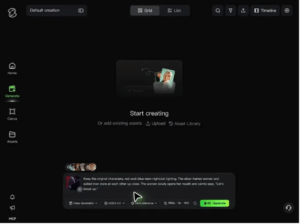
An export is a copy, not the work. Keep the project, the master and the notes beside it, and name the delivery file by date and destination, because a note that arrives six weeks later costs an hour instead of an evening. What separates one app from another at that point is the size of the operation the note requires. Kling AI Video Editor takes the approved cut as the reference and the change as a sentence, and on Kling 4.0 rebuilds only the shots that sentence names — a shorter version, a second language, a different closing line — while everything around them keeps its timing and grade. The new frames keep the light of the take they join. What it cannot judge is whether the performance still lands, so watch the join at speed.
Conclusion
Three questions cover most of the decision: can you cut something in the first hour, does it accept what you shoot, and can you publish what it gives back and still change it later. Feature lists rarely answer any of them. The tool that answers all three is the one you will still be using in a year, and the one you stop opening is usually the one that failed the third. Everything else, from transitions to templates, is a preference you can develop later, once the three basics are settled. Start there and the rest of the feature list becomes optional reading.
