

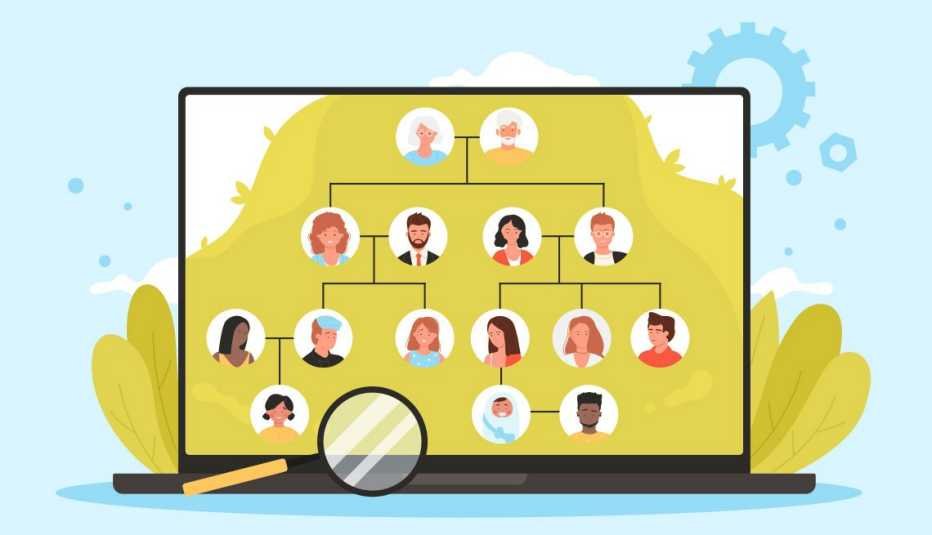
Family history research involves more than names and old records. Your tree, match list, messages, and downloaded files each need their own privacy choices. This guide explains how to manage those choices while keeping useful family connections open.
Why the smallest sharing choice deserves our attention
We may spend an hour checking a birth date and only a second choosing who can see it. That small choice deserves more thought. A family tree connects people, and those links can reveal details about relatives who never opened an ancestry account. A cousin message can hold private news, while a downloaded genetic file can travel far beyond the service that created it. None of this means we must give up researching our roots. It means deciding what to share before the excitement of a discovery chooses us. Good privacy habits let us stay curious while keeping a boundary around the people and information involved.
Our aim here is to make those boundaries easier to manage. We’ll cover tree visibility, account security, cousin conversations, and the separate choices behind genetic matching and research use. We will also cover downloaded files, access granted to helpers, and what to check when we stop using a service. Whether we are choosing a DNA test or reviewing an older account, we can ask: who can access this information, and for what purpose? The answers help us set limits that fit our goals rather than accept settings without reading them. We cannot promise that any online system removes every risk. We can reduce avoidable exposure, keep track of copies, and respect relatives’ wishes. By the end, we will have a way to protect our family research without losing the connections that make it worth doing.
What your family tree can reveal about living relatives
Review your tree as someone outside the family would. Check names, dates, photographs, notes, and the relationships connecting them. Hiding living profiles may not conceal details mentioned in a deceased person’s biography. Uploaded documents can also contain addresses, signatures, or information about children. Read the visible page and its attachments before deciding that a setting protects everything. The goal is to share enough for research without publishing details that serve no useful purpose.
Use the narrowest audience that supports the task you want to complete. A cousin comparing one branch may not need access to every living relative. Separate public historical notes from restricted material about current family matters. Ask people before posting private details, even when another relative supplied them. Privacy depends on both your account settings and the content you share.
- Remove unnecessary birth dates, contact details, and identifying information about children from shared versions.
- Check whether a tree is searchable separately from whether its full contents are public.
- Review photographs and captions for details that reveal information beyond the intended subject.
- Give collaborators individual permissions where available, rather than sharing your account password.
How to secure the accounts that hold your family research
Protect the email account tied to your Ancestry login as carefully as the Ancestry account itself. Someone with email access may receive reset links or copies of private correspondence. Use a different password for each service to limit damage from password reuse. When available, turn on multifactor authentication, which adds another check beyond a password. Save recovery codes somewhere secure that you can reach if your phone is lost. Keep your devices and browsers updated.
Guidance from the National Institute of Standards and Technology recommends passwords of at least 15 characters. It also recommends using password managers and multifactor authentication instead of relying on a password alone. It explains that some second-factor methods offer stronger protection than others, with text codes particularly vulnerable. Passkeys provide another option where the service supports them and can resist phishing. These measures strengthen account access; they do not control what an authorized viewer can copy.
- Open the service through its official app or your saved address when checking security messages.
- Never send a cousin your password, recovery code, or sign-in verification code.
- Review active sessions and remove unfamiliar devices using your service’s controls.
How to exchange cousin clues without exposing private lives
Start a match conversation with the smallest amount of information needed. A deceased ancestor’s name and broad location may be enough to establish common ground. A genetic match alone does not verify every claim someone makes about their identity. Compare family details gradually before sending documents or inviting wider access. Keep early contact inside the service when that meets your needs. Ask before moving messages into a group that includes other relatives.
A request to compare trees does not require sending your raw genetic data. That file contains genetic information and deserves more care than an ordinary family chart. Share relevant findings instead of complete files when those findings answer the question. Before forwarding a message, obtain permission from the person who wrote it. Apply the same rule to screenshots, match lists, and photographs of living relatives. Someone’s willingness to research with you does not make their information public.
- Crop or redact unrelated living people’s details before sharing a useful record.
- Use restricted sharing links where appropriate and check exactly who can open them.
- Avoid posting match names or shared DNA amounts in public groups without permission.
- Decline requests for account access even when the person seems to know your family.
What to review before agreeing to ancestry data sharing
The National Human Genome Research Institute explains that genomic privacy protections depend heavily on how and why information is collected and stored. It notes that genetic information can be linked with genealogy sources and public records to identify people. Its guidance also distinguishes data a testing company keeps from copies you download or upload elsewhere. These points show why you should review each use of your information rather than treat one consent screen as covering everything.
- Separate matching from public tree visibility
Check whether enabling cousin matching displays your name, profile, shared DNA amounts, or linked tree. Read what other matches can view before turning a feature on. A private tree and an active matching profile may operate under different rules. Choose each setting for its own purpose instead of assuming that changing one automatically changes all the others.
- Read research choices as a separate decision
Look for optional consent that permits research use beyond producing your results. Check who may receive information, what uses are described, and whether withdrawal is available. Read the stated limits on withdrawal, including how completed work or earlier sharing is handled. Decide on those terms rather than assuming that agreeing to matching also requires agreeing to every research project.
- Check every service receiving a copy
Before uploading a genetic file elsewhere, read the receiving service’s privacy, access, retention, and deletion terms. Look for rules about sharing with partners, legal requests, and any law-enforcement matching functions. Keep a note of where you uploaded the file and why. Your original account settings do not automatically apply to another company, a research tool, or a copy stored on your own device.
- Limit the access given to research helpers
Use a service’s supported invitation or management tools instead of handing over your login. Review whether the helper can view results, change settings, contact matches, or download data. Obtain clear permission before managing another adult’s kit or sharing their results with anyone else.
- Distinguish deletion from ending a subscription
Read how to stop paid billing, remove genetic data, close an account, and request sample destruction. These actions can require separate steps, and their effects vary by provider. Check which records may be retained for stated legal or operational reasons and how backups are handled. Keep confirmation of requests, but remember that deletion cannot reliably retrieve copies someone else already saved.
How to keep privacy choices current as your tree grows
Treat a new upload, collaborator, or linked account as a reason to review access. Check settings again when a service announces changes affecting data use or ownership. Store downloaded genetic files and private records in protected storage with access limited to the people who need it. Avoid leaving copies in public folders or on shared computers. Delete unnecessary working copies after confirming that important research remains safely stored.
If you notice unfamiliar activity, open the official service directly and secure the affected account. Change any reused or exposed passwords and, when possible, end unknown sessions. Secure the linked email account and review recovery details too. Contact the provider through its official support route to report the activity. Record what happened and follow instructions in any verified incident notice. Regular reviews make both routine upkeep and unexpected responses easier to manage.
- Keep a list of services holding your tree, genetic files, or private family documents.
- Review old sharing links and remove access that no longer supports an agreed task.
- Check permissions before passing research to another relative or a new project manager.
- Set a recurring review date and also recheck after account or family changes.
How we can protect the trust behind every family connection
Ancestry research works best when we can exchange useful clues with expectations. We can protect that trust by limiting access, securing accounts, and asking before sharing another person’s information. Our choices should cover the tree, genetic data, stored sample, and copies we create.
Let us start with one account today. We can review who sees our tree, strengthen the login, and remove one unnecessary shared file or permission. Then we can check matching and research choices separately. We do not need to finish every task at once. Make the first privacy check now, and build a family history project that respects the people helping us discover it.
