

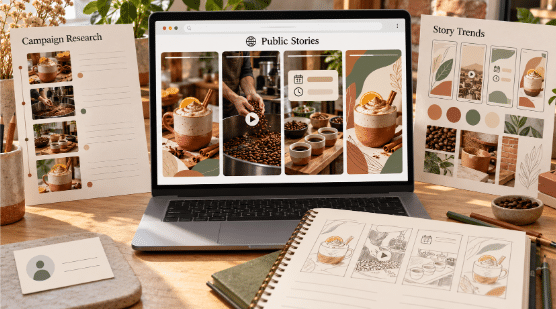
Instagram Stories are designed for quick, temporary sharing. Photos and videos posted as Stories generally remain visible for 24 hours unless the creator adds them to Highlights. That temporary format makes Stories useful for everyday updates, product launches, behind-the-scenes content, promotions, and time-sensitive announcements.
For creators and small businesses, viewing public Stories can also be useful for researching trends, monitoring public campaigns, and understanding how other accounts structure temporary content. Different viewing methods offer different levels of convenience, privacy, interaction, and support for saving media.
Before choosing an Instagram Story viewer, consider whether you need normal interaction, anonymous viewing of public Stories, desktop access, or a way to preserve permitted content. Private Stories remain restricted to approved followers, and legitimate third-party tools cannot bypass Instagram’s privacy settings.
What to Look for in an Instagram Stories Viewer
Creators and small businesses should focus on practical factors such as privacy, ease of use, supported features, device compatibility, and security. A browser-based viewer can be convenient when you do not want to install another application, while Instagram itself provides the most complete interactive experience. In the app, Stories appear in a horizontal bar at the top of the feed, separate from permanent posts. An unseen active Story is marked by a colorful ring around the profile picture, and if it is still within its 24-hour window, you can reopen it by tapping the profile picture again.
Third-party services should be treated cautiously if they ask for your Instagram username and password. A public-content viewer generally should not need access to your personal Instagram credentials. It is also important to avoid services that claim they can unlock private Stories. Story photos or video clips are short-form units that last up to 15 or 60 seconds, depending on format.
1. Grabfy
Grabfy is a strong option for creators and small businesses that want to work with supported public Instagram Stories directly through a browser. It is especially relevant for users who want a simple viewing workflow without installing a separate Story-viewing application.
The Instagram Story Viewer from Grabfy is designed for viewing publicly available Stories through a browser. This approach can be useful for social media managers monitoring public brand content, creators researching Story trends, and small businesses reviewing publicly available campaigns without using their Instagram account for the normal viewing session.
Because Grabfy is browser-based, it also fits workflows that move between desktop and mobile devices. Its focus on public content keeps the use case clear: it can help with supported public Stories, but it cannot provide access to private Stories or bypass follower approval.
2. Instagram’s Official App
For ordinary Story viewing, Instagram’s official app provides the most complete experience. It supports interactive elements such as links, polls, questions, reactions, music, and other features that creators may add to Stories.
This makes the official app particularly useful for small businesses that need to interact with customers, respond to Stories, or participate in conversations rather than simply observe public content. Approved followers can also view Stories from private accounts they are authorized to access.
The privacy trade-off is that normal Story viewing while signed in is associated with your Instagram account. For creators or businesses researching public accounts without wanting to use their profile in the normal viewer flow, a browser-based alternative may be more suitable.
3. Instagram Web
Instagram’s website is convenient for creators and teams that spend much of their working day on a laptop or desktop computer. Viewing Stories on a larger screen can make campaign research and social media monitoring easier.
A social media manager can keep Instagram open in one browser tab while recording observations, comparing campaign ideas, or planning content in another. The familiar Instagram interface also reduces the need to learn another service.
Instagram Web does not provide anonymous Story viewing simply because it runs in a browser. If you are signed in and view a Story normally, the view can still be associated with your account.
4. Anonymous Web Viewers
Anonymous web viewers are designed for people who want to check supported public Instagram Stories without signing into Instagram. Depending on the service, you may enter a public username or supported URL and view currently available content through the website.
For creators and small businesses, this can help with legitimate public research. A marketing team might review how brands structure temporary promotions, while a creator could examine public Story formats, visual approaches, or posting patterns.
Quality varies significantly among third-party viewers. Some may contain excessive advertising, redirects, trackers, or misleading buttons. Avoid any viewer that asks for unnecessary credentials or claims it can reveal private Instagram Stories.
5. Story-Saving Tools
Viewing and saving a Story are different tasks. If a creator or business needs to preserve its own public campaign material, or has permission to retain another piece of content, a Story-saving tool can be more practical than repeatedly taking screenshots.
Saving media locally can help teams maintain authorized campaign archives, review previous creative approaches, or keep examples for legitimate internal reference. File quality and supported formats vary between services.
Copyright remains important. Public availability does not mean that a photo, video, music track, or artwork is free to reuse. Obtain permission when necessary before republishing or commercially using material created by someone else.
6. Screenshots and Screen Recording
Screenshots and screen recording provide a built-in alternative to third-party viewing and saving tools. Modern iPhone and Android devices include features for capturing visible content on the screen.
Screenshots are useful for individual images or text, while screen recording can capture video and visible Story elements. This method also works with private-account Stories when you are an approved follower and can legitimately view the content.
The main drawback is quality. Screen recording captures what appears on the display rather than retrieving the original media file, so interface elements may remain visible, and the resulting file may differ from the source.
7. Public Story Highlights
Highlights offer another way to view Story-based content when a creator has chosen to keep it available beyond the usual 24-hour Story period. They can be especially useful when researching how a brand organizes evergreen information, products, FAQs, events, or campaigns.
For creators and small businesses, reviewing public Highlights can provide context that temporary Stories may no longer offer. A business can study how other public accounts organize recurring themes or keep important information visible on their profiles.
Highlights still follow account privacy settings. Public Highlights may be accessible to a broader audience, while Highlights belonging to private accounts remain limited to approved followers.
Why Grabfy Is Useful Beyond Basic Instagram Stories Viewing
Not every creator or business needs only temporary Story access. Sometimes a workflow involves researching public Stories alongside other supported Instagram formats, or keeping permitted material available for later reference.

In that context, Grabfy provides a broader browser-based option for working with supported public Instagram content. This makes it particularly relevant for creators, researchers, and social media teams that prefer a consistent workflow instead of relying on a different method each time their content needs to change.
The same boundaries still apply. Content must be publicly accessible, and saving media does not transfer ownership or automatically grant permission to republish, edit, distribute, or commercially use another creator’s work.
Which Option Is Best for Creators and Small Businesses?
The right method depends on your objective. Instagram’s official app is appropriate when interaction matters, while Instagram Web is convenient for teams working primarily from desktop computers. Anonymous viewers can be useful for supported public Story research when you do not want to use your account in the normal viewing process.
Grabfy is particularly relevant when you prefer a browser-based workflow for supported public Instagram content. Its Story-focused option gives creators and small businesses a direct way to work with public Stories, while the broader Grabfy service can fit workflows involving other supported Instagram media.
Regardless of the method, protect your credentials and respect account privacy. No legitimate Story viewer should promise to unlock private accounts without authorization.
Staying Safe and Respecting Creators’ Rights
Be cautious of services that request your Instagram password unnecessarily, require suspicious software, open repeated redirects, or advertise access to private accounts. These are warning signs rather than useful viewing features.
Technical access and permission to reuse content are separate issues. Publicly available Stories can still contain copyrighted photography, videos, music, artwork, and other protected material. Saving something for legitimate reference does not automatically give you permission to republish it.
Creators and small businesses should keep this distinction in mind when conducting competitor research, building inspiration libraries, or archiving campaign examples, and when leaving a respectful comment with feedback or topic suggestions.
Final Thoughts
Instagram Story viewers serve different purposes. The official app offers the complete interactive experience, Instagram Web supports convenient desktop viewing, anonymous viewers provide another route to supported public Stories, and capture or saving methods can help when legitimate offline reference is required.
For creators and small businesses, the best choice depends on whether the priority is interaction, public-content research, convenience, or archiving. Whatever method you use, keep private content off-limits, protect your account credentials, and respect the rights of the people and businesses that created the original material.
