

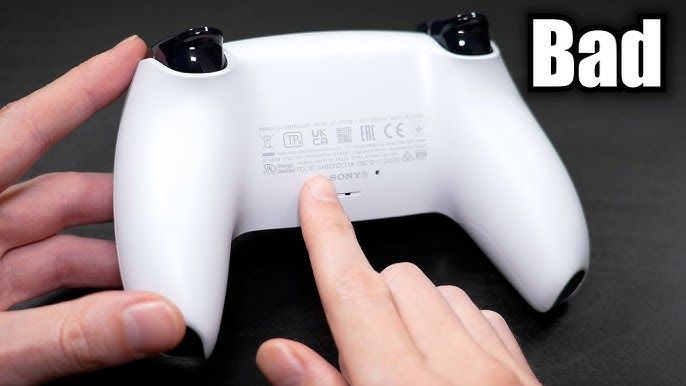
Conduct a 60-second controller health check to test joysticks for drift, button response time, and polling rate. With a gamepad tester that can effectively identify hardware failures before they manifest as issues during critical moments of play, you can preserve the performance of your favorite controllers and submit warranty claims before their deadlines expire, saving yourself potentially expensive replacements.
Hardware reliability dictates gaming success. Even a brand-new controller right off the shelf can have concealed manufacturing flaws. An immediate diagnostic check using a dedicated gamepad tester ensures that gamers have purchased a fully functional device. Better early detection of dead zones, sticky triggers, or latency problems = saving money and frustration.
What Are the Most Common Controller Faults?
This directly affects gameplay accuracy and indicates defective hardware. This means players need to understand which malfunctions to seek out before the return window slams shut.
Identifying Symptoms of a Faulty Controller
In practice, we most often see hardware faults as minor inaccuracies. The most prevalent issues include:
- Stick drift: The analog sticks actually detect movement when they are at complete rest.
- High circularity error: Failure to hit max diagonal inputs with Joysticks.
- Double-press: Face buttons count more than one press per push.
- Trigger Violation: Since one trigger is much looser than the other.
Why Is a Quick Controller Health Check Essential?
When it comes to large-scale mass production of gaming hardware, quality control will always be somewhat inconsistent. In reports from Reddit communities that survey user failure rates, non-standard Nintendo Switch Joy-Cons are reported to have a 37% failure rate due to drift. Having these defects spotted right away enables buyers to access standard warranties instead of paying for expensive repairs themselves.
How Do Gamers Run a 60-Second Controller Health Check?
By adhering to a testing sequence, players can complete a full diagnosis in one minute.
Step 1: Visual Inspection for Hardware Defects
Check outer covering and seams. Gamers should check for uneven gaps between plastic housing pieces, as this is a sign of improper factory assembly. Tabs should be flush with the casing, not angled.
Step 2: Testing Button and Joystick Responsiveness
Launch a web-based diagnostic tool. Put both thumbsticks in circles slowly and with purpose. The software needs to draw a perfect circle on the screen. Having a circularity error rate of 8% or less is considered good. If the numbers are bigger, it will have difficulty with very subtle diagonal movements (e.g.
Step 3: Checking Connectivity and Polling Rate Latency
Polling rate indicates the frequency at which the controller reports to a console or PC. Wire the device in using a USB connection. Then swap to Bluetooth. Gamers must also ensure that the latency stays constant – below 10 milliseconds for competitive play.
Step 4: Verifying Trigger and Bumper Functionality
Press both triggers down slowly. Expect a nice linear shift from 0% to 100% actuation in the diagnostic software. Any jumps in the data indicate a faulty potentiometer in the trigger assembly.
Hardware Failure Statistics
Being aware of how long hardware typically lasts helps gamers set realistic expectations for their devices.
| Metric | Average Statistic | Implication |
| Joy-Con Drift Rate | 37% failure rate | High probability of early analog stick degradation. |
| DualSense Stick Lifespan | 417 active hours | Heavy users may experience drift within 4 to 7 months. |
| Optimal Circularity Error | ≤ 8% deviation | Ensures accurate diagonal movement and precise aiming. |
What Are the Best Advanced Troubleshooting Steps for Controllers?
When a quick test reveals inconsistencies, players must determine if the issue is hardware-based or software-based.
Using Software Diagnostics and Calibration Tools
Software calibration corrects minor input registration inaccuracies. The built-in USB Game Controllers applet allows Windows users to recalibrate resting dead zones. Most players love broadcasting AAA titles or browser-based platforms such as Gplus games; the best thing about counting is that some instruments that recalibrate according to compilers can perform this function without the need for physical repairs either.
Investigating Controller Driver Issues
Old drivers result in bogus hardware faults. It requires PC gamers to update the Bluetooth drivers on their motherboard and the controller’s firmware through the manufacturer’s official app (Xbox Accessories or PlayStation Accessories, for example) to avoid lag when connecting.
How Can Gamers Prevent Future Controller Faults?
This proactive maintenance increases the longevity of gaming peripherals.
Implementing Proper Storage and Handling
Avoid accidental compression of the analog sticks and store your controllers in the hard-shell case. When placing a controller face-down on the desk applied pressure is applied to the joystick modules; this should decrease how long it takes for internal springs to degrade.
Maintaining a Regular Cleaning Regimen
Internal potentiometers are ruined by dust and skin oils. Once a week, players should use a microfiber cloth to wipe down their peripherals and take a cotton swab dipped in isopropyl alcohol or rubbing alcohol to clean the nooks around the analog sticks and triggers.
Next Steps for Ensuring Peak Gaming Performance
Every time you buy a new gaming peripheral, test it out as soon as possible. Go to a free diagnostic site, run the 60-second test procedure, and check the analog ring and trigger actuation. If the hardware does not meet any of those baseline metrics, request that the retailer replace it immediately.
FAQs
What is controller stick drift?
Stick drift occurs when the potentiometers, which are internal sensors in the controller, deteriorate or accumulate dust to the point that, even with no physical movement, the analog stick registers movement.
How do gamers fix a high circularity error?
If high circularity errors are present, players can fix them by swapping out the internal joystick module, but they must purchase a new component. In the meantime, players can work around it temporarily by raising their outer deadzone settings in-game.
What is a good polling rate for a gaming controller?
The polling rate on a competitive gaming controller should never drop below 250Hz, which corresponds to roughly 4 ms of input delay.
Does a standard controller warranty cover stick drift?
Most major manufacturers do indeed cover stick drift under their one-year hardware warranty, as long as the user hasn’t opened up the controller or caused liquid damage.
How often should players clean their gaming controllers?
Gamers should wipe down with cheap surface wipes weekly before a deep clean, and get 70% isopropyl alcohol on the buttons and joysticks monthly to prevent debris from building up.
