
Close Menu
CEOColumnCEOColumn
    What's Hot

    Why Men Often Ignore Persistent Pain Until It Affects Their Quality of Life

    June 8, 2026

    Workplace Drug Testing in 2026: Why the Changing Drug Landscape Demands a Better Strategy

    June 8, 2026

    UTI Treatment Online: How Telehealth Has Changed Access to One of the Most Common Infections

    June 8, 2026
    Facebook X (Twitter) Instagram
    Facebook X (Twitter) Instagram
    CEOColumnCEOColumn
    Subscribe
    • Home
    • News
    • BLOGS
      1. Health
      2. Lifestyle
      3. Travel
      4. Tips & guide
      5. View All

      Workplace Drug Testing in 2026: Why the Changing Drug Landscape Demands a Better Strategy

      June 8, 2026

      UTI Treatment Online: How Telehealth Has Changed Access to One of the Most Common Infections

      June 8, 2026

      How CPAP Therapy Restores Restful Sleep for People With Sleep Apnea

      June 8, 2026

      How to Fund Long-Term Care Without Draining Savings

      June 6, 2026

      Why You Should Focus On Reducing Household Stress Instead Of Increasing Productivity

      June 8, 2026

      Why Laser Hair Removal is the Future of Effective Hair Reduction Techniques

      June 4, 2026

      Complete Layering Guide: Pairing The Best Volumizing Shampoo With Products For All-Day Lift

      June 4, 2026

      How F.O.X Nails USA Continues to Dominate the Manicure Market: Advantages of Niche Specialization

      June 4, 2026

      Top 10 Lakes in the U.S. for Your Next Vacation 

      June 3, 2026

      Why Kids Remember Family Trips More Than Expensive Gifts

      June 3, 2026

      Why Pigeon Forge Is One of the Best Road Trip Destinations in the South

      June 3, 2026

      Planning a Holiday That Blends Relaxation and Adventure

      June 3, 2026

      Microsoft Dynamics 365 and Zoho CRM: Empowering Modern Customer Relationship Management

      June 4, 2026

      6 Best Online Audio Editing Software for Cutting and Polishing Your Audio

      May 30, 2026

      How to Diversify and Simplify Records Faster Using HRIS Tools

      May 18, 2026

      Nighttime Skincare Routine: 5 Steps to Unlock Your Skin’s Overnight Regeneration

      May 4, 2026

      Robbie Coltrane Height, Biography, Net Worth & Relationships 2026

      June 7, 2026

      Bradley Cooper Height, Age, Net Worth, Career & Girlfriend 2026

      June 7, 2026

      Desky Dual Mini vs Recess Desk – Desky Is the 2026 Top Choice

      June 5, 2026

      What 20,000 Participants Taught Me About Personal Growth

      June 5, 2026
    • BUSINESS
      • OFFLINE BUSINESS
      • ONLINE BUSINESS
    • PROFILES
      • ENTREPRENEUR
      • HIGHEST PAID
      • RICHEST
      • WOMEN ENTREPRENEURS
    CEOColumnCEOColumn
    Home»Tips & guide»How to Bypass Android Lock Screen without Password

    How to Bypass Android Lock Screen without Password

    OliviaBy OliviaAugust 16, 2025Updated:September 3, 2025No Comments3 Mins Read

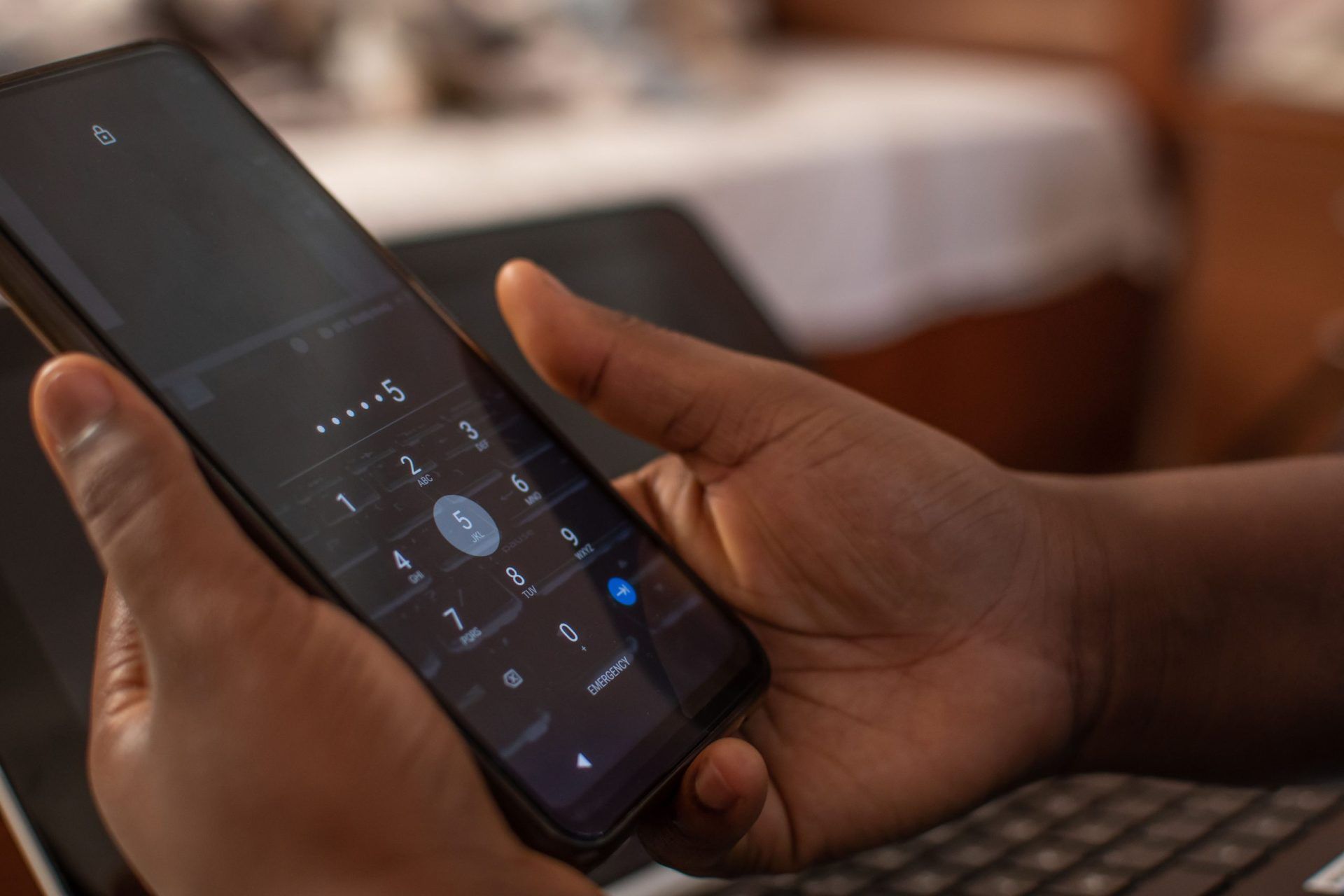
    Android devices make up the bulk of mobile phones used, and many mobile phone manufacturers opt for this operating system. The Android OS has several security protocols in place for user information safety. The lock screen is a prominent security feature present in devices.

    The screen might lock in situations where the user forgot their password or keyed in the wrong code several times. To safeguard the device, the system will disable it. It is a disappointing situation that many cannot get over. 

    The good news is that Android lock screen removal is possible with numerous solutions. DroidKit is among the solutions to opt for, and we will guide you on its application for a locked Android screen.

    Table of Contents

    Toggle
    • What is DroidKit?
    • Bypass Android Lock Screen with DroidKit: A Step-by-Step Guide 
      • Step 1: Get DroidKit for Your PC
      • Step 2: Open DroidKit and Connect Your Android Device
      • Step 3: Put the Device in Recovery Mode
      • Step 4: Finish the Bypass
    • Get DroidKit to Shield Yourself from Android Troubles

    What is DroidKit?

    DroidKit is a product under the iMobie umbrella and is the solution to all your Android smartphone problems. Apart from bypassing Android lock screen, this tool will also fix a black or frozen screen, retrieve lost data, upgrade the system, and many more.

    It is a must-have utility, especially in a professional setting, ensuring you have all that you need to fix Android issues.

    Bypass Android Lock Screen with DroidKit: A Step-by-Step Guide 

    One of the things to love about iMobie DroidKit is its user-friendliness; anyone can use it, even without sophisticated technical knowledge, as evident from the following user guide.

    Step 1: Get DroidKit for Your PC

    Download the tool from its authorized website like iMobie. As a new or one-time user, you can go for the free version. However, if you want to be regularly using it or want it for professional applications, you can explore the premium versions, which come with several add-ons.

    The utility works with most releases of Windows and Mac. It is also 100% clean and secure, with no chances of it coming with risks like malware.

    Step 2: Open DroidKit and Connect Your Android Device

    Once successfully installed, you launch it and connect your locked Android device. Make sure that your PC can read your device to adequately work on it adequately. On the tool’s display, select the ‘Screen Unlocker’ option.

    The action leads you to another display that presents the various scenarios that the utility can solve regarding screen locks. They include removing all types of passwords, like PINs, patterns, facial recognition, fingerprints, and more.

    Press the ‘Start’ button, then click on the ‘Device Connected’ option in a small box that will pop up. The action prompts the preparation of a configuration file. Click ‘Remove Now’ after the configuration file is ready.

    Step 3: Put the Device in Recovery Mode

    This step requires you to select your device brand and a preferred unlock option. Available unlock modes are Wipe device data and Keep device data. The former is the most recommended, as it works with most phones, while the latter works only with specific older models.

    Step 4: Finish the Bypass

    Follow the instructions presented on the display to initiate the screen lock removal. It might take some time, so be patient. Once done, you will see the notification, ‘Screen Lock Removal Complete.’ Click the ‘Complete’ button to exit.

    Get DroidKit to Shield Yourself from Android Troubles

    DroidKit is the ultimate answer to several Android phone troubles, like a locked screen, frozen display, lost files, and a slow device. Download this tool and have it ready for any problems that you may encounter with your Android devices.

    Share. Facebook Twitter Pinterest LinkedIn Tumblr Telegram Email
    Previous Article Dubai Bling Season 3: Cast, Drama, and Must-Watch Moments
    Next Article How 23-Year-Old CEOs Are Building $10M Companies Without VC Money
    Olivia

    Olivia is a contributing writer at CEOColumn.com, where she explores leadership strategies, business innovation, and entrepreneurial insights shaping today’s corporate world. With a background in business journalism and a passion for executive storytelling, Olivia delivers sharp, thought-provoking content that inspires CEOs, founders, and aspiring leaders alike. When she’s not writing, Olivia enjoys analyzing emerging business trends and mentoring young professionals in the startup ecosystem.

    Related Posts

    Microsoft Dynamics 365 and Zoho CRM: Empowering Modern Customer Relationship Management

    June 4, 2026

    6 Best Online Audio Editing Software for Cutting and Polishing Your Audio

    May 30, 2026

    How to Diversify and Simplify Records Faster Using HRIS Tools

    May 18, 2026
    Add A Comment
    Leave A Reply Cancel Reply

    You must be logged in to post a comment.

    Latest Posts

    Why Men Often Ignore Persistent Pain Until It Affects Their Quality of Life

    June 8, 2026

    Workplace Drug Testing in 2026: Why the Changing Drug Landscape Demands a Better Strategy

    June 8, 2026

    UTI Treatment Online: How Telehealth Has Changed Access to One of the Most Common Infections

    June 8, 2026

    8 Signs Your Data Architecture Needs Modernization in 2026

    June 8, 2026

    How CPAP Therapy Restores Restful Sleep for People With Sleep Apnea

    June 8, 2026

    Why Your Budget Often Tells the Truth Before You Do

    June 8, 2026

    Nita Ambani Height in Feet, Family, Career & More 2026

    June 8, 2026

    Riya Upreti Net Worth: Biography, Age & Relationship 2026

    June 8, 2026

    Best Water Slide Bounce House Combos in Tulsa for Birthday Celebrations

    June 8, 2026

    Niyati Fatnani Husband Name 2026: Is the Actress Married or Still Single?

    June 8, 2026
    Recent Posts
    • Why Men Often Ignore Persistent Pain Until It Affects Their Quality of Life June 8, 2026
    • Workplace Drug Testing in 2026: Why the Changing Drug Landscape Demands a Better Strategy June 8, 2026
    • UTI Treatment Online: How Telehealth Has Changed Access to One of the Most Common Infections June 8, 2026
    • 8 Signs Your Data Architecture Needs Modernization in 2026 June 8, 2026
    • How CPAP Therapy Restores Restful Sleep for People With Sleep Apnea June 8, 2026

    Your source for the serious news. CEO Column - We Talk Money, Business & Entrepreneurship. Visit our main page for more demos.

    We're social. Connect with us:
    |
    Email: [email protected]

    Facebook X (Twitter) Instagram Pinterest LinkedIn WhatsApp
    Top Insights

    Why Men Often Ignore Persistent Pain Until It Affects Their Quality of Life

    June 8, 2026

    Workplace Drug Testing in 2026: Why the Changing Drug Landscape Demands a Better Strategy

    June 8, 2026

    UTI Treatment Online: How Telehealth Has Changed Access to One of the Most Common Infections

    June 8, 2026
    © Copyright 2025, All Rights Reserved
    • Home
    • Pricacy Policy
    • Contact Us

    Type above and press Enter to search. Press Esc to cancel.

    Go to mobile version