

Dubbing AI — The Ultimate Free Real-Time AI Voice Changer
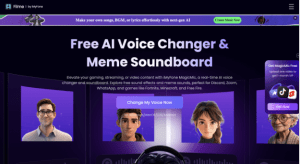
If you’re searching for a voice changer for Discord that combines sheer variety with an intuitive interface, Dubbing AI is a name you’ll encounter constantly in streaming communities. Despite what its name might suggest, Dubbing AI isn’t a video dubbing tool; it’s a real-time AI voice changer built for gamers, VTubers, and anyone who wants to reinvent their vocal identity on the fly. You can download Dubbing AI for free and jump straight into a library of over 500 AI voices inspired by anime icons, game characters, celebrities, and more. The software runs as a virtual audio device, so once you select “Microphone (Dubbing Virtual Device)” in Discord’s voice settings, your entire audio feed is transformed with near-instantaneous processing.
What truly sets Dubbing AI apart from many competitors is its colossal soundboard, boasting over 100,000 meme sound effects, game quips, and viral audio clips that you can trigger with hotkeys during a live call. Streamers in particular love this feature because it lets them punctuate funny moments without breaking their flow. The voice changer also includes a community sounds library where users upload and share their own audio creations, turning the platform into a constantly growing ecosystem of hilarious and creative sounds. For those who want to go beyond preset voices, Dubbing AI offers voice cloning, enabling you to create a custom AI model from a few audio samples. Whether you want to sound like your in-game main or adopt a completely new persona for a D&D session, the cloning tool gives you that power.
Performance-wise, Dubbing AI’s voice changer is remarkably lightweight, sipping only a tiny fraction of your CPU and zero GPU resources. This means you can keep it running in the background while playing demanding titles like Fortnite or Apex Legends without noticing any frame drops. The setup process is streamlined: install, pick your voice, toggle the voice changer on, and you’re live on Discord within minutes. A free tier rotates a selection of voices daily, making it easy to test the waters before committing to a subscription. The full voice library and premium features unlock at an affordable monthly rate, with a lifetime plan often available for those who want to pay once and forget about recurring bills. For anyone who wants a complete audio playground on Discord, Dubbing AI’s voice changer remains one of the most generous and versatile tools on the market.
Voicemod — The Veteran Streamer’s Companion
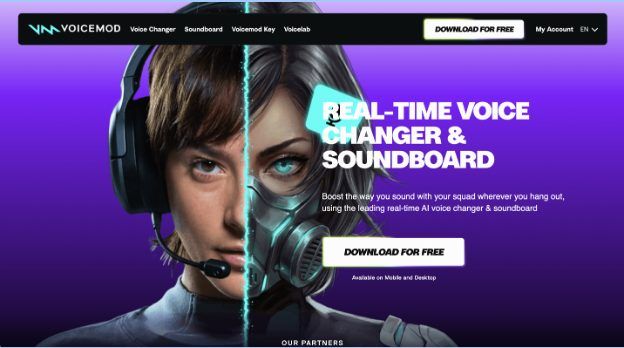
Voicemod has been a household name in the voice changer space for years, and its deep integration with Discord, OBS, and Twitch makes it a solid choice for content creators. The software comes with a rotating set of free voices each day, while Voicemod Pro unlocks the full library of over 100 voice effects. One standout feature is Voicelab, a custom voice creator that lets you blend and modulate effects to design a voice that’s entirely your own. The meme soundboard is robust, though its library is smaller than what you’ll find in Dubbing AI. Voicemod offers a lifetime license at a one-time fee, which is an excellent value for users who plan to use it long-term. The interface is polished and easy to navigate, and the virtual audio device works seamlessly across virtually all communication apps. If you’re a streamer who values brand recognition and a mature, battle-tested platform, Voicemod is a safe and reliable pick for Discord voice changing.
Voice.ai — Community-Powered Voice Universe
Voice.ai takes a slightly different approach by building a massive, community-driven Voice Universe where users upload and share their own voice models. This results in an ever-expanding library that includes everything from hyper-realistic celebrity impressions to obscure cartoon characters. The real-time speech-to-speech conversion is impressively smooth on capable hardware, and voice cloning is available to all users without needing to jump through hoops. Setup is straightforward: you install the Windows app, select the Voice.ai virtual microphone in Discord, and you’re ready to go. The free tier is quite generous, letting you access a wide range of community voices at no cost. However, Voice.ai can be GPU-intensive, which might cause performance dips on weaker PCs or laptops. The lack of a built-in soundboard also means you’ll need a separate tool for triggering memes during a Discord call. Still, if you want a voice changer with an enormous, constantly updated voice catalog and don’t mind the hardware demands, Voice.ai is a compelling option for Discord users who love variety.
iMyFone MagicMic — RVC AI Realism on a Budget
iMyFone MagicMic has gained traction for its integration of Retrieval-based Voice Conversion (RVC) models, which deliver some of the most realistic AI voice transformations at its price point. With over 200 voice effects and a dedicated soundboard, MagicMic covers the basics well. The software works as a virtual microphone on Windows and macOS, making Discord setup painless. Users can tweak parameters like pitch and bass to customize voices, and the RVC engine ensures that even subtle vocal inflections carry through convincingly. Pricing is competitive, with frequent promotions and a lifetime license option that undercuts many subscription-based rivals. On the downside, the free version is quite limited, and the mobile app lacks the depth of the desktop experience. Some users report occasional latency spikes on slower internet connections. For streamers and gamers who prioritize voice realism and want an affordable one-time purchase, MagicMic is a strong contender for the best Discord voice changer in its category.
HitPaw VoicePea — Music, Noise Reduction, and Voices in One
HitPaw VoicePea is an interesting hybrid that combines real-time voice changing with AI music generation and cover song creation. On Discord, its voice changer function works smoothly with a selection of celebrity, cartoon, and game character voices. A built-in noise reduction feature helps clean up background sounds, which is a blessing if you game in a noisy environment or use a budget microphone. The interface is clean and beginner-friendly, with hotkey support for switching voices and triggering soundboard effects. While the voice library isn’t as expansive as Dubbing AI’s, the addition of AI music tools makes it a unique all-rounder for content creators who also produce music or sing during streams. HitPaw VoicePea’s free trial is quite limited, so you’ll need a paid plan to get the full experience. For Discord users who want a voice changer that doubles as a creative audio studio, this is a distinctive choice worth exploring.
A Quick Comparison of Top Discord Voice Changers
To help you see how Dubbing AI stacks up against the other four voice changers, here is a quick feature comparison:
| Feature | Dubbing AI | Voicemod | Voice.ai | iMyFone MagicMic | HitPaw VoicePea |
| Voice Library Size | 500+ AI voices | 100+ voices | Thousands (community) | 200+ voices | Fewer, curated voices |
| Soundboard | 100,000+ meme sounds | Yes, decent library | No built-in soundboard | Yes, hundreds of sounds | Yes, basic soundboard |
| Voice Cloning | Yes | No | Yes | Yes (RVC models) | No |
| Free Tier | Daily rotating voices | Daily rotating voices | Generous community voices | Very limited | Limited trial |
| Real-Time Latency | <30ms, low CPU | Low latency | GPU-intensive | Occasional lag | Smooth, with noise reduction |
| Best For | All-in-one voice & soundboard hub | Streamers who want a proven brand | Community-driven voice variety | Realistic RVC voices on a budget | Music creators and streamers |
How to Set Up a Voice Changer on Discord
No matter which tool you choose, the setup process on Discord is remarkably similar. First, download and install your preferred voice changer software — for a quick start, you can grab Dubbing AI from the official site. Launch the application and choose a voice from the library. Most voice changers will automatically create a virtual microphone device; you simply need to open Discord, navigate to User Settings > Voice & Video, and select the virtual device (often named something like “Dubbing Virtual Device”) as your input. Put on headphones to prevent echo, toggle the voice changer on, and your transformed voice will flow into any Discord channel. From there, you can switch voices on the fly, trigger soundboard effects, and fine-tune your audio without ever leaving the call.
Finding Your Perfect Discord Voice
The right voice changer can turn an ordinary Discord hangout into an unforgettable experience. Whether you’re looking to roleplay, protect your privacy, or simply inject more humor into your calls, there’s a tool for every personality and budget. Dubbing AI stands out for its staggering voice library, enormous soundboard, and developer-friendly SDK, all wrapped in a package that’s free to try and gentle on system resources. Voicemod offers polished stability and a one-time purchase option, Voice.ai brings an ever-growing community voice pool, MagicMic delivers RVC realism at a low price, and HitPaw VoicePea blends voice changing with music creation. Try a few, experiment with different personas, and discover what resonates with your Discord crew — you might be surprised at how much a simple voice change can breathe new life into every conversation.
