

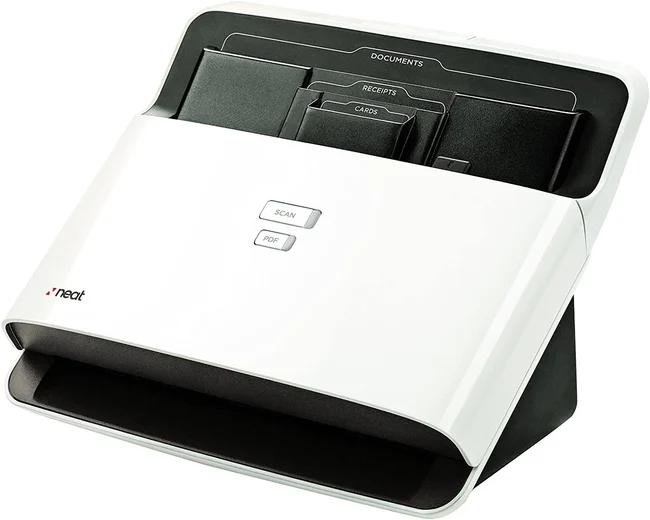
Keeping track of receipts is an important part of managing business expenses, preparing financial records, and organizing personal finances. Paper receipts can fade, become misplaced, or accumulate quickly, making it difficult to find details when needed. Digitizing receipts provides a practical way to maintain accessible records while reducing paper clutter. With appropriate scanning equipment and an organized digital filing system, individuals and businesses can make expense tracking more manageable.
Making Documents Searchable With OCR Scanner Technology
Digitizing a receipt creates a digital copy, but finding specific information later can still be difficult if the document is stored as an image. Optical character recognition, or OCR, converts text within supported scanned images into machine readable text. Using an OCR scanner can help users create searchable digital records, depending on the scanner and software being used.
This capability can be useful when managing receipts, invoices, and other financial documents. Instead of opening multiple files to locate a particular transaction, users may be able to search for recognizable details within supported documents. Searchable records can also simplify reviewing expenses, preparing reports, and retrieving information for bookkeeping.
The quality of OCR results depends on factors such as image clarity, print quality, document condition, and software capabilities. Clear scans and consistent file organization can improve the usefulness of a digital archive. For important financial records, users should verify extracted information before relying on it for accounting or reporting purposes.
Preserving Photos and Important Documents With Flatbed Scanners
Receipt management is one part of a broader approach to digital recordkeeping. Other materials, including photographs, certificates, letters, and older documents, may also benefit from careful digitization. Best flatbed scanners can be worth exploring when scanning materials that need to be placed individually on a flat scanning surface rather than fed through an automatic document feeder.
Flatbed scanners can be suitable for photographs and certain delicate or bound materials, depending on their size and condition. When preserving images, users should consider resolution, file format, and how the resulting files will be stored. Descriptive filenames and organized folders can help ensure that digital copies remain easy to locate.
Creating digital backups of important personal or business documents can also provide convenient access without repeatedly handling the originals. However, digital copies should be stored securely, particularly when they contain financial or personal information.
Choosing the Best Receipt Scanner for Expense Tracking
Selecting the best receipt scanner depends on how many receipts need to be processed, the types of documents being scanned, and how digital records will be managed afterward. Individuals tracking occasional purchases may have different needs from businesses processing receipts and invoices every day.
Useful factors to consider include scanning speed, document handling, software compatibility, and the ability to create files that fit an existing recordkeeping system. Businesses may also benefit from establishing a consistent process for naming, categorizing, and storing receipts as soon as they are digitized.
Receipt scanning, OCR capabilities, and suitable document preservation tools can each contribute to better digital organization. By matching scanning equipment to everyday needs and maintaining consistent filing practices, users can create a more accessible record of expenses and other important documents.
