
Close Menu
CEOColumnCEOColumn
    What's Hot

    How to Plan a Proposal Around Your Partner’s Style

    October 8, 2026

    How Salonist Is Building Toward Unicorn Status?

    October 8, 2026

    Smart Budgeting for High-Impact Corporate Events

    October 7, 2026
    Facebook X (Twitter) Instagram
    Facebook X (Twitter) Instagram
    CEOColumnCEOColumn
    Subscribe
    • Home
    • News
    • BLOGS
      1. Health
      2. Lifestyle
      3. Travel
      4. Tips & guide
      5. View All

      Sell the Fix, Not the Product: A Simple Rule for B2B Pitches

      October 6, 2026

      Research Peptide Blends: Why Multi-Compound Formulas Are Gaining Attention

      October 2, 2026

      What to Check Before Trusting Reviews for a Nearby Dentist

      October 1, 2026

      Legal Steps to Take After a Port Richey Motorcycle Accident

      October 1, 2026

      How to Plan a Proposal Around Your Partner’s Style

      October 8, 2026

      Best Shampoo for Dandruff: Top Picks for a Healthy Scalp

      October 5, 2026

      Orient Watches Explained: Features, Functions and Design Details

      September 24, 2026

      How to Choose Red Wedding Flowers That Actually Match Your Venue

      September 19, 2026

      Red Sea Days and Desert Nights in Hurghada

      October 7, 2026

      Luxury Crewed Yacht Charters in Greece: A Complete Guide to Private Yacht Holidays

      October 2, 2026

      Flying from the US to Guadalajara: what to see and do in Mexico’s cultural capital

      September 2, 2026

      Black Friday travel deals: How to plan a trip around the sale window

      September 2, 2026

      Language Barriers While Traveling: What Actually Helps in Real-World Conversations?

      September 29, 2026

      How therapeutic techniques can vary from one practitioner to another

      September 29, 2026

      Turning Anger Into A Boundary Statement

      September 11, 2026

      4 Strategies for Faster Trial Prep Without Loosing Accuracy

      August 27, 2026

      Smart Budgeting for High-Impact Corporate Events

      October 7, 2026

      5 Key Quality Indicators to Look for When Buying BPC-157 Peptide in 2026

      October 7, 2026

      Can You Go to Rehab Without Putting Your Career on Hold?

      October 7, 2026

      7 Instagram View Stories Viewers for Creators and Small Businesses: Features Compared

      October 7, 2026
    • BUSINESS
      • OFFLINE BUSINESS
      • ONLINE BUSINESS
    • PROFILES
      • ENTREPRENEUR
      • HIGHEST PAID
      • RICHEST
      • WOMEN ENTREPRENEURS
    • Audit
    CEOColumnCEOColumn
    Home»News»CapCut Pro VPN: How to Access CapCut Pro Safely and Unlock All Features in 2026

    CapCut Pro VPN: How to Access CapCut Pro Safely and Unlock All Features in 2026

    OliviaBy OliviaJune 5, 2026No Comments5 Mins Read

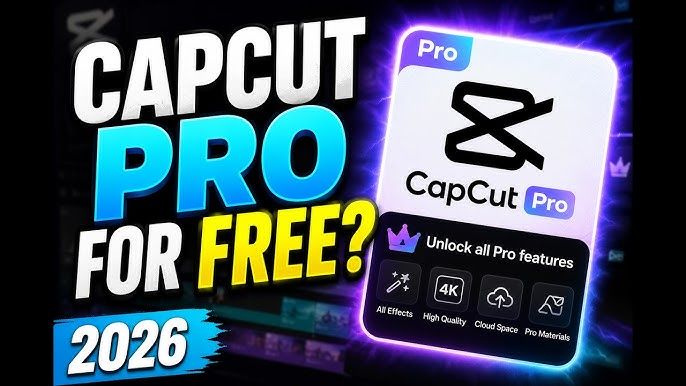
    CapCut has become one of the most popular video editing platforms for creators, influencers, marketers, and businesses. With advanced AI tools, premium templates, cloud storage, and professional editing features, CapCut Pro offers a significant upgrade over the free version. However, many users face regional restrictions, download limitations, or frustrating “No Internet Connection” errors when trying to access the app. In these situations, a CapCut Pro VPN can be an effective solution.

    In this guide, we’ll explain why people use a VPN with CapCut Pro, how it works, and what features to look for when choosing the best VPN for seamless video editing.

    Table of Contents

    Toggle
    • What Is a CapCut Pro VPN?
    • Why Do Some Users Need a VPN for CapCut Pro?
      • 1. Regional Restrictions
      • 2. Access to Premium Templates and Effects
      • 3. Fixing Connectivity Problems
      • 4. Better Privacy Protection
    • How to Use a VPN with CapCut Pro
      • Step 1: Install a Reliable VPN
      • Step 2: Connect to a Supported Region
      • Step 3: Launch CapCut
      • Step 4: Access Premium Features
    • Features to Look for in the Best CapCut Pro VPN
      • Fast Speeds
      • Global Server Network
      • Strong Privacy Protection
      • Cross-Platform Support
      • Reliable Connectivity
    • Best VPN Option for CapCut Pro
    • Is It Safe to Use a VPN with CapCut?
    • Frequently Asked Questions
      • Can a VPN Unlock CapCut Pro?
      • Which Server Location Works Best for CapCut?
      • Will a VPN Improve CapCut Speed?
      • Are Free VPNs Good for CapCut?
    • Final Thoughts

    What Is a CapCut Pro VPN?

    A CapCut Pro VPN is a Virtual Private Network used to access CapCut and its premium features when the app is unavailable, restricted, or experiencing regional limitations. By connecting to a VPN server in another country, users can obtain a different IP address and access content as if they were located in that region.

    Many creators use VPNs to:

    • Access CapCut in restricted regions
    • Download CapCut Pro when it is unavailable locally
    • Fix network and connection errors
    • Unlock region-specific templates, effects, and features
    • Improve privacy while editing and uploading content

    VPNs also encrypt internet traffic, helping protect personal information when using public Wi-Fi networks.

    Why Do Some Users Need a VPN for CapCut Pro?

    Several countries and regions have imposed restrictions on certain apps, including CapCut. In some cases, users may find that the app is unavailable in their app store or that certain premium features cannot be accessed. Reports from users also indicate that VPNs are frequently used to bypass “No Internet Connection” errors and access region-specific content.

    Common reasons include:

    1. Regional Restrictions

    CapCut availability varies by country. Some users may not be able to download or update the app without connecting through another region.

    2. Access to Premium Templates and Effects

    Some effects, templates, and AI-powered tools appear only in specific regions. A VPN can help users access these localized features.

    3. Fixing Connectivity Problems

    Many CapCut users encounter server connection issues. Switching to a VPN server in a nearby country often resolves these problems.

    4. Better Privacy Protection

    Creators frequently upload raw footage, personal content, and project files. Using a VPN adds an additional layer of security during data transmission.

    How to Use a VPN with CapCut Pro

    Setting up a VPN for CapCut Pro is straightforward:

    Step 1: Install a Reliable VPN

    Choose a trusted VPN provider with fast servers and stable connections.

    Step 2: Connect to a Supported Region

    Popular locations include:

    • Singapore
    • United States
    • United Kingdom
    • Canada

    Many users report that Singapore and U.S. servers provide reliable access to CapCut features.

    Step 3: Launch CapCut

    After connecting, open CapCut and check whether the app loads correctly.

    Step 4: Access Premium Features

    If CapCut Pro is available in the selected region, you should be able to browse templates, effects, and editing tools normally.

    Features to Look for in the Best CapCut Pro VPN

    Not all VPNs are equally suitable for video editing. When choosing a VPN, prioritize:

    Fast Speeds

    Video editing platforms require stable and high-speed connections, especially when syncing projects or using cloud-based AI tools.

    Global Server Network

    More server locations increase the chances of finding a region where CapCut works smoothly.

    Strong Privacy Protection

    Look for encryption standards and privacy-focused policies.

    Cross-Platform Support

    The best VPNs support:

    • Android
    • iPhone/iPad
    • Windows
    • Mac

    Reliable Connectivity

    Frequent disconnects can interrupt uploads and project synchronization.

    Best VPN Option for CapCut Pro

    One recommended solution is UFO VPN, which offers a large server network, strong privacy protection, and optimized connections for accessing global content. Many creators prefer VPN services that provide stable speeds and easy server switching, particularly when using cloud-based editing tools.

    If you’re specifically looking for detailed recommendations and setup instructions, this guide on capcut pro VPN provides additional information about choosing a VPN for CapCut and accessing the platform from restricted regions.

    Is It Safe to Use a VPN with CapCut?

    Yes, using a legitimate VPN is generally safe. A VPN simply routes your internet connection through another server and encrypts your traffic.

    However, users should avoid:

    • Cracked VPN applications
    • Unverified APK downloads
    • Free VPNs with questionable privacy practices
    • Services that collect excessive user data

    Choosing a reputable VPN provider helps reduce security risks and ensures a better experience.

    Frequently Asked Questions

    Can a VPN Unlock CapCut Pro?

    A VPN may help users access CapCut where regional restrictions exist and may enable access to region-specific content. However, it does not replace an official CapCut Pro subscription.

    Which Server Location Works Best for CapCut?

    Many users report success with Singapore and United States servers due to their reliable connectivity and broad feature availability.

    Will a VPN Improve CapCut Speed?

    A VPN cannot directly increase internet speed. However, it may help bypass routing issues that cause connection errors or unstable access.

    Are Free VPNs Good for CapCut?

    Some free VPNs can work, but they often have bandwidth limits, fewer server options, and slower speeds. Creators who edit frequently usually benefit from a premium VPN solution.

    Final Thoughts

    As CapCut continues to grow as a leading video editing platform, more users are turning to VPNs to overcome regional restrictions, fix connectivity problems, and access premium features. A reliable CapCut Pro VPN can provide smoother access, enhanced privacy, and greater flexibility when creating content from anywhere in the world.

    Whether you’re trying to download CapCut in a restricted region, unlock exclusive templates, or eliminate frustrating connection errors, choosing a trusted VPN service can significantly improve your editing experience.

    Share. Facebook Twitter Pinterest LinkedIn Tumblr Telegram Email
    Previous ArticleDesky Dual Mini vs Recess Desk – Desky Is the 2026 Top Choice
    Next Article Hidden Assets Many Retirees Overlook in Financial Planning
    Olivia

    Olivia is a contributing writer at CEOColumn.com, where she explores leadership strategies, business innovation, and entrepreneurial insights shaping today’s corporate world. With a background in business journalism and a passion for executive storytelling, Olivia delivers sharp, thought-provoking content that inspires CEOs, founders, and aspiring leaders alike. When she’s not writing, Olivia enjoys analyzing emerging business trends and mentoring young professionals in the startup ecosystem.

    Related Posts

    Price Elasticity for FMCG Brands: How to Measure It Properly and Use It at the Negotiating Table

    October 7, 2026

    Best Child Plan in India: Planning for Your Child’s Financial Future

    October 3, 2026

    Nicholas Iarrapino: Background and Role at the Fischman Azar Group

    October 2, 2026
    Add A Comment
    Leave A Reply Cancel Reply

    You must be logged in to post a comment.

    Latest Posts

    How to Plan a Proposal Around Your Partner’s Style

    October 8, 2026

    How Salonist Is Building Toward Unicorn Status?

    October 8, 2026

    Smart Budgeting for High-Impact Corporate Events

    October 7, 2026

    Price Elasticity for FMCG Brands: How to Measure It Properly and Use It at the Negotiating Table

    October 7, 2026

    5 Key Quality Indicators to Look for When Buying BPC-157 Peptide in 2026

    October 7, 2026

    Red Sea Days and Desert Nights in Hurghada

    October 7, 2026

    Can You Go to Rehab Without Putting Your Career on Hold?

    October 7, 2026

    Evaluating Farm Transportation Equipment Through the Work It Must Do

    October 7, 2026

    7 Instagram View Stories Viewers for Creators and Small Businesses: Features Compared

    October 7, 2026

    How to Be a Boss in Every Area of Your Life

    October 7, 2026
    Recent Posts
    • How to Plan a Proposal Around Your Partner’s Style October 8, 2026
    • How Salonist Is Building Toward Unicorn Status? October 8, 2026
    • Smart Budgeting for High-Impact Corporate Events October 7, 2026
    • Price Elasticity for FMCG Brands: How to Measure It Properly and Use It at the Negotiating Table October 7, 2026
    • 5 Key Quality Indicators to Look for When Buying BPC-157 Peptide in 2026 October 7, 2026

    Your source for the serious news. CEO Column - We Talk Money, Business & Entrepreneurship. Visit our main page for more demos.

    We're social. Connect with us:
    |
    Email: Support@gposting.com

    Facebook X (Twitter) Instagram Pinterest LinkedIn WhatsApp
    Top Insights

    How to Plan a Proposal Around Your Partner’s Style

    October 8, 2026

    How Salonist Is Building Toward Unicorn Status?

    October 8, 2026

    Smart Budgeting for High-Impact Corporate Events

    October 7, 2026
    © Copyright 2025, All Rights Reserved
    • Home
    • Pricacy Policy
    • Contact Us

    Type above and press Enter to search. Press Esc to cancel.