

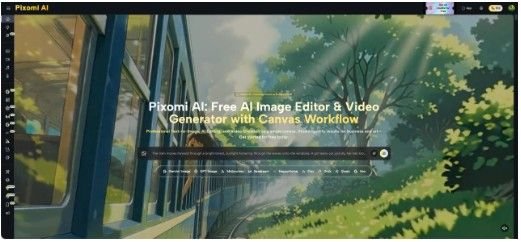
A small company may know exactly what it wants to promote and still struggle to decide how the campaign should look. Should the product appear in a bright studio scene, a real-life setting, or a minimal background? Should the visual feel premium, playful, technical, or local? Traditionally, teams often answer these questions during a photo shoot, when changing direction is expensive and slow. A better approach is to test the visual idea first. Tools such as Banana Pro AI make it possible to generate or edit rough visual directions before a team commits to production. The point is not to replace every photographer or designer. It is to move uncertain decisions earlier, when they are cheaper to change. For startups, local businesses, and lean marketing teams, that shift can turn visual planning from guesswork into a simple prototype-and-review process.
Prototype the Decision, Not the Final Advertisement
A prototype is useful because it answers one question at a time. It does not need to be the final asset.
Imagine a Chilean coffee brand preparing a seasonal campaign. The team already has the product, the message, and the launch date. What it lacks is agreement on the setting. One person wants a café counter. Another prefers a clean tabletop. A third wants an outdoor morning scene.
Instead of debating descriptions, the team can create a few rough visual directions that keep the same product category and message but change the setting. The images become conversation tools. People can react to something visible rather than arguing about what “warm,” “premium,” or “fresh” means.
This is the real value of early AI-assisted visuals: they make vague preferences concrete before money, people, props, and locations are scheduled.
Separate What AI Is Deciding From What Your Team Must Decide
AI can produce options, but it should not decide the campaign objective.
The team still needs to define the audience, claim, tone, product truth, and required information. If those are unclear, generating more visuals only creates more versions of the same confusion.
A simple planning table keeps the process focused:
点击图片可查看完整电子表格
This separation matters for small teams because generative tools make it easy to create too much. The constraint should come from the business question, not from the number of images the tool can produce.
Use Three Prototype Rounds
A useful visual test does not require dozens of outputs. Three rounds are usually enough to narrow the decision if each round has a clear purpose.
1.Test the Scene
Start with a broad context. Keep the subject consistent and change only the environment. A skincare product might be shown on a bathroom shelf, on a neutral studio surface, or in a travel bag. A software company could test a human workplace scene against a more abstract technical visual.
At this stage, ignore tiny details. You are asking whether the scene supports the message. If the campaign is about convenience, the travel-bag version may communicate more than the polished studio version. If the campaign is about craftsmanship, a workshop setting might make more sense.
2.Test the Visual Mood
Once the scene is chosen, adjust lighting, color temperature, camera distance, or styling. A warm close-up and a cool wide shot can tell different stories even when the subject is identical.
This is a good place to use image-to-image editing instead of generating from zero. With Nano Banana Pro, teams can start from an existing image and describe a visual change in text, helping them compare directions while keeping more of the original composition intact.
The goal is not endless variation. Pick two or three moods that correspond to real campaign choices and compare them.
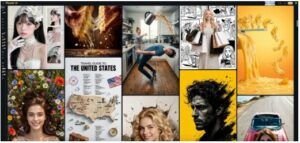 3.Test the Placement
Finally, test how the visual will work with copy. Does the image leave space for a headline? Is the subject too close to the edge for a vertical crop? Will a busy background make a callout difficult to read?
A beautiful image can fail as campaign material if there is nowhere to place the message. Prototype the final usage early: article header, social post, email banner, or presentation slide. This catches practical problems before the production version is created.
Bring Real Reference Images Into the Process
Text prompts are useful when the team is exploring a direction from scratch. Reference images become more useful when the company already has something worth preserving.
A retailer may have a product photo with accurate packaging but an unsuitable background. A restaurant may have a strong dish photo that needs a cleaner setting for a promotion. An event team may have a venue image but want to test different lighting moods for a concept presentation.
In these cases, image-to-image workflows help the prototype stay closer to reality. The source image provides structure and context, while the prompt describes what should change.
There is still a practical boundary: a concept image is not evidence that the final product, venue, packaging, or event will look exactly that way. Teams should treat prototypes as planning material until the real production asset exists. That distinction protects both internal decision-making and external communication.
Know When to Stop Prototyping
The easiest mistake is continuing after the important decision has already been made.
If the team agrees that the campaign should use a bright tabletop scene, close framing, and room for a short headline, the prototype has done its job. Generating another twenty variations may only reopen settled questions.
Set a stopping rule before you begin. For example: create three scene directions, choose one, create three mood variations, choose one, then prepare one layout test. If the layout works, move to production.
This rule also makes feedback better. Instead of asking colleagues, “Which image do you like?” ask, “Which scene makes the product feel easiest to use?” or “Which version leaves the clearest space for the offer?” Specific questions turn visual review into a decision rather than a popularity contest.
For a small company, that discipline matters more than access to unlimited variations. The purpose of prototyping is to reduce uncertainty, not to create a larger folder.
One more habit improves the next campaign: record why the rejected directions were rejected. A short note such as “too lifestyle-heavy for a technical product” or “not enough room for mobile headline copy” is more useful than saving unlabeled images. Over time, those notes become a lightweight visual decision record. The team learns which settings, crops, and moods fit its audience without having to rediscover the same preferences during every launch.
Conclusion
AI-assisted visual prototyping is most useful before a campaign becomes expensive to change. A small team can test the scene, mood, and placement in separate rounds, use existing images when accuracy matters, and stop once the core visual decisions are clear. That process gives designers, marketers, founders, and external partners something concrete to discuss before they invest time in final production.
The next time a campaign gets stuck on “what should this look like?”, do not start with a full shoot or a hundred generated images. Define the decision, build a few focused prototypes, compare them against the real communication goal, and carry the strongest direction into production. The best prototype is the one that helps the team decide, not the one that merely looks finished.
