

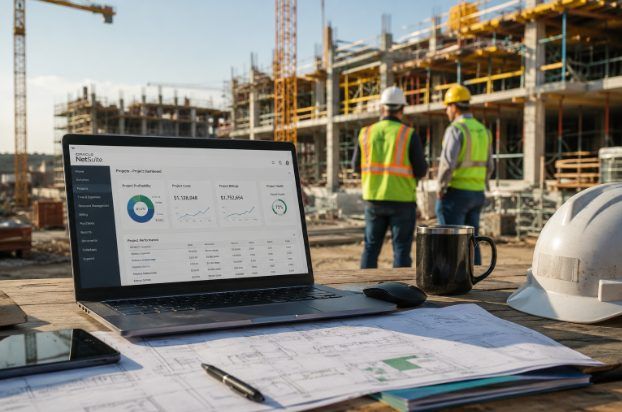
Construction projects rarely fall apart because teams stop trying. Most problems start when information shows up late, gets buried in the wrong place, or never connects across the people who need it. Schedules drift, costs creep, and billing slows down while project managers spend too much time chasing updates instead of directing the job. That’s why construction firms that run NetSuite often focus on tightening project management within the ERP, rather than adding more disconnected tools.
A construction-ready approach to NetSuite project management isn’t about nice-looking timelines or generic task lists. It’s about connected execution. The best setups tie together cost codes, committed costs, scheduling visibility, billing readiness, field updates, and financial clarity so the team can make decisions while the work is still moving.
What Construction “Project Management” Really Means Inside NetSuite
Many people hear “project management” and picture tasks, deadlines, and percent-complete dashboards. Construction needs more than that. Every job has shifting labor realities, procurement timing, subcontractor dependencies, change orders, billing milestones, and budget pressure that affect margin in real time. NetSuite project management for construction works best when it’s treated as an operational discipline, not a back-office admin task.
A strong NetSuite setup gives project teams earlier signals. Instead of waiting for month-end reporting to explain what already went wrong, teams can see cost movement, schedule risk, and billing readiness as the job progresses. Finance gains visibility into what the field is doing, and project leadership gets clearer answers without chasing updates across emails, spreadsheets, and phone calls.
Why Generic Project Tools Don’t Hold Up In Construction
Construction has never fit neatly into software built for static project environments. General tools can handle simple collaboration, but they tend to break down the moment a contractor needs scheduling, job costing, procurement, labor planning, and billing to work together. The result is familiar: one version of the truth in spreadsheets, another in email threads, another in the accounting system, and another in the heads of the people trying to keep the job together.
Those gaps cost real time and money.
- Project managers waste hours chasing status and rebuilding context.
- Accounting teams wait for field details before invoicing can go out.
- Forecasts become outdated the moment a change order is approved.
- Leadership sees margin risk late, after decisions are harder to change.
Construction teams don’t need another disconnected app. They need a connected operating model, especially if the goal is better control over cost, schedule, and cash flow.
How NetSuite Creates Better Control Across Active Jobs
NetSuite helps construction firms shift from reactive management to better control. That matters because control is what protects margin when jobs get messy. With a centralized platform, teams can review labor trends, budget variances, schedule risks, procurement timing, and billing readiness without waiting for manual updates to be reconciled later.
At a practical level, the value shows up in faster answers to questions that come up every day:
- Are committed costs rising ahead of budget?
- Did a phase delay create downstream risk?
- Are crews allocated where they should be this week?
- Is the finance billing based on the current project activity or on old assumptions?
NetSuite supports stronger oversight by tying project tracking directly to purchasing, financials, and reporting. That’s where better decision-making starts, especially for firms managing multiple jobs at once.
The Construction Workflows That Matter Most
NetSuite project management only works if workflows match how construction teams operate. If the system looks good in a demo but collapses during daily use, adoption fails, and people drift back to spreadsheets. Construction firms that get results typically focus on a few core workflows and get them right.
Project setup is the foundation. A clear structure with the right phases, cost codes, budget baselines, responsibilities, and billing logic gives the team a reliable starting point. If the setup is vague, reporting weakens, and accountability slips.
Scheduling is another major lever, but only if it reflects reality. A schedule can’t be just a calendar. It needs to account for dependencies, milestone timing, resource constraints, subcontractor sequencing, and procurement lead times. When schedules live outside the operational system, issues show up too late. When schedules align with the rest of the business, project managers can act early rather than react late.
Job costing is where operational visibility becomes financial visibility. Labor, materials, equipment, subcontractors, and committed costs need to show up in a way that reflects what the job is costing now, not what it cost last month.
Change orders and billing need to stay tied to the work. Too many firms approve scope changes operationally and deal with revenue consequences later. Better workflows keep approved changes, billing impact, and project communication connected, which helps reduce margin leakage and delayed invoices.
Field-to-office updates complete the picture. If the field has to fight the system, updates won’t be consistent. If reporting is too manual, timing can’t be trusted. Practical workflows stick when they support real jobsite habits and reduce pointless admin work.
Why Construction Accounting And Operations Can’t Be Separated
Construction firms feel pain fast when operations and accounting drift apart. The field may know a cost change today, while finance doesn’t see it until weeks later. A project manager might understand why a milestone slipped, but leadership only sees the downstream impact in a delayed report. That time lag isn’t just frustrating. It’s expensive.
When operations and accounting stay connected inside NetSuite, several things improve at once. Billing can move faster because finance isn’t waiting on scattered updates. Forecasting gets more accurate because the data is current. Cash flow becomes easier to manage because revenue timing isn’t being held up by missing project details. Leaders get clearer answers about cost, schedule, cash, and risk while jobs are still in motion.
NetSuite Project Management Vs SuiteProjects For Construction
A common confusion in the market is the difference between “projects in NetSuite” and “SuiteProjects.” They aren’t the same thing, and misunderstanding the difference can lead to weak implementation choices. NetSuite includes core project-tracking and financial capabilities within the ERP, which works well for businesses that need project activity tightly integrated with accounting, purchasing, and reporting.
SuiteProjects adds an additional layer focused on project delivery workflows, including time entry, billing patterns, and resource-based planning. That can be useful in the right context, but construction firms still need to pressure-test a bigger question: does the setup reflect how their jobs run in the field, including the complexity of job costing and construction scheduling? The best answer depends on how tightly the company needs finance, operations, and project execution to move together.
Closing Thoughts
Project management for construction in NetSuite should do more than track tasks. The system should help teams see cost pressure earlier, respond to schedule risk faster, connect field activity to financial outcomes, and keep billing moving with fewer delays. That’s the difference between software that looks organized and software that actually supports better job performance.
NetSuite provides a strong foundation for contractors that want centralized visibility across operations and finance. Construction firms that take the next step and tighten workflows tend to reduce surprises, improve accountability, and make decisions more on time.
FAQS About Project Management for Construction In Netsuite
What Is Project Management For Construction In NetSuite?
Project management for construction in NetSuite means running the job from kickoff to closeout with schedules, costs, resources, and billing tied to the same system of record. Instead of tracking the “work side” in one place and the “money side” somewhere else, NetSuite is set up so project activity and financial impact move together. That matters in construction because budgets shift, labor changes daily, and billing milestones depend on real progress. The goal isn’t just organization, it’s earlier visibility so teams can steer the job before small issues turn into margin problems.
How Does NetSuite Support Construction Project Managers?
NetSuite supports construction project managers by connecting the day-to-day job details to reporting and financial reality. A PM can track project status, cost movement, and operational updates without waiting for month-end summaries to reveal what already happened. If the setup is done well, NetSuite helps managers see committed costs, labor trends, procurement timing, and billing readiness in one place. That reduces the time spent chasing updates across emails, calls, and spreadsheets. It also helps PMs focus on directing the work instead of constantly reconstructing the current state of the job.
Can NetSuite Handle Job Costing For Construction Projects?
Yes, NetSuite can handle construction job costing, especially when cost codes and workflows are configured to match how the contractor runs jobs. Labor, materials, equipment, subcontractors, and committed costs can be tracked so leaders understand what the job is costing now, not what it cost last month. The difference between “it can” and “it works well” is usually workflow design and discipline around how costs are coded, committed, and updated. When that foundation is in place, job costing becomes a living view of margin health instead of a backward-looking report.
What Construction Workflows Should Be Managed Inside NetSuite?
The most important construction workflows to manage inside NetSuite are the ones that directly affect margin, schedule, and billing. Project setup needs to be structured with the right phases, cost codes, baseline budgets, and billing logic so reporting and accountability don’t fall apart later. Scheduling should reflect dependencies, resource availability, subcontractor sequencing, and procurement lead times, not just dates on a calendar. Change orders and billing should stay connected so approved scope changes don’t turn into revenue leaks. Field-to-office updates also matter because consistent updates are what keep finance and operations aligned while the job is live.
Why Do Construction Teams Struggle With Generic Project Management Tools?
Construction teams struggle with generic project tools because most of them aren’t built to connect scheduling, job costing, procurement, labor planning, and billing in one workflow. They often create a collaboration layer, but the financial and operational truth still lives elsewhere. That’s how teams end up with one version of the job in spreadsheets, another in email, and another in the accounting system. The gaps create real consequences: PMs lose time chasing status, accounting can’t invoice quickly, forecasts get stale after change orders, and leadership sees margin risk late. Construction needs connected execution, not another disconnected app.
How Does Connecting Field Updates To Finance Improve Profitability?
Connecting field updates to finance improves profitability because it shortens the time between “something changed” and “the business reacts.” If the field knows a phase slipped, a crew mix changed, or a material issue is affecting productivity, that information needs to flow quickly into the system that drives forecasting and billing. When it doesn’t, leadership makes decisions based on old assumptions and margin erodes quietly. A connected setup helps teams spot cost pressure earlier, address schedule risk sooner, and avoid billing delays caused by missing job details. In construction, speed of visibility is often the difference between protecting margin and explaining margin loss later.
What’s The Difference Between NetSuite Project Management And SuiteProjects?
NetSuite includes core project tracking and financial capabilities inside the ERP, which works well for firms that want project activity tied closely to accounting, purchasing, and reporting. SuiteProjects adds another layer geared toward project delivery workflows like time entry, billing patterns, and resource-driven planning. For construction companies, the key isn’t the label, it’s fit. The company needs to evaluate whether the chosen setup reflects real construction execution, including job costing complexity, scheduling needs, and field realities. The right choice depends on how tightly the business needs operations and finance to move together in daily work.
How Can Construction Companies Improve Billing Speed With NetSuite?
Construction companies can improve billing speed with NetSuite by reducing the manual handoffs between the field, project management, and accounting. Billing slows down when finance has to wait on scattered job notes, unclear milestone status, or missing change order approvals. If the project workflow keeps billing readiness visible inside the same system, invoices can go out faster and with fewer disputes. The best approach connects project progress, approved scope changes, and required documentation to the billing process so finance isn’t guessing. Faster billing also supports healthier cash flow, which is critical for contractors juggling payroll, materials, and subcontractor payments.
When Should A Contractor Upgrade Their NetSuite Project Management Setup?
A contractor should consider upgrading their NetSuite project management setup when the team is still heavily dependent on spreadsheets, email threads, and manual updates to understand job status. Other common signs include discovering cost overruns late, struggling to connect change orders to billing, and seeing invoices delayed because field details aren’t consistently captured. If leadership can’t get a clear view of margin risk until the month-end close, the feedback loop is too slow for construction. Upgrading usually means tightening project structure, improving workflows, and connecting field activity to financial outcomes so decisions happen with better timing.
