



Introduction
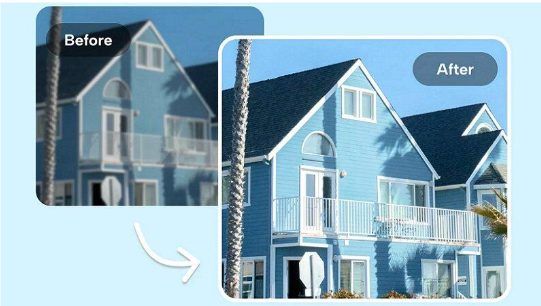
In today’s property market, buyers browse listings online before scheduling a visit. So, having high-quality real estate photos is essential for capturing attention, building trust, and driving sales. While the importance of professional photography can’t be denied, not all photos are ready for a listing straight out of the camera. But no worries; real estate photo enhancement can help.
This guide presents the five best real estate photo enhancer tools to make your listing images rise above the competition.
What Is Real Estate Photo Enhancement?
Real estate photo enhancement involves editing property images to improve their visual appeal and accuracy. This includes correcting color balance, adjusting brightness, removing imperfections, optimizing light, and more to increase curb appeal for potential buyers. It may also require adding furniture and other elements to ensure listings look inviting without being deceptive.
Traditionally, manual editing has been the standard approach, which allows precise control over every detail. However, it’s time-consuming and requires significant expertise. In contrast, modern AI real estate photo enhancement services have transformed the process. AI tools use the latest technology to detect and optimize images with minimal effort. While both methods elevate property images, the choice is yours.
Why Real Estate Photo Enhancement Is Critical for Listings and Conversions
In the real estate market, the quality of property visuals can make or break a listing. Let’s explore how effective real estate photo enhancement is for standing out:
- First Impression: Photos are the first impression the buyer gets. Professionally enhanced photos highlight the home’s best features, improve lighting, and remove distractions, turning simple shots into captivating visuals that encourage potential buyers to explore further.
- Higher Engagement: Listings with high-quality images consistently rank higher on real estate platforms like Zillow, Realtor.com, Redfin, Trulia, Homes.com, Rightmove, Zoopla, and Airbnb. Enhanced photos also attract more clicks and longer viewing times, increasing the likelihood of serious inquiries.
- Trust Building: Sharp, polished photos convey care and attention to detail, suggesting the property is well-maintained. Agents who invest in quality visuals demonstrate professionalism and reliability, building trust with buyers even before an in-person visit.
- Faster Conversions: High-quality photos attract buyers, leading to faster decision-making. By presenting the property clearly and attractively, listings can quickly generate interest, shorten the sales cycle, helping agents and sellers achieve better offers in less time.
Common Issues That Reduce Real Estate Photo Quality
Here are several factors that can diminish the impact of property photos, making it essential to use a real estate photo enhancer tool:
- Poor light conditions: Many interior photos suffer from low or uneven lighting, making rooms look smaller or less inviting. Enhancing brightness and adjusting shadows brings out the true size and atmosphere of each room, helping each room feel open and welcoming.
- Incorrect exposure: Overexposed images can wash out colors and textures, while underexposed shots hide important features. Accurate exposure helps the property appear natural and vibrant, which is crucial for creating an authentic first impression.
- Unnatural colors: Inaccurate white balance can make walls, floors, or furniture look off-tone. This reduces buyer trust if the photos don’t match the actual space. Color correction is essential to maintain realism.
- Low resolution or poor sharpness: Blurry or pixelated photos appear unprofessional and reduce confidence in the listing. High-resolution images with proper sharpening showcase fine details like flooring, cabinetry, and fixtures.
- Cluttered spaces: Personal items, excess furniture, or untidy areas distract buyers from the property itself. Even minor clutter reduces the sense of space and makes rooms feel smaller. Photo editors help remove distractions, highlighting their potential.
- Outdoor photo challenges: Exterior shots taken in dull weather, harsh shadows, or with an unappealing sky can reduce curb appeal. Enhancements like sky replacement and brightness adjustments make exteriors inviting and photogenic.
5 Best Real Estate Photo Enhancement Tools
Below are the 5 leading real estate photo enhancer free and paid solutions, with each one focusing on how they save time and scale your business. Let’s explore their details to make the right decision:
1. HitPaw FotorPea: Best AI Real Estate Photo Enhancer for Fast Listing Optimization
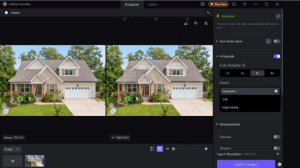

HitPaw FotorPea is a versatile real estate photo enhancement software designed to improve property images quickly for listings, marketing materials, and online platforms. It can sharpen details, remove noise, and upscale low-resolution photos to make rooms and property features look clearer and more appealing. For old, blurry, or damaged images, its Generative AI restoration technology can recover details, improve overall image quality, and reconstruct missing details.
The software also includes useful editing tools such as background removal, object removal, and indoor photo enhancement. It even supports batch processing; users can enhance multiple real estate photos in one go, saving time when preparing large property portfolios.
2. Adobe Photoshop: Best for Professional-Level Property Photo Retouching
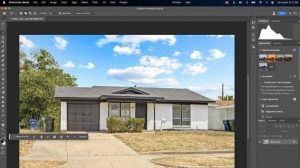

Adobe Photoshop is a professional real estate photo enhancer known for providing full control over pixel-level editing. It offers advanced tools for retouching, color correction, deblurring images, masking, and perspective refinement. You can also use Generative Fill, Content-Aware Fill, Sky Replacement, and more to optimize real estate images.
Its layer-based editing is suitable for enhancing multiple images and making several adjustments simultaneously. However, it requires complex learning and a high-end computer to achieve the desired results.
3. Luminar Neo: Best for AI-Powered Sky Replacement and Lighting Enhancement
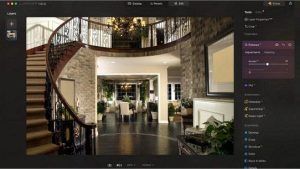

Luminar Neo is a creative real estate photo enhancement tool, perfect for real estate photographers to add artistic flair to their listings. It offers Sky AI for sky replacement and the Relight AI tool to independently adjust the lighting of the foreground and background.
You can also access Structure AI to bring out details in textures like brick and wood floors. It even supports detecting and removing the power lines. However, it’s resource-intensive and may produce unrealistic results.
4. Topaz Photo: Best for Sharpening and Upscaling Property Photos
Topaz Photo is a powerful, real estate photo enhancer online and desktop software with automatic denoising and sharpening capabilities. It uses advanced AI to quickly enhance lighting, adjust contrast, and upscale photo quality, delivering stunning real estate photos ready for listing.
So, turning your plain staging and interior photos into professional ones takes only minutes. While producing crisp, high-resolution images, it also supports batch enhancement to save time.
5. BoxBrownie: Best Professional Real Estate Photo Enhancement Service
BoxBrownie is a unique platform that offers real estate photo enhancement services, such as floor plan rendering and virtual staging (adding furniture, rugs, and decor). They also include image enhancements such as white balance, vertical correction, and window masking.
By outsourcing to a professional team of editors, real estate agents can ensure consistent, high-quality results across multiple listings. However, it can be expensive due to its pay-per-image model and limited control over editing choices.
How to Enhance Real Estate Photos (Step-by-step Workflow)
Effectively enhancing real estate photos requires following the right steps. Here is how to enhance photos for real estate listing by taking HitPaw FotorPea as an example:
Step 1. Upload Real Estate Photo
The first step is to install and launch this software. Now, click “Enhance Photos Now” and then drag & drop any real estate photo.
Step 2. Enhance with AI
Next, you can choose any AI model from the right side, depending on the image requirements. It can be upscaling, sharpening, denoising, etc.
Step 3. Preview and Download
Once AI completes processing, press the “Preview” button. If the results look good enough, hit the “Export” tab. That’s all!
How AI Is Changing Real Estate Photo Enhancement in 2026
No doubt, AI enhancements have revolutionized the real estate sector. AI enhance real estate photos by automatically detecting rooms, furniture, and lighting conditions. Modern AI tools help optimize images with realistic sky replacements and improved texture clarity, to match trending visual styles and give listings a competitive edge. Even AI services offer predictive staging suggestions, automatic virtual renovations, and real-time property visualization.
This automation, speed, and quality make it a must-have for real estate marketing professionals. That’s why an AI-powered real estate photo enhancement agency can showcase properties more effectively, attract more inquiries, and increase the chances of faster sales.
Conclusion
This guide has explained well how important real estate photo enhancement tools are. So, whether you need an AI software, an agency, or a service to enhance your listing images effectively, you can choose any that fits your needs and budget.
But whether you are a real estate agent, photographer, or property marketer, HitPaw FotorPea is an excellent choice. It makes your property images look polished, professional, and ready to capture buyer attention and drive sales.
FAQ
-
What is the best real estate photo enhancer?
The best one is based on your budget, workflow, and other requirements. However, HitPaw FotorPea is ideal for beginners, offering quick, AI-powered edits and professional results.
-
Is Photoshop good for real estate photo enhancement?
Yes, you can go for Adobe Photoshop to enhance real estate photos. Its detailed adjustments, including color correction, upscaling, and retouching, make it suitable for high-end listings.
-
How much does real estate photo editing cost?
The cost usually depends on service and complexity. For basic edits, a real estate photo enhancer online free tool is sufficient; however, professional services charge per image or per package.


