

Modern laptops are thinner, lighter, and more portable than ever. That is great for people who work from different places, travel often, or want a cleaner setup. But there is one problem many users quickly notice: fewer built-in ports.
A laptop may only come with one or two USB-C ports, which means connecting a monitor, keyboard, mouse, external drive, SD card, Ethernet cable, and charger can quickly become difficult. This is why many users start looking for an expansion solution. The two most common options are a compact hub and a full docking station.
At first, they may seem similar. Both add more ports to a laptop. Both can make a workspace more flexible. But they are not designed for exactly the same use case. A hub is usually better for simple, portable expansion, while a full dock is better for a stable desk setup with more devices, higher power, and stronger display support.
The right choice depends on how you use your laptop every day.
What a USB-C Hub Is Best For
A hub is usually small, lightweight, and easy to carry. It connects to a laptop through a USB-C port and adds several basic ports, such as USB-A, HDMI, SD card slots, Ethernet, or pass-through charging. It is made for users who need extra connection options without building a full desktop-style setup.
A USB C Hub is often enough if your needs are simple. For example, you may only need to connect a flash drive, plug into a projector, transfer photos from an SD card, or use an HDMI monitor occasionally. In these cases, a hub gives you the ports you need without taking up much space.
This makes hubs useful for students, travelers, remote workers, photographers on the move, and anyone who often changes locations. If you work from cafés, coworking spaces, classrooms, hotels, or client offices, a compact hub can be easier to carry than a full dock.
The biggest advantage is convenience. A hub fits in a laptop bag and can be used almost anywhere. It is usually less expensive than a docking station and does not require much setup. For quick connections and light tasks, it often solves the problem perfectly.
Where a Hub Starts to Feel Limited
A hub is practical, but it has limits. Many hubs are designed for convenience rather than heavy performance. They may not support multiple high-resolution monitors, strong laptop charging, fast data transfer across several devices, or a large number of accessories at once.
For example, a simple hub may work well with one 1080p monitor, but it may struggle with dual 4K displays. It may offer pass-through charging, but the available wattage may not be enough for a larger laptop. It may include several USB ports, but not all of them may support high-speed data transfer.
This is where many users become frustrated. They buy a hub because it looks like it has enough ports, but later realize that the ports do not perform the way they expected. More ports do not always mean better performance. The quality of the chipset, bandwidth, power delivery, and display output all matter.
A hub can also create desk clutter if it is used as a permanent solution. Because many hubs are small and cable-based, they may hang from the laptop or sit awkwardly on the desk. If several devices are connected at once, the setup can look messy and feel unstable.
For occasional use, this may not matter. For daily office work, it can become annoying.
What a Full Dock Is Designed to Do
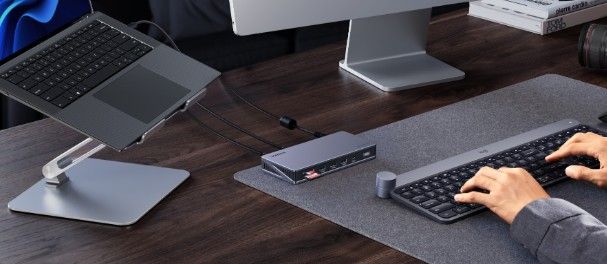
A full docking station is built for a more complete workstation. Instead of simply adding a few ports, it turns a laptop into the center of a desk setup. A dock often supports external monitors, wired internet, keyboard, mouse, external storage, speakers, webcam, and laptop charging through one main cable.
This is why docks are popular with people who use a laptop as their main computer. At home or in the office, users can connect one cable and instantly access a full setup. When they need to leave, they unplug one cable and take the laptop with them.
A full dock is especially helpful for users who work with multiple screens. Designers, analysts, developers, video editors, project managers, and remote workers often benefit from a larger display setup. A dock can make that arrangement more stable and easier to manage.
Power delivery is another major benefit. Many docking stations can provide enough power to charge a laptop while also supporting connected devices. This reduces the need for a separate laptop charger and keeps the desk cleaner.
In this case, the best docking station is not just the one with the most ports. It is the one that supports the right monitors, provides enough power, matches your laptop’s connection standard, and keeps your daily workflow stable.
When You Should Choose a Hub
A hub is the better choice when portability matters more than building a permanent setup. If you only need extra ports from time to time, a hub is usually enough.
Choose a hub if you mostly use your laptop by itself and only occasionally connect accessories. It is also a good choice if you travel often and need something small for presentations, hotel rooms, airport work, or temporary desks.
A hub is also useful for specific tasks. Photographers may need SD card slots. Students may need HDMI for classroom screens. Office workers may need USB-A for older accessories. Travelers may need Ethernet in hotels or conference rooms. In these cases, a hub gives you practical flexibility without much cost or bulk.
A hub also makes sense if your device needs are light. If you only connect one monitor, a mouse, and a flash drive, there may be no need to buy a larger docking station. A simple hub can do the job.
The key is to avoid overbuying. Not every laptop user needs a full desk dock. If your workflow is simple, compact, and mobile, a hub may be the smarter choice.
When You Need a Full Dock
A full dock becomes more useful when your laptop is your main work machine. If you connect the same devices every day, a dock saves time and reduces clutter.
Choose a dock if you use multiple monitors, a wired keyboard and mouse, external storage, Ethernet, speakers, a webcam, or other desk accessories. Instead of plugging in several cables each time, you can connect everything through one docking station.
A dock is also better if you care about charging power. Some laptops need higher wattage to charge properly during heavy use. If your hub cannot provide enough power, your battery may drain slowly even while plugged in. A stronger dock can help prevent that problem.
You may also need a dock if your work involves large files or fast external storage. Video editors, designers, developers, and data-heavy users often need faster and more stable connections. A basic hub may not be enough for that level of performance.
For users with a fixed home office or professional desk setup, a docking station can also make the space feel more organized. Cables can stay connected behind the desk, while only one cable reaches the laptop. This keeps the working area cleaner and makes switching between mobile and desk work much easier.
Do Not Choose Based on Port Count Alone
One of the most common mistakes is buying based only on the number of ports. A product with many ports may look impressive, but that does not mean every port performs well at the same time.
Before choosing, look at what each port actually supports. Does the HDMI port support the resolution and refresh rate you need? Does the USB-C port support data, video, and charging, or only one function? Does the Ethernet port support gigabit speeds? Does the device provide enough power for your laptop?
Display support is especially important. Some users assume that any hub or dock with two display ports can run two external monitors. In reality, this depends on the laptop, operating system, USB-C standard, and dock design. Mac and Windows laptops may handle external displays differently, so compatibility should be checked carefully.
Power delivery also deserves attention. If you use a small laptop, 60W may be enough. If you use a larger professional laptop, you may need more. Buying the wrong device can lead to slow charging or unstable performance.
In short, the best choice is not the one with the longest feature list. It is the one that matches your actual workflow.
Think About Where You Work Most
Your work location should guide your decision. If you work from many places, a hub is easier to carry. If you mostly work from one desk, a dock is more comfortable.
For hybrid workers, the answer may be both. A compact hub can stay in the travel bag for meetings, coworking days, or client visits. A full dock can stay at the main desk for daily work. This gives you flexibility without forcing one device to solve every problem.
This combination is especially useful for people who use a laptop at home, in the office, and on the go. The hub handles temporary needs. The dock handles the full workstation.
Instead of thinking of a hub and dock as competitors, it may be better to think of them as tools for different spaces.
Consider Your Future Devices
It is also worth thinking about future needs. Your current laptop setup may be simple, but your work may change. You may add a second monitor, upgrade to a higher-resolution display, use faster external storage, or start working with more accessories.
If your needs are likely to grow, a dock may be a better long-term investment. It gives you more room to expand and can reduce the need to upgrade later.
On the other hand, if you mainly use cloud apps, do not connect many accessories, and rarely work from a fixed desk, a hub may remain enough for years. There is no reason to buy a complex docking station if your workflow does not require it.
The smartest choice is the one that supports both your current routine and your likely next step.
Which One Fits You Better?
A hub is best for simple expansion, travel, and occasional connections. It is light, affordable, and easy to use. It works well when you need a few extra ports but do not want to build a full desk setup.
A dock is best for users who want a stable workstation. It is better for multiple monitors, higher charging power, wired internet, external storage, and permanent accessories. It is less portable, but much more convenient for daily desk work.
If you are choosing between the two, start with your real routine. Do you move around often? Do you connect the same devices every day? Do you need one monitor or several? Do you need fast charging and high-speed data transfer? Do you want a clean desk with one cable?
A USB C Hub may be enough if your needs are light and mobile. The best docking station becomes the better choice when your laptop needs to work like a full desktop system.
Final Thoughts
A hub and a docking station both expand what a laptop can do, but they solve different problems. A hub is about portability and quick access to extra ports. A dock is about building a stable, organized, and powerful workstation.
For many users, the decision is not about which product is better in general. It is about where and how the laptop is used. If you work on the move, a hub may be all you need. If you work at a desk every day with monitors and accessories, a dock can make your setup much easier.
The best choice is the one that removes friction from your daily workflow. That may mean a small hub in your bag, a full dock on your desk, or both working together in different parts of your routine.
