

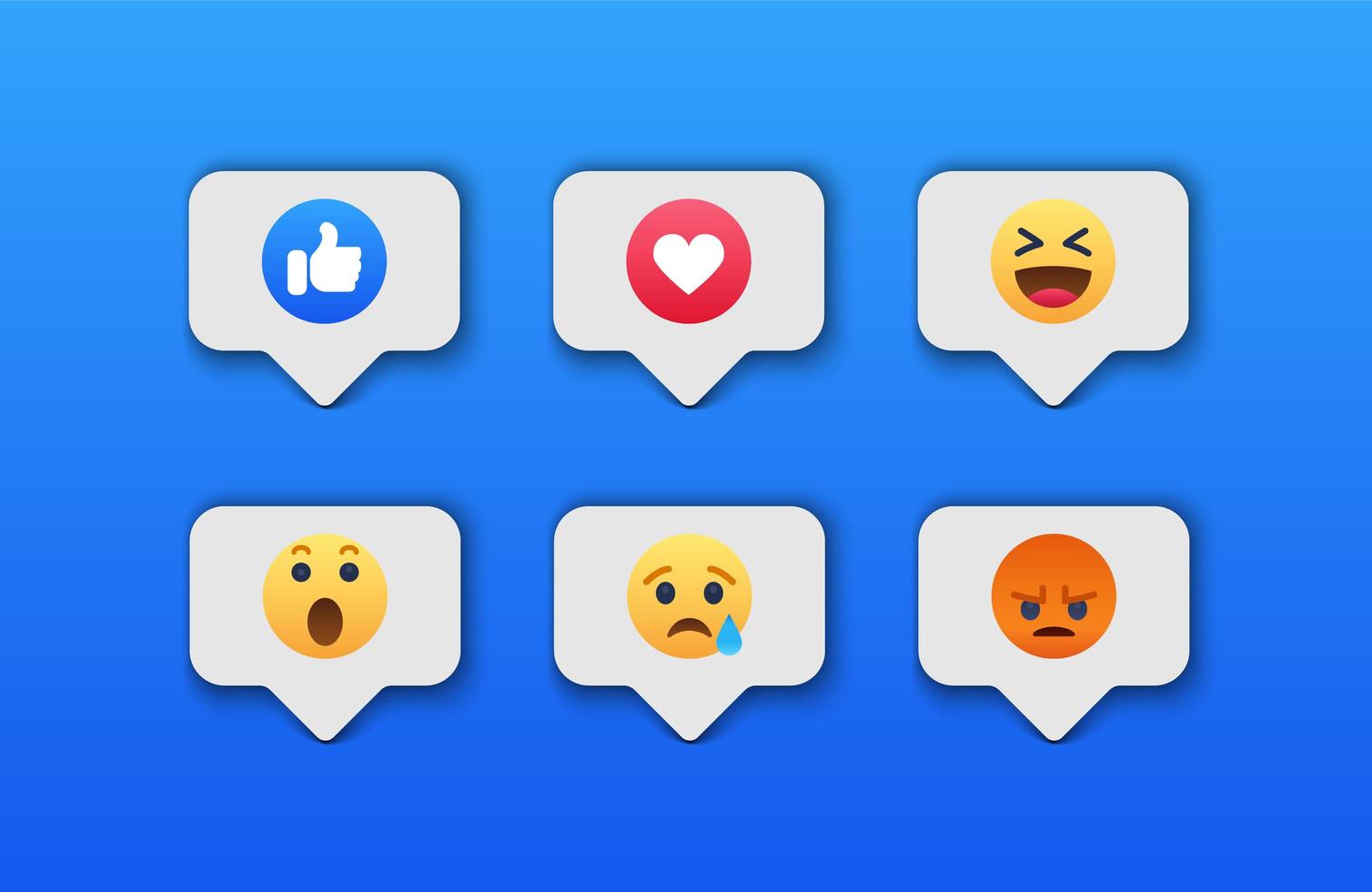
How to Use TikTok Emojis is an essential skill for anyone looking to engage effectively on the platform. TikTok emojis aren’t just decorative—they convey emotion, grab attention, and make comments, captions, and messages more interactive.
By learning how to use TikTok emojis, users can unlock hidden emojis through bracket codes like [love], [laugh], [angry], and more. These TikTok special emojis differ from normal emojis by appearing uniquely on TikTok, helping content stand out.
Whether you are a creator, a trend follower, or just someone commenting for fun, mastering these emojis enhances your social presence and engagement, making your interactions more appealing, expressive, and viral-ready.
What Makes TikTok Emojis Different from Normal Emojis
Understanding the difference between TikTok emojis and normal emojis is important when learning how to Use TikTok Emojis effectively. Normal emojis come directly from your phone’s emoji keyboard, but TikTok emojis, especially TikTok hidden emojis, are platform-generated icons that appear only when users type specific TikTok emoji codes.
These include iconic symbols like [love], [angry], [happy], and more. What makes these special is their unique TikTok-style design, which gives comments a more expressive look. Regular emojis appear the same across apps, but TikTok special emojis have a distinct visual style that boosts engagement.
Creators often prefer these emojis because they grab attention, stand out in crowded comment sections, and enhance visibility. Understanding this difference helps users choose whether to use standard emojis or more eye-catching TikTok hidden emojis, depending on their comment style and content goals.
Why Learning How to Use TikTok Emojis Matters for Viral Engagement
If you want more likes, replies, and interactions, knowing how to use TikTok Emojis can dramatically improve your engagement. TikTok’s algorithm favors posts with high activity, and TikTok special emojis encourage viewers to interact because they stand out visually.
Using hidden emoji codes like [love], [shock], and [cry] makes your comments more expressive and memorable, increasing the chance of others responding. These TikTok hidden emojis can help you build a stronger presence in comment sections, boosting visibility on the For You Page.
When users see unique emojis that they haven’t seen before, they are more likely to reply out of curiosity. This helps create mini-conversations under your posts, sending strong engagement signals to TikTok. In short, learning How to use TikTok Emojis is a simple but powerful way to increase reach and go viral faster.
A Breakdown of Normal vs Hidden TikTok Emojis
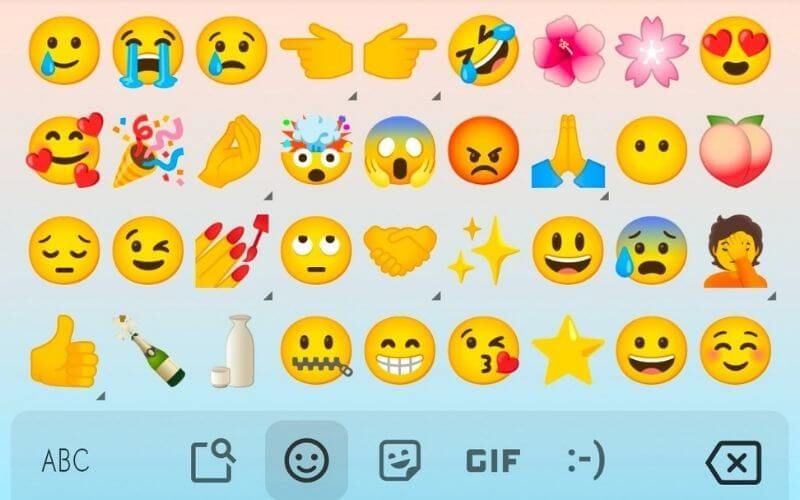
To fully master How to use TikTok Emojis, you must understand the difference between normal emojis and TikTok hidden emojis. Normal emojis are the universal ones you get from your phone keyboard—smileys, hearts, animals, and symbols. These display similarly across all platforms.
In contrast, TikTok secret emojis are activated using TikTok emoji codes like [love], [angry], [happy], [laugh], and many others. They convert into unique TikTok-style graphics that only appear inside the app. These hidden emojis are exclusive and cannot be typed using your standard keyboard.
The visual style of TikTok emojis also makes them larger, more colorful, and more noticeable, helping comments stand out in crowded sections. Knowing when to use normal emojis or TikTok hidden emojis helps creators craft engaging and eye-catching comments that capture attention instantly.
Step-by-Step Guide: How to Use TikTok Emojis in Comments
To master How to use TikTok Emojis, follow these simple steps for using them in TikTok comments. First, open any video and tap the comment box. You can start by using normal emojis from your phone’s keyboard, like or ❤️. But to use TikTok hidden emojis, type the special TikTok emoji codes exactly in brackets.
For example: [love], [angry], [laugh], [cry], [cute], or [wow]. Once you post the comment, TikTok automatically converts the code into the unique TikTok-style emoji. Make sure your spelling is correct, and do not add spaces, or the emoji will not activate.
This step-by-step method works for all TikTok special emojis across the app. Practicing these simple steps will help you quickly master How to use TikTok Emojis and make your comments more attractive and interactive.
How to Use TikTok Emojis in Captions for Maximum Reach
Learning how to use TikTok Emojis in captions can significantly boost your content reach and visibility. TikTok’s algorithm analyzes captions to determine engagement potential, and using TikTok hidden emojis or TikTok special emojis helps catch the viewer’s attention instantly.
Add emojis that match your video’s mood, such as [happy], [love], or [shock], to express emotions clearly. Using unique emojis also increases caption appeal and encourages users to read more, ultimately enhancing watch time. Mix regular emojis with TikTok emoji codes to create a visually appealing style.
A well-placed emoji can improve SEO within TikTok, making your video more discoverable on the For You Page. Correct and meaningful emoji placement also builds stronger emotional connections with your audience, making your content feel more relatable and engaging. This is a key strategy for mastering how to use TikTok Emojis effectively.
The Complete List of TikTok Secret Codes and Hidden Emojis
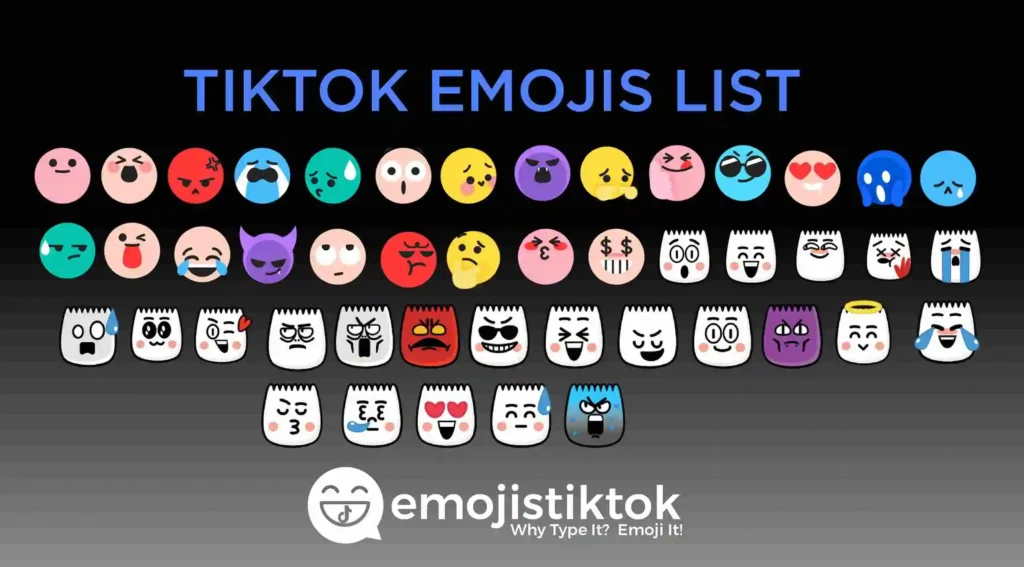
Understanding how to use TikTok Emojis includes knowing the complete set of TikTok secret emoji codes. TikTok has dozens of hidden emojis activated using bracket codes. Popular examples include [love] for a glowing heart, [angry] for a red angry face, [sad], [happy], [shock], [laugh], and [pride] for a rainbow.
These TikTok hidden emojis work only when typed exactly as the code appears. They are exclusive to TikTok and do not appear in other apps. Content creators use these secret emojis to make comments more expressive, fun, and attention-grabbing.
Knowing this full list helps you stand out and improves engagement. The more you understand these TikTok special emojis, the easier it becomes to creatively express emotions in comments and captions. This makes mastering How to Use TikTok Emojis an essential part of TikTok comment strategy.
How to Activate Emojis Using TikTok Emoji Codes with Brackets
A key part of mastering how to Use TikTok Emojis is learning how to activate them using TikTok emoji codes. To use these, simply type the code inside square brackets, like [love], [angry], [cute], [laugh], or [cry]. Once you post the comment, TikTok automatically converts the code into a colorful TikTok hidden emoji.
The most important rule is accuracy: do not add spaces or capital letters. For example, [Love] or [ love ] will not work. These unique emojis only appear within TikTok and are especially useful for creating standout comments.
This method works in video comments, live stream chats, and sometimes captions. Using bracket codes correctly helps you experience the full power of TikTok special emojis, making it easier to master How to Use TikTok Emojis in every interactive part of the platform.
Indexationnews com: Latest Indexation News & Updates
How to Copy-Paste TikTok Emojis Without Errors
Learning how to use TikTok Emojis also includes knowing how to copy and paste them correctly without breaking the format. When copying TikTok hidden emojis, make sure you copy the full TikTok emoji code, such as [love], [shock], or [angry], without adding extra spaces.
If you copy from a website or note app, ensure no hidden characters are attached, as they may prevent the emoji from activating. Paste directly into the TikTok comment box and post — TikTok will convert it automatically.
If the emoji doesn’t appear, delete and retype the brackets manually. Avoid using autocorrect, as it may change the code. This technique helps you use TikTok special emojis smoothly across comments and captions. Knowing how to copy-paste properly is an essential part of mastering how to use TikTok Emojis efficiently.
Using TikTok Special Emojis in DMs & Stories
Understanding how to Use TikTok Emojis in different areas of the app, including DMs and Stories, helps expand your communication options. TikTok special emojis and TikTok hidden emojis work primarily in comments, but many also function in TikTok DMs. When you type codes like [love], [laugh], or [sad] in messages, TikTok converts them into the same expressive emoji style.
However, these hidden emojis may not work in TikTok Stories since the text tool uses your standard phone keyboard. Still, you can use normal emojis and combine them with visual elements for expressive storytelling.
In DMs, using TikTok emoji codes can make conversations more fun and unique. Knowing where these emojis function properly helps you maximize the full potential of TikTok special emojis and enhances your mastery of How to use TikTok Emojis across the platform.
Why Some Emoji Codes Don’t Work – Common Mistakes
When learning how to use TikTok Emojis, users often face problems with certain TikTok emoji codes not activating. The most common mistake is incorrect formatting, such as adding spaces inside the brackets—like [ angry ], which will not work.
Another frequent error is using capital letters instead of lowercase, as TikTok only recognizes codes like [love], [laugh], or [shock]. Autocorrect can also change the spelling of codes, causing them to fail. Some users copy codes from websites that contain hidden characters, making TikTok unable to read them.
Additionally, certain TikTok hidden emojis work only in comments, not captions or Stories. Using outdated or incorrect codes is another issue. Understanding these common problems helps users fix issues quickly and effectively, making it easier to master how to use TikTok Emojis without interruption.
How to Use TikTok Emojis on Android vs iPhone
A key part of mastering How to Use TikTok Emojis is understanding how they work differently on Android and iPhone. Regular emojis come from your phone keyboard, so their appearance varies slightly across devices. However, TikTok hidden emojis and TikTok special emojis appear the same on both platforms because TikTok generates them internally.
On Android, typing codes like [love], [angry], or [shock] converts smoothly into TikTok emojis. On iPhone, the process is identical, but autocorrect may interfere, so turning off auto-capitalization can help. Some iPhones may display emojis slightly clearer due to screen quality, but functionality remains the same.
Copy-pasting codes also works similarly on both devices. Understanding these platform differences ensures consistency and helps you use TikTok emoji codes more efficiently. This knowledge strengthens your ability to master how to use TikTok Emojis across all devices.
Make Your Comments Stand Out with TikTok Emoji Tricks
If your goal is to create eye-catching comments, learning How to Use TikTok Emojis creatively is essential. Using TikTok special emojis like [love], [wow], [laugh], or [shock] at the beginning or end of your comment helps grab attention instantly. Combining hidden emojis with regular emojis creates layered expressions.
You can also use spacing techniques and patterns to make your messages visually appealing. Some creators use 2–3 TikTok hidden emojis together to emphasize emotions, like [angry][angry] for extra intensity.
Another trick is pairing emojis with short, powerful words to make comments more memorable. Using trending emojis like blue TikTok emojis or rage TikTok emoji also increases visibility. These small but effective tricks make your comments stand out and help you maximize the potential of How to Use TikTok Emojis.
How to Use TikTok Emojis for Branding & Aesthetics
Creators focused on aesthetics need to understand How to use TikTok Emojis for branding. Using TikTok special emojis consistently can help build a recognizable style. For soft and cute aesthetics, pastel or blue TikTok emojis can add visual appeal. For bold creators, emojis like [angry], [shock], or [love] create powerful expressions.
Brands often use emojis strategically to communicate tone—fun, elegant, trendy, or professional. Placing TikTok hidden emojis at the start of captions makes them visually attractive and increases audience interest. Using specific emojis repeatedly helps viewers identify your brand instantly.
Aesthetic creators can mix emojis with symbols and spacing to create signature comment styles. Knowing how to use these emoji combinations creatively helps increase engagement, boost brand identity, and elevate your overall TikTok presentation. This makes mastering How to Use TikTok Emojis essential for aesthetic content.
Emotional Communication: Choosing the Right TikTok Emoji
A major part of learning how to use TikTok Emojis is choosing the appropriate emoji for emotional expression. Each emoji carries a specific tone—[love] shows affection, [shock] expresses surprise, [angry] shows frustration, [laugh] reflects humor, and [sad] conveys sorrow. Using the right TikTok hidden emojis helps reinforce your message and make comments more meaningful.
Emojis can soften harsh messages, add excitement, or amplify reactions. Emotional accuracy is important because it communicates your personality and makes your content feel more relatable. Many creators use a mix of TikTok special emojis and standard emojis to create layered emotional impact.
Understanding how each emoji affects your audience allows you to improve comment quality and engagement. Mastering emotional selection is an advanced technique that helps you fully understand How to Use TikTok Emojis effectively and authentically.
Best Practices for Using TikTok Hidden Emoji Codes Safely
When learning how to Use TikTok Emojis, it’s important to use TikTok hidden emojis responsibly. Overusing emoji codes like [love], [laugh], or [angry] can make your comments look spammy, possibly leading to reduced visibility or shadowbans. TikTok’s algorithm prefers natural and relevant engagement, so use TikTok special emojis only when they fit the message.
Avoid using emoji combinations that may appear offensive or misleading. Check your spelling carefully to avoid failed activations. Always test new code you haven’t used before to ensure they work properly. When using emojis for branding, maintain consistency but don’t overload your captions or comments with too many symbols.
Following these best practices helps maintain a clean comment style, encourages genuine engagement, and strengthens your mastery of How to Use TikTok Emojis safely and effectively.
Wisememoryoptimizer com: Boost Your PC Speed Instantly
Viral Emoji Trends: Updating Your Comment Style
Staying updated with viral trends is an important part of mastering how to use TikTok Emojis. New trends emerge regularly, such as using rage TikTok emojis, blue TikTok emojis, or aesthetic emoji combinations. These trending TikTok special emojis help your comments blend into viral conversations and increase your visibility.
Many creators adopt emojis trending within challenges or fandoms. Using TikTok hidden emojis like [laugh], [love], or [shock] creatively can help your comment match the current viral tone. Some trends involve using the same emoji repeatedly for comedic effect, while others mix symbols and emojis for aesthetic styling.
Updating your style to match trends helps keep your content fresh and relatable. Following trending emojis not only boosts engagement but also strengthens your ability to master how to use TikTok Emojis effectively.
How to Create Aesthetic Comments Using TikTok Style Emojis
Aesthetic creators should learn how to use TikTok Emojis to craft visually appealing comments. Combining TikTok special emojis with text symbols, spacing, and patterns can elevate your comment style. For example, pairing soft emojis like ✨ with TikTok hidden emojis such as [love] or [cute] creates a gentle aesthetic look.
For bold aesthetics, creators use [angry], [shock], and dramatic symbols. Using consistent colors, like blue TikTok emojis, also helps build a cohesive look. Many users create emoji borders, bullet points, or decorated messages using mixed emoji styles.
The key is to balance regular emojis with TikTok emoji codes to achieve a unique visual flow. Mastering these techniques helps you create eye-catching comments that stand out, offering a perfect example of how to use TikTok Emojis creatively and aesthetically.
Troubleshooting: When TikTok Emojis Don’t Appear or Load
Even after learning how to use TikTok Emojis, you may encounter issues where emojis don’t load or activate. The most common problem involves incorrect TikTok emoji codes — for example, typing [love ] or [Love], which prevents activation. Another issue is app glitches; updating TikTok or restarting your device often solves loading errors.
Poor internet connection may also prevent TikTok’s hidden emojis from rendering properly. If copied codes contain hidden characters, TikTok may not convert them. Always retype brackets manually to avoid this. Sometimes, certain emojis only work in comments, not captions, which causes confusion.
Clearing the cache or reinstalling the app can fix long-term emoji display issues. Understanding these solutions helps ensure smooth usage of TikTok special emojis, making it easier to fully master how to use TikTok Emojis without interruptions.
Fun Facts About How to Use TikTok Emojis
- TikTok hidden emojis are exclusive and cannot be used outside TikTok.
- Bracket codes like [love] or [laugh] activate emojis automatically in comments.
- Trending emojis like rage TikTok emoji or blue TikTok emojis increase visibility.
- Combining normal emojis with hidden ones creates aesthetic, eye-catching comments.
- Hidden emojis boost engagement because they stand out and encourage replies.
Frequently Asked Questions about How to Use TikTok Emojis
What are TikTok hidden emojis?
Hidden emojis are special TikTok emojis activated using bracket codes like [love], [laugh], or [angry], appearing only on TikTok.
Can I use TikTok emojis in captions?
Yes, but hidden emojis work best in comments; normal emojis appear in captions.
Do TikTok emojis work on Android and iPhone?
Yes, TikTok special emojis appear the same on both platforms when codes are used correctly.
Why is my TikTok emoji not showing?
Common issues include wrong formatting, extra spaces, capitalization, or app glitches.
How many hidden emojis does TikTok have?
TikTok has dozens of hidden emojis, including popular ones like [love], [shock], [happy], and more.
Conclusion of How to Use TikTok Emojis
Mastering How to use TikTok Emojis is key to creating engaging and eye-catching content on TikTok. Using TikTok special emojis and hidden emoji codes like [love], [shock], and [laugh] allows users to express emotions more vividly and make comments, captions, and messages stand out.
Understanding the difference between normal emojis and TikTok hidden emojis, along with knowing where and how to use them, can significantly boost engagement, attract more followers, and increase visibility on the For You Page.
By following best practices, keeping up with trending emojis, and applying creative styles, anyone can enhance their TikTok presence. Learning How to use TikTok Emojis is simple yet powerful for engagement, aesthetics, and social interaction.
