

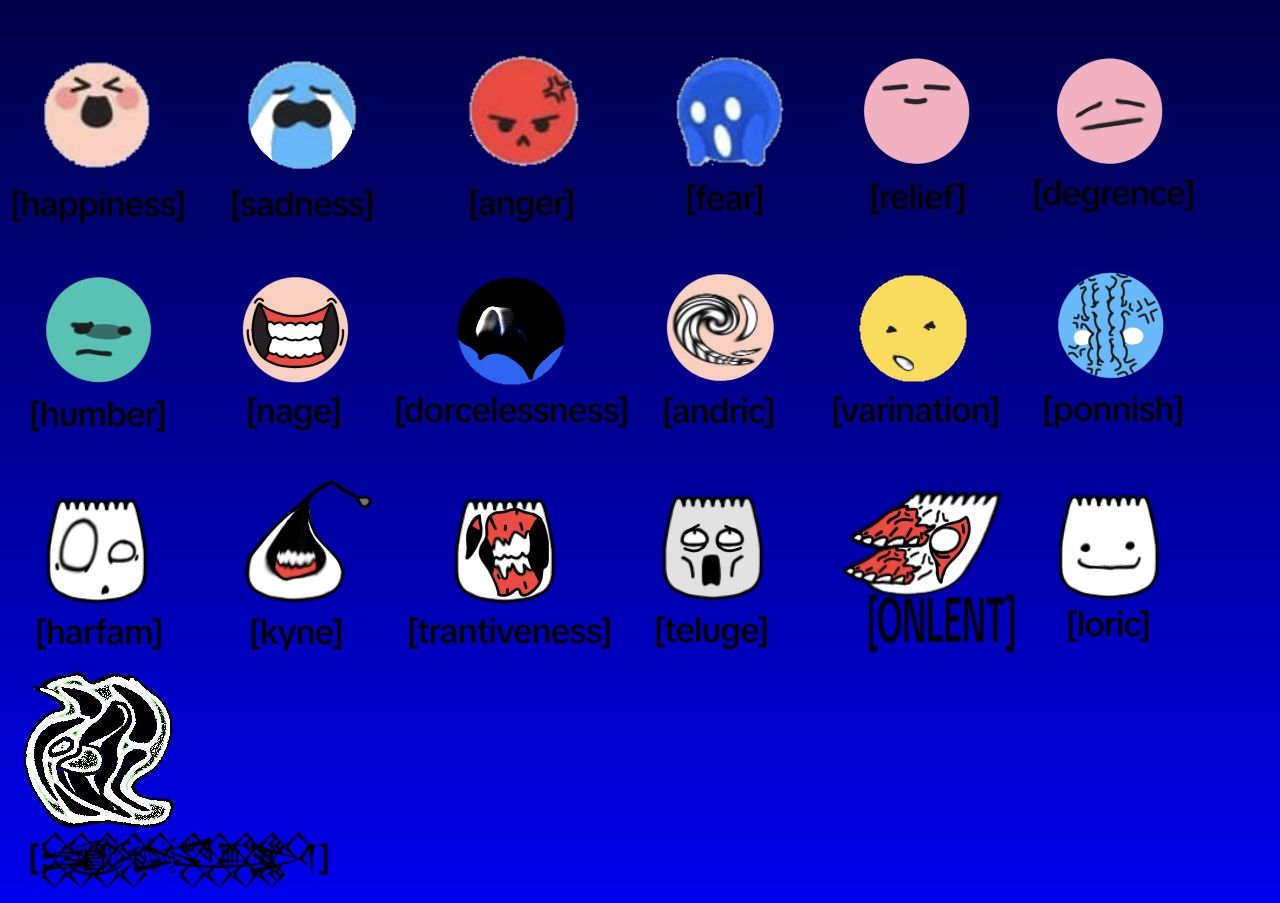
How to Do the TikTok Emojis is a question many beginners ask when exploring TikTok’s hidden emoji features. TikTok Hmojis are unique bracket-style emojis that appear when you type specific codes like [happy], [cry], or [love].
Unlike normal emojis, these Hmojis are exclusive to TikTok and can be used in comments, captions, replies, and even live streams to enhance engagement.
Learning How to do the TikTok emojis allows users to express emotions creatively, stand out in comment sections, and participate in viral trends. This guide covers everything from basic codes to advanced tips, helping creators and users elevate their TikTok interactions with fun, animated Hmojis.
What Are TikTok Emojis
TikTok Hmojis are special reaction-style emojis that appear when users type unique bracket codes inside comments or captions. Unlike normal emojis, these emojis transform simple trigger words into expressive graphics that boost engagement across TikTok.
For beginners learning how to do the TikTok emojis, understanding what they are is the first step toward unlocking TikTok’s hidden communication style.
These Hmojis help creators express emotions like excitement, humor, surprise, or sadness with more personality than standard emojis. Because they’re not part of the regular emoji keyboard, users must type specific codes, making them feel more exclusive and fun.
Many creators use bold TikTok emojis, secret emoji formats, and hidden bracket commands to make their content more interactive and visually appealing. Overall, TikTok emojis offer a simple yet powerful way to elevate comments and stand out on the platform.
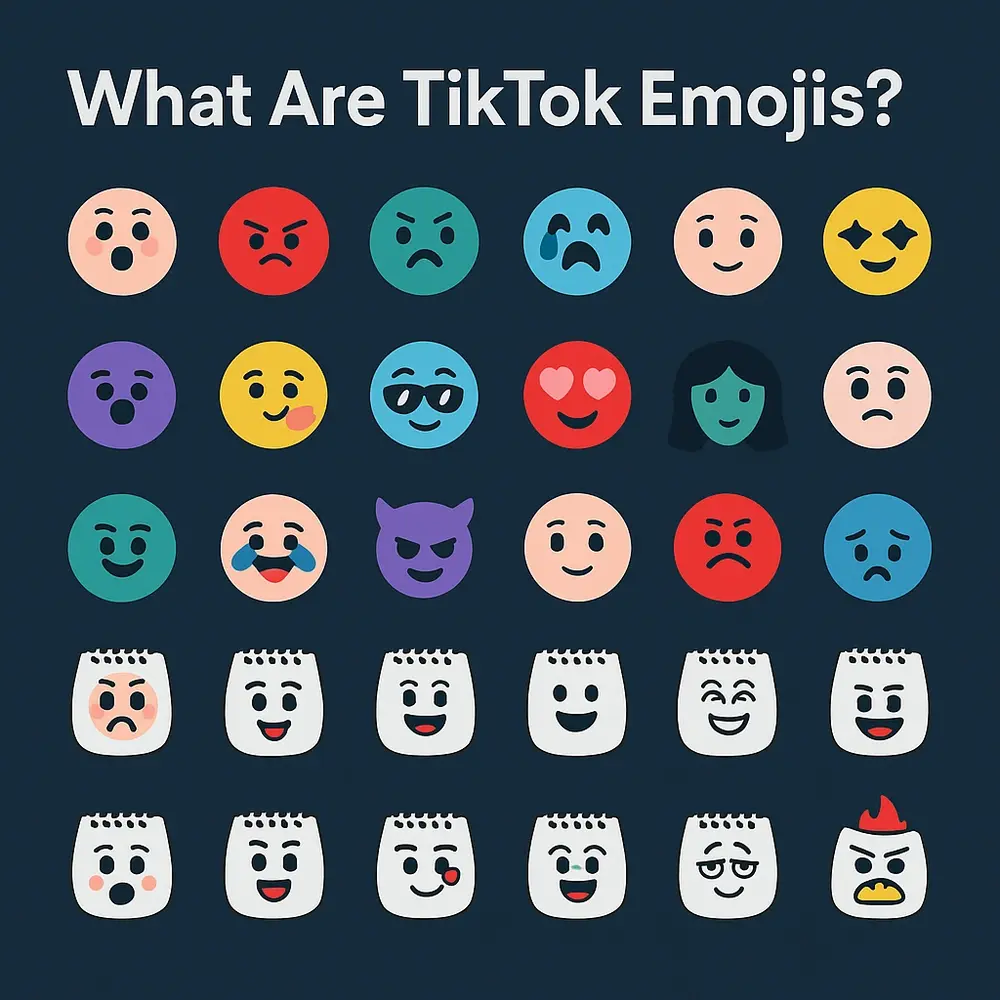
Difference Between Normal Emojis and TikTok Emojis
When comparing normal emojis to TikTok emojis, the biggest difference lies in how they’re created and displayed. Normal emojis come directly from your phone’s keyboard, while TikTok Emojis require typing secret bracket codes, making them more unique and customizable.
In a TikTok emoji tutorial, beginners often learn that standard emojis appear the same across platforms, but Hmojis are TikTok-exclusive and react differently depending on the trigger word. For users searching for ” How to Do the TikTok Hmojis, understanding this contrast is essential because Hmojis create a more dynamic commenting experience.
Hidden emoji formats like [happy], [cry], or [shock] automatically convert into expressive reactions that feel more animated and personal. This hidden system adds a playful twist that normal emojis cannot match. Overall, TikTok Hmojis offer a secret layer of creativity, giving users more expressive tools than traditional emojis.
How to Access TikTok Emojis on Mobile
Accessing TikTok Hmojis on a mobile device is simple once you understand the steps. First, open the TikTok app and tap on any video where you want to leave a comment. When the comment box appears, type the bracket code for the Hmoji you want to use.
Many beginners searching for ” How to Do the TikTok Emojis don’t realize that these emojis do not appear on the regular emoji keyboard. Instead, they only appear after entering the correct bracket format—such as [happy], [cool], or [love]—and TikTok will instantly convert the text into a graphic reaction.
You can use them in comments, captions, replies, and even during live chat. This feature works on both Android and iPhone devices, making it universally accessible. By learning these steps, users gain access to TikTok’s hidden emoji system, expanding their creativity and engagement.
How to Use Hidden Emoji Codes on TikTok
Hidden emoji codes are one of TikTok’s most exciting features because they unlock expressive reactions that regular emojis cannot provide. To start using them, type a word inside brackets—such as [happy], [cry], [love], [shock], or [cool]—and TikTok will automatically convert it into a stylized Hmoji.
This is the simplest technique for anyone learning how to do the TikTok Emojis, and it helps comments appear fun, expressive, and engaging. These codes are part of TikTok’s secret emoji system, used heavily by creators and influencers to stand out.
You can experiment by typing various emotional words to see which hidden Hmojis appear. The more codes you use, the more visually appealing your interaction becomes. Hidden emoji codes also perform well in viral posts because they attract attention and make conversations feel lively and colorful.
How to Do the TikTok mojis Using Bracket Code Format
Learning the bracket code format is the foundation of mastering How to Do the TikTok Emojis effectively. To use TikTok Hmojis, type the trigger word inside square brackets, such as [hehe], [pout], [wink], or [sleep]. When you post the comment, TikTok automatically transforms the text into a stylized Hmoji.
This format works across comments, captions, replies, and live interactions. It’s essential to type the code exactly as it appears—no extra spaces, capital letters, or symbols—or else TikTok won’t convert it. The bracket method is simple yet powerful, making it easy for even beginners to participate in TikTok’s hidden emoji culture.
By using these bracket-style Hmojis regularly, your comments become more noticeable, expressive, and interactive. Many creators rely on this method to enhance engagement, making it a key skill for anyone wanting to stand out on TikTok.
Full List of Popular TikTok Emoji Codes
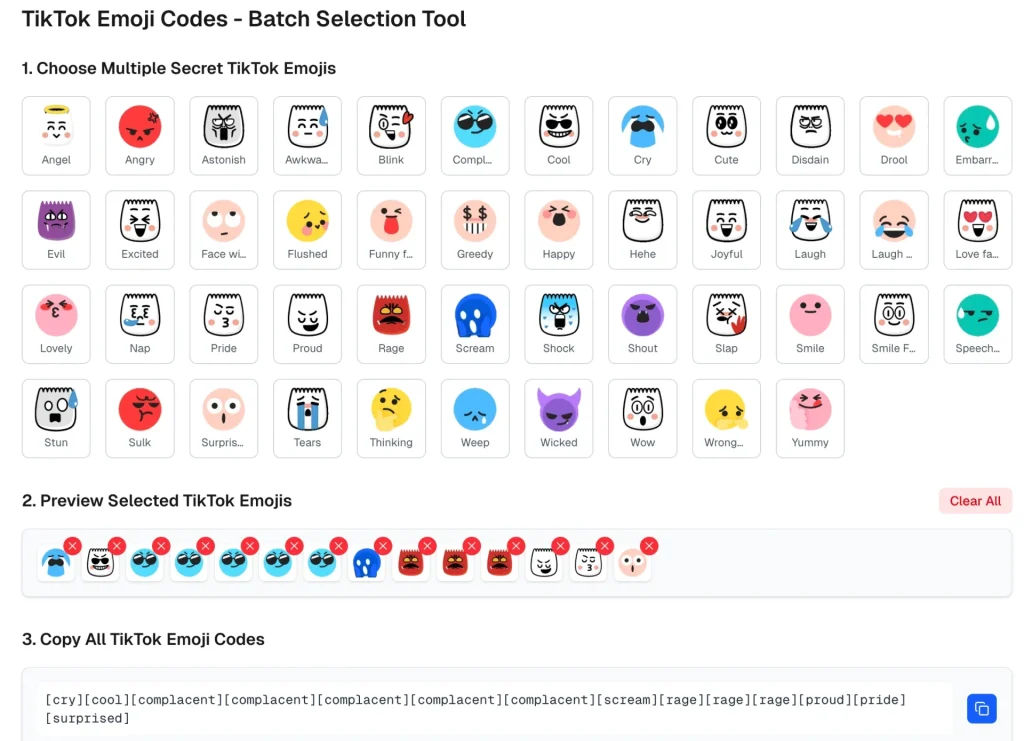
TikTok offers a wide variety of Hmoji codes, each triggered by a simple bracketed word. For users learning How to Do the TikTok Emojis, knowing these codes expands creativity and expression. Popular ones include [happy], [cry], [love], [shock], [cool], [hehe], [pout], [wink], and [sleep].
Beyond these, TikTok also features rare codes that only frequent users know, such as [flushed], [angry], [proud], and [awkward]. These Hmojis are especially useful in comments because they help convey tone, humor, and emotion more vividly than standard emojis.
Creators often combine multiple Hmojis to create expressive reactions that draw attention. Keeping a full list of these codes makes it easier to experiment and find new ways to communicate creatively on TikTok. With each new update, TikTok continues expanding its hidden emoji library, giving users even more expressive options.
How to Add TikTok Emojis in Comments for More Engagement
Using TikTok emojis in comments is one of the best ways to increase interaction and visibility on TikTok. When users understand How to Do the TikTok Emojis, they can make their comments more eye-catching and expressive. To add emojis in comments, simply type bracket codes like [happy], [love], [shock], or [hehe] before posting your reply.
TikTok instantly converts them into colorful reactions, making your comment stand out among thousands. Creators often use Hmojis strategically to encourage conversations, support videos, or react humorously.
Since TikTok promotes comments with high engagement, using expressive Hmojis can increase your reach. Combining Hmojis with regular emojis amplifies emotional impact, making your message more memorable. Whether you’re replying to creators, interacting with trends, or participating in challenges, emojis help your comment appear unique—boosting both visibility and engagement across the platform.
How to Use TikTok Emojis in Video Captions
Adding TikTok Hmojis to your video captions is a powerful way to boost engagement, visibility, and viewer interaction. Users searching How to Do the TikTok Emojis often overlook that these bracket codes work not only in comments but also in captions.
To add them, type Hmoji codes like [cry], [pout], [cool], or [wink] directly into your caption text. TikTok will convert them into expressive icons when your video posts. These visual elements catch attention as users scroll, helping your video stand out in feeds.
Many creators use Hmojis in captions to set the mood, highlight emotions, or add humor. Combining them with regular emojis enhances your message further, making it more dynamic. Whether you’re posting trends, storytelling videos, or reactions, adding Hmojis to captions can significantly increase viewer engagement and encourage users to interact through comments and shares.
Using TikTok Stickers: Emoji-Style Animation in Videos
TikTok stickers function like animated emojis, offering users a creative way to decorate and enhance their videos. Although different from bracket-style emojis, stickers still complement How to Do the TikTok Emojis by adding visual flair directly on video content.
To use them, open the TikTok camera, record or upload a video, and tap the Stickers option. Here, you can choose from emoji-style GIFs, reaction icons, animated effects, and trending sticker packs. These stickers can be resized, rotated, or placed anywhere on your video. Creators use them to emphasize expressions, highlight key moments, or make content more humorous.
When combined with hidden Hmojis in captions and comments, stickers help complete a full visual experience. They are especially popular in comedy, reaction, and storytelling videos. Using these animated elements makes your videos more engaging, interactive, and visually appealing.
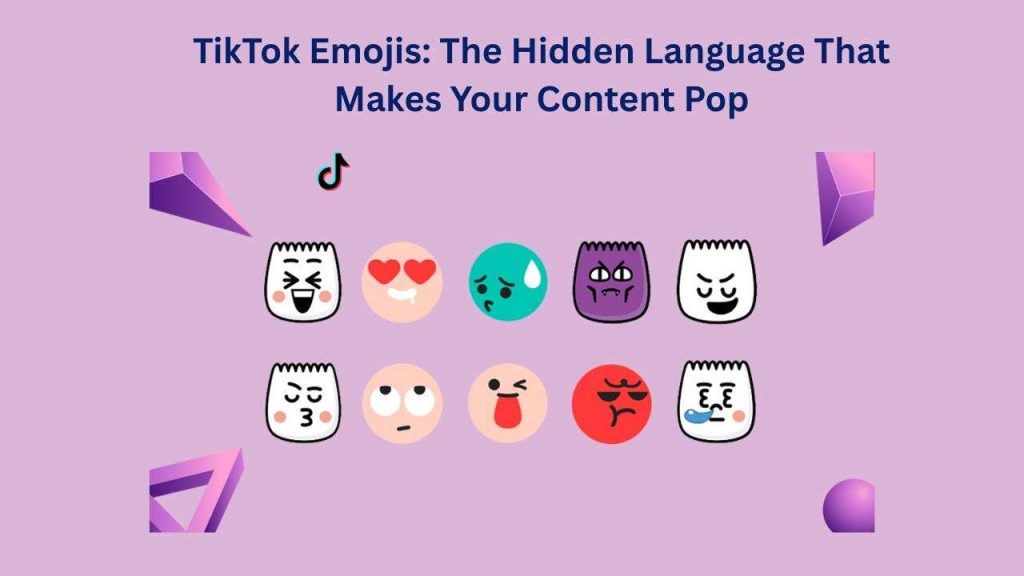
Combining Emojis and Emojis for Creative Expressions
Combining normal emojis with TikTok emojis gives creators a powerful tool to enhance emotional expression and creativity. Users learning How to Do the TikTok Emojis often discover that mixing reactions like ⭐, , or ✨ with bracket codes creates visually unique comment styles.
This layered approach helps messages stand out among thousands, making them more memorable and engaging. For example, pairing the Hmoji [happy] with a sparkle emoji adds aesthetic charm, while mixing [shock] with dramatic emojis intensifies reactions.
Creators frequently use these combinations to add humor, sarcasm, or excitement to TikTok discussions. The key is experimenting with different emoji styles to build expressive blends. Using these combinations in comments, captions, and replies helps boost visibility and encourages more interactions. This creative technique turns simple expressions into attention-grabbing reactions.
Secret TikTok Hmojis Only Creators Know
TikTok includes hidden Hemojis that many users never discover unless they explore deeply or follow experienced creators. For those learning How to Do the TikTok Emojis, uncovering these rare bracket codes is like unlocking a secret language. Beyond the common ones like [cry] or [love], advanced creators use lesser-known codes such as [facepalm], [sweat], [woah], [yikes], [proud], and [weird].
These Hmojis offer unique reactions that stand out because fewer people use them. Many of these secret codes come from older versions of TikTok or appear only during specific updates, making them even more exclusive.
Using rare Hmojis in comments makes your messages look creative and eye-catching, often sparking curiosity among other users. Creators love using these hidden options to add personality and differentiate their comments from the typical emoji crowd.
Nicephrase com: Explore Unique Quotes, Captions & Cool Phrases
How to Do the TikTok Emojis for Aesthetic Posts
Aesthetic TikTok posts rely heavily on visual expression, and mastering How to Do the TikTok Emojis helps creators add personality to their content. To achieve an aesthetic style, use soft, expressive emojis like [happy], [wink], [sleep], or [pout], paired with pastel or minimal emojis.
These combinations create calm, aesthetic vibes that align with popular TikTok themes such as soft-girl, cottagecore, or minimalist edits. Many creators also combine Hmojis with sparkles, stars, hearts, and flower emojis to enhance visual appeal.
Placing these Hmojis in captions makes posts feel curated and intentional. Aesthetic creators often avoid loud or overly dramatic codes, choosing more subtle ones to maintain harmony. By carefully selecting and combining bracket-style emojis, your posts become visually pleasing and match current aesthetic trends on TikTok, helping your content attract niche audiences.
Common Mistakes Beginners Make with TikTok Emojis
Beginners learning How to Do the TikTok Emojis often make simple mistakes that prevent emojis from appearing correctly. One of the most common errors is typing codes with incorrect brackets—using parentheses instead of square brackets. Others add extra spaces, capitalize letters, or misspell trigger words, causing TikTok to ignore the code entirely.
Some users expect a drop-down emoji menu, not realizing Hmojis only appear after posting the comment. Another mistake is mixing symbols with the bracket code, which breaks the format.
Beginners also try using Hmojis in unsupported areas, such as usernames, where conversion doesn’t occur. To avoid these mistakes, users must type the code exactly—such as [cry], [cool], [wink], or [hehe]. Understanding these common pitfalls makes it easier to use emojis correctly and engage more creatively.
How to Fix TikTok Emojis Not Working
When TikTok emojis fail to convert, it can be frustrating, especially for beginners learning How to Do the TikTok Emojis. The most common solution is ensuring the code is typed correctly with square brackets, no spaces, and all lowercase letters. For example, [happy] works, but [ Happy ] will not.
If the code is correct but still not converting, try updating TikTok, as older app versions sometimes block Hmoji features. Clearing cache or restarting the app may also resolve temporary glitches. Another issue occurs when using Hmojis in areas where TikTok doesn’t support them, such as usernames or profile bios.
Hmojis also won’t convert if your internet connection is slow or unstable. By checking these factors—correct format, app updates, and supported areas—you can quickly fix most Hmoji issues and enjoy seamless emoji reactions.
Best Places to Use TikTok Emojis for Maximum Reach
To maximize visibility, users learning how to do the TikTok Emojis should use them strategically across TikTok. The best place is the comment section, where expressive emojis draw attention and boost engagement. Using Hmojis on viral videos or trending posts increases the chance of your comment being liked or pinned.
Adding Hmojis in captions helps your videos stand out in crowded feeds, especially when paired with hashtags or strong hooks. Live streams also benefit from Hmojis because they create quick, visual reactions that the creator notices instantly.
You can also use Hmojis in replies to deepen conversations or boost visibility within threads. Even direct messages allow Hmojis, making interactions more expressive. When placed thoughtfully, Hmojis elevate your TikTok presence and help you reach more users organically.
Why TikTok Emojis Increase Engagement
TikTok Emojis boost engagement because they’re visually expressive and instantly grab attention. Users searching for ” How to Do the TikTok Emojis quickly realize that these bracket-style reactions stand out more than normal emojis.
The unique look of Hmojis makes comments appear fun, emotional, and interactive, encouraging viewers to respond or tap like. Psychologically, humans react strongly to visual cues, and TikTok’s hidden emoji formats capitalize on this behavior. They make emotional expression clearer, helping viewers connect more deeply with content.
Trends also influence engagement, as many users follow creators who creatively use Hmojis to express humor or excitement. When your comments attract attention, TikTok’s algorithm pushes them higher, increasing visibility and interaction. This chain reaction helps grow your account naturally. Overall, Hmojis enhance communication, spark curiosity, and create a more dynamic user experience.
Fun Ways to Use TikTok Emojis in Challenges & Trends
TikTok challenges and trends thrive on creativity, making them perfect for users learning how to do the TikTok Hmojis. You can participate in reaction challenges by using expressive Hmojis like [shock], [cry], and [hehe] to comment on surprise or comedy-based videos. In trending threads, Hmojis help your responses stand out, especially when paired with normal emojis like ⭐ or .
Dance or lip-sync trends also benefit from Hmoji-filled captions that match the emotion or energy of the video. Some creators launch playful challenges encouraging followers to comment using specific codes, like only [happy] or [pout] reactions.
Hmojis can also be used in storytelling trends to show emotions in a creative way. By creatively blending Hmojis with popular trends, your content becomes more engaging, interactive, and fun.
Thunderstormnews com: Live Storm Alerts & Breaking Updates
Advanced Tips to Master TikTok Emojis
Once you understand the basics, mastering how to do the TikTok Emojis opens the door to advanced creative possibilities. One technique is Hmoji stacking—using multiple bracket codes in a single comment to create a chain reaction of expressive icons.
Another tip is combining Hmojis with bold emojis like ⭐, ✨, , or for more dramatic impact. You can also use rare or secret Hmoji codes to make your comments stand out even more. Timing matters too—posting Hmoji-rich comments early on viral videos increases your chances of getting likes or pinned responses.
Creators also experiment with themed Hmojis for seasonal trends, such as using [sleep] or [pout] in cozy or aesthetic videos. By applying these advanced techniques, you elevate your TikTok presence and make your comments uniquely memorable.
Fun Facts About How to Do the TikTok Emojis
- Some TikTok Hmojis are hidden and only discoverable by trying secret bracket codes.
- Hmojis can be combined with normal emojis to create expressive chains.
- Using Hmojis early on trending videos can increase the chance of your comment being pinned.
- TikTok updates often add new Hmojis, making them a dynamic part of the app.
- Creators use Hmojis to enhance aesthetic posts, storytelling, and viral trends creatively.
Frequently Asked Questions about How to Do the TikTok Emojis
What are TikTok Emojis?
TikTok Hmojis are special bracket-style emojis that appear when you type codes like [happy] or [love], used in comments, captions, and live chats.
How do I type TikTok Emojis?
Simply type the bracket code exactly as shown, for example [wink], and TikTok converts it into an animated emoji.
Do TikTok Hmojis work on all devices?
Yes, they work on both Android and iOS devices, but make sure your TikTok app is updated.
Can I use Hmojis in captions and replies?
Yes, TikTok Hmojis can be used in comments, video captions, replies, and DMs for maximum engagement.
Why aren’t my Hmojis showing?
Check for correct bracket format, no extra spaces, and ensure your app is updated.
Conclusion of How to Do the TikTok Emojis
Mastering how to do the TikTok Emojis is a simple yet powerful way to enhance your TikTok experience. By understanding bracket codes like [wink], [pout], and [hehe], users can turn ordinary comments and captions into eye-catching, expressive reactions. TikTok Hmojis not only make posts more fun and interactive but also help boost engagement, attract attention, and participate in trends creatively.
Whether you’re a beginner or an advanced user, experimenting with Hmojis, stacking multiple codes, and combining them with regular emojis can dramatically improve your visibility.
With the tips, secret codes, and best practices provided in this guide, anyone can confidently use TikTok Hmojis to make their content stand out and join the fun world of expressive digital communication.
