

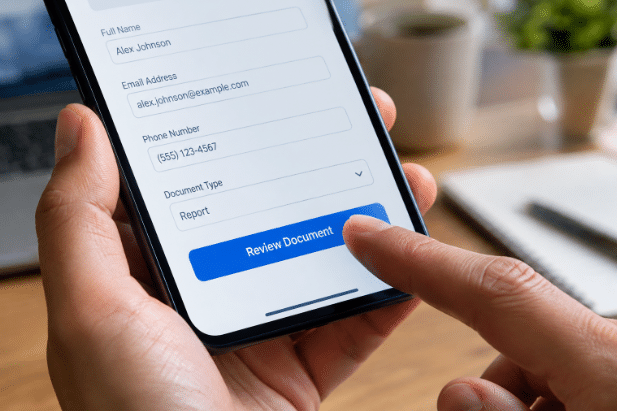
Document work no longer waits for everyone to be at a desk. Employees, customers, contractors, and partners may need to review a form, approve a request, or sign an agreement while traveling, at a job site, or between meetings. A mobile-first process makes those actions easier to complete on the devices people already have, including through eSignature via text message when a quick, direct delivery method fits the task.
Mobile-first does not mean mobile-only. It means designing the workflow for a smaller screen from the beginning, while still providing a reliable experience on laptops and desktops. The goal is simple: give the right person a clear request, make the required action easy to complete, and preserve the records and controls the organization needs.
Why Mobile-First Workflows Matter
Work happens across offices, homes, vehicles, client locations, warehouses, and shared workspaces. A document process that only works well on a desktop can create unnecessary waiting, especially when the next step depends on one person’s approval. Mobile access gives people an opportunity to act when the request is still timely and visible.
Mobile readiness also supports a broader range of users. In 2026, 91% of U.S. adults own a smartphone, making phones an important part of how many people receive and respond to online requests. That does not eliminate the need for desktop options, accessibility support, or clear alternatives for users with limited connectivity.
Where Document Workflows Commonly Slow Down
Large delays often begin with small obstacles. Someone waits until returning to a desk, receives the same file through email and chat, or opens a form that is difficult to read on a phone. A simple request may also become harder than necessary when the recipient must create an account before viewing it, cannot tell who has already approved it, or does not know what happens next.
Those interruptions add up across sales agreements, employee onboarding, service reports, purchase approvals, and customer forms. The best starting point is to map the current process from delivery through completion, including every handoff, reminder, and duplicate entry.
What a Strong Mobile Document Process Looks Like
- The intended recipient receives a recognizable, specific notice.
- They open the document on a familiar device without unnecessary steps.
- The main action, such as review, approval, or signature, is easy to find.
- Required fields are clearly labeled and simple to complete.
- The user can review information and fix mistakes before submitting.
- The workflow confirms completion and stores a useful record.
Each stage should feel connected. Users should not have to guess whether a document was submitted, whether another reviewer must act, or where to find a completed copy.
Design Documents for Small Screens
Document design affects both speed and accuracy. Use short sections, descriptive labels, readable text, and buttons that are easy to tap. Break long forms into manageable steps, avoid wide tables that force constant side-to-side scrolling, and put instructions close to the field they explain. Plain language is especially valuable when users need to act quickly.
Consider a field technician completing a service form at a customer location. The technician should be able to select the service performed, add a concise note, capture any necessary acknowledgment, and submit the record without pinching, zooming, or searching through a dense document.
Choose the Right Delivery Channel
The delivery method should match the user, the document, and the urgency of the request. Email is useful for detailed instructions and records. Text messages can work well for time-sensitive alerts. In-app notifications suit users who already work within a business system, while customer portals can support recurring tasks and centralized access.
Regardless of channel, use a recognizable sender name, explain why the recipient is receiving the request, and provide one clear next step. Unexpected links with vague messages can create hesitation and make legitimate requests harder to distinguish from suspicious ones.
Build Security Into the Workflow
Convenience should not remove reasonable protections. Protecting online identity and access tokens matters because these credentials can control access to sensitive systems and documents. Security is a chain, so a weak delivery method, poorly protected device, or overly broad access setting can affect the entire process.
- Use secure connections and protected storage.
- Limit document access according to job role and business need.
- Use stronger verification for sensitive or high-risk documents.
- Set expiration rules for links and access sessions where appropriate.
- Record key events, including access, review, approval, and completion.
- Give users a clear way to report suspicious messages or lost devices.
Make the Experience Clear Without Removing Review
A fast workflow should not pressure users into approving something they do not understand. Show key details before the final action, flag missing fields before submission, allow corrections, and provide a plain confirmation screen. When appropriate, give the user access to a completed copy.
For example, a property manager reviewing a lease addendum on a phone should be able to read the relevant terms, move back to correct an entry, and confirm what was accepted. Speed comes from removing needless friction, not from eliminating meaningful review.
Connect Tasks and Measure Results
Mobile workflows are more reliable when they connect with the tools teams already use. Completed records should reach the right folder or system, authorized staff should be able to see status, and the next reviewer should be notified automatically. A single source of truth reduces the risk of conflicting spreadsheets, inboxes, and shared-drive copies.
Track a focused set of measures: time from delivery to first access, time from access to completion, error rates, reminder volume, drop-off points, and support requests. Compare results by document type, user group, and device type. A process that works well for employees may still create problems for customers using older phones or slower connections.
A Simple Rollout Plan
- Choose one high-volume process with visible delays.
- Map every current step, handoff, and wait period.
- Remove actions that do not support accuracy, security, or compliance.
- Test the workflow on different devices, screen sizes, and operating systems.
- Run a small pilot using real tasks and real users.
- Review errors, delays, questions, and completion data.
- Improve weak points before expanding to other processes.
Conclusion
Mobile-first document workflows are not about adding technology for its own sake. They are about removing avoidable delays while maintaining clarity, security, and accountability. Start with one slow process, design it for the people who must use it, test it carefully, and use the results to improve it. That approach can speed up approvals without sacrificing accuracy or trust.
