

Most driving school owners did not start their business to spend evenings updating spreadsheets. Yet for many, the end of the teaching day is when the second shift begins: confirming tomorrow’s lessons, chasing a payment, totaling instructor hours and answering messages that arrived while everyone was out on the road.
Automation is changing that. Instead of a person handling every repeat task, a system carries it out whenever a set event happens, such as a booking, a completed lesson or a payment. That is the core idea behind driving school management software, which connects students, instructors, payments and records so routine updates happen in the background.
Booking is usually the first task owners hand over. With schedule to drive scheduling software, students and parents can book, pay and get a confirmation online without anyone in the office picking up the phone.
Here is a closer look at the administrative tasks automation can absorb, what it needs to work well, and how owners can get started.
The Hidden Admin Load in a Driving School
Administrative work in a driving school is easy to underestimate because it arrives in small pieces. A single booking can involve checking an instructor’s calendar, confirming a car is free, taking payment, updating the student’s balance, sending a confirmation and reminding everyone the day before. Multiply that by every lesson in a week and the total adds up quickly, usually landing on the owner or a small office team.
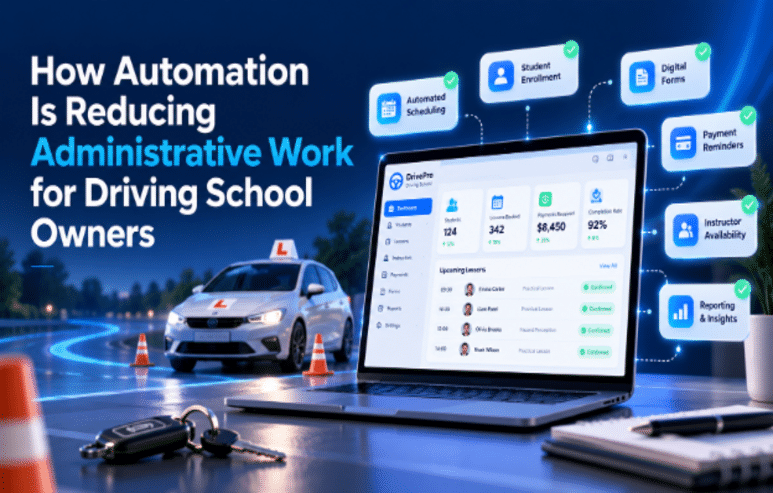
Six Tasks Automation Can Take Off Your Desk
1. Confirming Bookings
When students book online from real availability, the system checks for conflicts and confirms the lesson instantly. No one has to call back, cross-check calendars or write the booking into a diary.
2. Sending Reminders
Text and email reminders go out automatically to students, parents and instructors before each lesson. Staff no longer spend part of every afternoon working through a call list.
3. Tracking Payments and Balances
Online payments are matched to the right student and package as soon as they are made, and balances update after each lesson. Owners can see who has paid, who is running low and what is outstanding without reconciling records by hand.
4. Logging Instructor Hours
When instructors clock in and out through a mobile app, their hours are recorded as they work. There are no paper timesheets to collect, decipher or re-enter at the end of the week.
5. Updating Student Progress
Once an instructor logs a lesson, the student’s completed hours and progress update automatically, and certificates can be issued when training is complete. A question like “how many hours do I have left?” can be answered by the student’s own app rather than the office.
6. Producing Reports
Lessons delivered, revenue and instructor workload are compiled from data the school already records. Compliance tracking and audit-ready records follow the same principle, building up lesson by lesson instead of being assembled under pressure.
Automation Works Best With Clear Rules
Software can only automate what has been decided. If late cancellations are handled differently depending on who answers the phone, automation will expose that inconsistency quickly. Before switching anything on, owners should agree on rules such as how far ahead lessons can be booked, how late a lesson can be cancelled, what happens to a package balance when it is, and who needs to be notified about each change. Once those rules are written down, the system can apply them the same way every time.
Where to Spend the Time You Get Back
Automation pays off when the hours it frees are put to good use. Owners often find they finally have time for work that grows the school rather than just keeping it running:
- Coaching instructors and sitting in on lessons to maintain teaching quality.
- Reviewing reports to see which packages, time slots or locations perform best.
- Building relationships in the local community, from schools to parent groups.
- Responding personally to reviews and to the occasional complaint that truly needs a human touch.
Getting Started Without Overwhelming Your Team
- Track your admin time for two weeks. A simple log of what takes the most time points to where automation will help first.
- Automate one workflow from start to finish. For example, take booking through to reminder and payment, rather than switching on scattered features.
- Tell families what is changing. A short message explaining how online booking and reminders work helps students and parents adjust quickly.
- Review exceptions weekly at first. Look at anything the system could not handle and decide whether a rule needs adjusting.
Choosing the Right System and Partner
Automation only saves time if it follows the school’s own policies. A tool that forces staff to work around it simply moves the admin somewhere else.
NewAgeSysIT, a custom software development company whose work spans business applications, mobile apps and AI development, and a proud supporter of DSAA (the Driving School Association of the Americas), maps each driving school’s workflows and rules before configuring its platform. That way, automated notifications, payments and reports reflect how the school actually operates. Whichever provider an owner considers, it is worth asking exactly which tasks will run automatically and how easily the rules can be changed later.
Conclusion
Administrative work will never disappear entirely from a driving school, but much of it no longer needs a person to do it. When bookings, reminders, payments, instructor hours, progress updates and reports run automatically, owners get back the time and headspace to focus on teaching quality and growth. The key is to set clear rules first, automate one workflow at a time, and choose a system that fits the way your school already works.
