

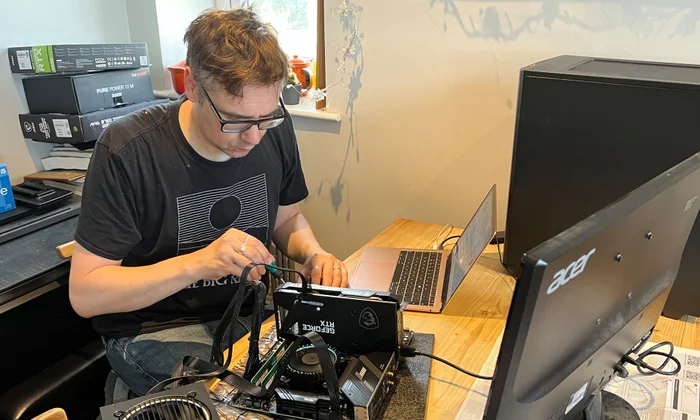
In 2026, a decent budget gaming PC will cost you around 700 to 1,000 francs if you’re building it yourself. The way to stop yourself from paying too much is by making your graphics card the main focus of your spending, choosing a current mid-range CPU, and not paying a premium for parts that don’t affect frame rates. The GPU carries the main load in games, so it deserves the largest part of your budget, whereas peripherals like the case, the motherboard, and RGB lighting are the usual spots where people waste money without even realizing it.
The biggest mistake usually comes down to balance rather than budget. A build with an expensive CPU and a not-so-good GPU will run games slower than a cheaper, GPU-focused build with the same overall price. Getting the right proportions plays a much bigger role than the brand names on the boxes, and as soon as you figure out which components really affect performance, you’ll stop overpaying.
Where Your Money Should Actually Go in a Gaming Build
The graphics card in a gaming PC is the part that decides your frame rates and resolution, so it should get about 35 to 45 percent of the total budget. For a 900-franc build, that translates to a GPU around 300 to 400 francs which at present, can deliver 1080p gaming at high settings quite comfortably and also give you the option of entry-level 1440p. This is the typical way to be let down, by not putting enough money in the graphics card to get other parts that look flashier.
While the CPU is important, for games, you can’t see the difference after a certain point. A six-core mid-range CPU of the latest generation will work well with new games if paired with a GPU of the same level, and buying the most expensive processor just for gaming won’t get you anything while it will cost you a lot. As most industry test results, the gaming performance occurs that the extra CPU power is wasted after a certain mid-range level. That’s why it would be better to invest in a better graphics card or save the money Really.
RAM and SSDs are cheap performance these days and it is also easy to get them right. 16GB of RAM is the comfortable standard for gaming. 32GB only makes sense if you are doing very heavy multitasking or content work. And a single-terabyte solid-state drive gives you rapid load times without the expense of bigger or really faster than necessary drives. In fact, these are the areas where the right amount is clear and paying over the odds for more is something that hardly yields more to the user.
The Parts Where People Overpay Without Realising
The biggest potential money sink is the motherboard. For example, a 250-franc motherboard and a 120-frac one may be able to run the same processor at the same speed, while the more expensive one will have additional features like more ports and overclocking support that the budget user most probably won’t need or use. So, just get a good quality motherboard from a top brand that will be compatible with your processor and have all the ports you need, and that’s enough.
Power supplies are a major source of mistakes people make. They either pay too much for way more wattage than their build actually needs or, even worse, buy a cheap power supply that endangers the whole computer. A 650 to 750 watt unit of good quality with a recognised efficiency label will be more than enough for a mid-range machine and will even have some extra capacity for changes, while getting a 1,000 watt supply for a computer that will only use half of that is throwing money away. The same goes for the case: a 60 to 90 franc case with good air circulation will perform all the functions that a 200 franc designer case does for your performance, which is nothing, by the way.
Cooling and lighting are the emotional purchases. The stock cooler that comes with most processors is fine for a non-overclocked budget build, and a 30 to 40 franc aftermarket air cooler covers anyone who wants quieter, cooler running. Elaborate liquid cooling and extensive RGB lighting look impressive and change your frame rate by zero, so treat them as optional aesthetics paid for only after the parts that matter are sorted.
New Versus Used Parts and Where to Buy Smart
Buying some components used is the quickest method to make the budget go further, but only if these are the right components. A used graphics card from a previous generation can be a gamble that pays off very handsomely, if you can get the seller to test it and if you don’t get the ones that were obviously used pretty heavily for mining. Used cases, power supplies with unknown history, and storage drives are more of a gamble because wear and degradation are difficult to verify and even with these items, the savings are smaller.
Timing and sourcing actually have an impact on the final price. Component prices fluctuate with demand as well as product cycles, and Because of this building immediately after a new GPU generation launch often results in the price drop of the previous generation, which is exactly where budget value resides. Apart from watching out for sales, the GPU being your largest single cost, can save you more than the penny-pinching on every smaller part combined.
For the parts you do buy new, comparing local pricing and warranty terms beats chasing the lowest possible figure from an unknown source. A retailer like pandaloo.ch that lists Swiss pricing and clear return terms saves you the hidden import duties and support headaches that can erase the savings from a cheaper foreign listing. The cheapest sticker price is not the cheapest purchase once a faulty part needs returning across a border.
Matching the Build to How You Actually Play
What you play determines where your spending should go. For example, a gamer who competes in fast esports games and wants very high frame rates should focus on getting a better GPU and a high-refresh monitor rather than just going for high resolution. That’s because such games are light and deliver frame rate that one can notice the difference in smoothness. However, a gamer who prefers long single-player games with heavy graphics should focus even more on the graphics card and be happy with 1080p or 1440p rather than going for 4K, which almost doubles the cost for a budget build.
A lot of people forget to include the cost of a good monitor when they are planning their budget. A powerful PC will be a waste of money if it is coupled with a cheap 60Hz display, while a very decent PC connected to a 144Hz 1080p monitor will be so fast and responsive that you won’t be able to explain it with the specs alone. So, spend your money on what will give you the most satisfaction, and with budget gamers, a high-refresh 1080p monitor is a more sensible way to spend franc than pushing the PC towards a resolution it will have trouble driving.
The possibility of future upgrades should also influence your decisions. For example, if you pick a power supply and case that give you some extra room for additional components, plus a motherboard with a current socket, it will be possible to insert a more powerful GPU or increase the memory in a year or two without rebuilding the entire system. A budget build with consideration for future upgrades almost costs nothing extra now and saves you the hassle of a full rebuild later. That is precisely the type of foresight which differentiates a smart budget from a merely cheap one.
Putting It Together Without Paying Someone Else To
You can save the 100 to 200 francs assembly fee that the shop charges by building the PC yourself, and the whole thing is a lot more forgiving than what first-timers usually imagine. Parts are designed to fit in only one way, most of the connections are quite intuitive, and with a bit of care, your first build should take just a couple of hours and you can always find guides for each step online. The money saved on assembly is the money that you can invest in a more powerful graphics card.
If you make a decision based on a parts list, price the whole build as a unit instead of just looking for the cheapest version of each part separately because shipping, compatibility, and warranty are factors that also interact. Invest in the places where performance stands out, don’t pay the extra for those parts that generally do not improve the performance, and the machine that you will have will be better than those that are more expensive but have invested their money in the wrong places.
