



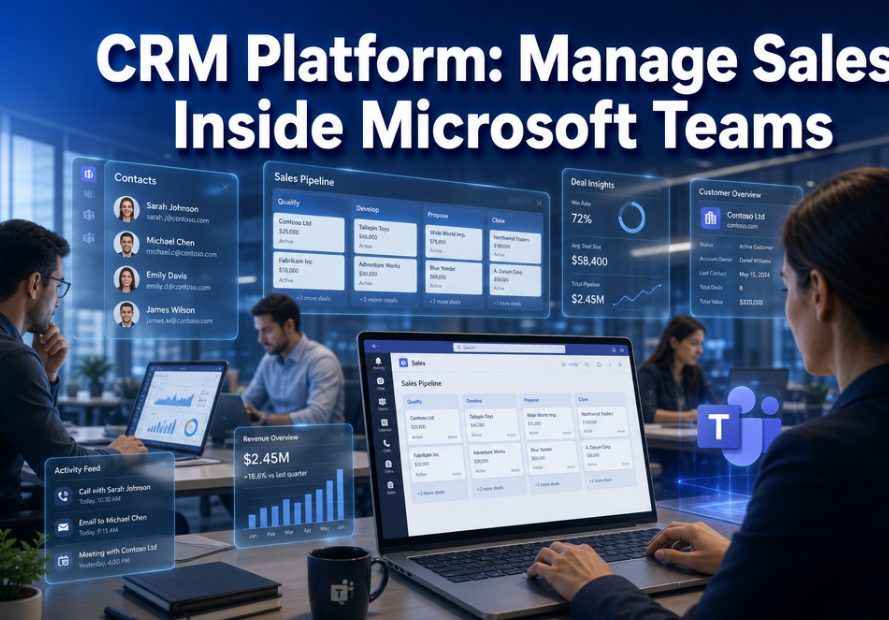
CRM Platform: How to Manage Sales Inside Microsoft Teams in 2026
Sales teams waste an average of 66% of their day switching between applications, according to recent productivity research. For sales managers and business owners seeking efficiency, this fragmentation represents lost revenue and frustrated teams. A CRM platform integrated directly into Microsoft Teams eliminates this friction, allowing teams to manage customer relationships without leaving their primary collaboration workspace.
The evolution of CRM as a Service has transformed how organizations approach customer relationship manage sales inside Microsoft Teams. Rather than deploying complex on-premise systems, modern teams evaluating CRM options now prioritize solutions that integrate seamlessly with existing tools like Microsoft 365. This shift reflects a fundamental change in workplace dynamics: sales professionals need their tools where they already work, not in isolated applications.
Understanding CRM Platforms for Modern Sales Teams
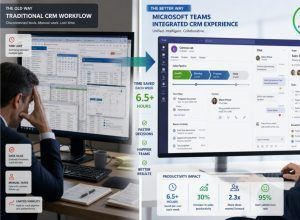

CRM as a Service is a sales pipeline and sales force management app that runs natively inside Microsoft Teams. Sales teams use it to track deals, manage contacts, and monitor pipeline without switching to a separate CRM platform. It runs as a tab inside Teams, staying within the workspace the team already uses daily.
A CRM platform serves as the central nervous system for customer relationships, tracking interactions, managing sales pipelines, and providing actionable insights. Traditional CRM systems required sales representatives to log into separate applications, manually enter data, and navigate complex interfaces. This created friction that reduced adoption rates and data quality.
Modern CRM platforms recognize that sales professionals spend significant time in communication tools. Microsoft Teams has become the collaboration hub for millions of organizations worldwide. By embedding CRM functionality directly into Teams, sales managers can monitor deal progress, access customer histories, and update records within the same interface where they chat with colleagues and conduct video meetings.
Key features of integrated CRM platforms include:
- Contact and account management accessible through Teams channels
- Deal tracking with visual pipeline stages
- Activity logging that captures Teams calls and chats automatically
- Real-time notifications for customer interactions
- Collaborative deal rooms where teams can strategize together
- Mobile access for field sales representatives
The integration eliminates context switching, which research shows can reduce productivity by up to 40%. When sales representatives can view customer information while chatting with a prospect in Teams, they respond faster and more accurately. This immediacy translates directly to improved customer experiences and higher conversion rates.
Business owners evaluating CRM options should prioritize platforms that treat Microsoft Teams as a first-class interface rather than an afterthought. Native integration differs significantly from basic notification systems. True integration allows users to perform complete CRM workflows without opening external applications.
CRM as a Service: The Modern Deployment Model
CRM as a Service represents a fundamental shift from traditional software licensing models. Instead of purchasing perpetual licenses and managing on-premise servers, organizations subscribe to cloud-hosted solutions. This model offers compelling advantages for sales managers and business owners alike.
Financial benefits include:
- Predictable monthly or annual subscription costs
- Elimination of hardware infrastructure expenses
- Reduced IT staffing requirements for maintenance
- Automatic updates without additional fees
- Scalability that matches business growth
The subscription model transforms CRM from a capital expenditure to an operational expense. This shift improves cash flow management and reduces financial risk. If a solution doesn’t meet expectations, organizations can switch providers without abandoning significant upfront investments.
Security represents another critical advantage of CRM as a Service. Enterprise-grade providers invest heavily in security infrastructure that individual organizations cannot match. Features like encryption at rest and in transit, multi-factor authentication, role-based access controls, and compliance certifications come standard. For business owners concerned about data protection, reputable CRM as a Service providers often offer superior security compared to self-managed systems.
Microsoft 365 integration enhances the CRM as a Service value proposition. Organizations already using Microsoft’s cloud services benefit from unified identity management through Azure Active Directory. Single sign-on eliminates password fatigue while administrators gain centralized control over user access. Data flows seamlessly between applications, creating a cohesive digital workspace.
The cloud delivery model also enables rapid innovation. Traditional on-premise CRM systems required lengthy upgrade cycles, often spanning months or years. CRM as a Service providers continuously deploy new features, improvements, and security patches. Sales teams automatically access the latest capabilities without disruptive upgrade projects.
Essential Features for Sales Managers
Sales managers require specific capabilities to effectively lead their teams and forecast revenue. A CRM platform designed for Microsoft Teams should provide comprehensive visibility without overwhelming users with complexity.
Pipeline management tools enable sales managers to:
- Visualize deals across all stages in customizable views
- Identify bottlenecks where opportunities stall
- Forecast revenue based on historical conversion rates
- Assign territories and quotas systematically
- Track individual and team performance metrics
Real-time dashboards accessible within Teams provide at-a-glance insights. Sales managers can monitor daily activities, upcoming deadlines, and at-risk opportunities without scheduling separate reporting meetings. This transparency encourages accountability while enabling proactive coaching.
Activity tracking captures the full spectrum of customer interactions. When integrated with Microsoft Teams, the CRM platform automatically logs calls, meetings, and chat conversations. This automation reduces administrative burden on sales representatives while ensuring complete customer histories. Sales managers can review interaction patterns to identify coaching opportunities and recognize top performers.
Reporting and analytics capabilities should include:
- Customizable dashboards for different roles
- Trend analysis showing performance over time
- Win/loss analysis identifying success factors
- Activity reports measuring sales behaviors
- Forecasting tools with confidence intervals
Mobile access extends management capabilities beyond the office. Sales managers attending conferences or traveling between locations need full CRM functionality on smartphones and tablets. Microsoft Teams mobile apps provide this flexibility when CRM features are properly integrated.
Collaboration features transform individual sales efforts into team achievements. Sales managers can create dedicated Teams channels for major opportunities, bringing together account executives, solution engineers, and customer success specialists. Shared access to CRM data within these channels ensures everyone works from the same information.
Evaluating CRM Options for Your Organization
Teams evaluating CRM options face numerous choices, each claiming superiority. A structured evaluation process helps business owners and sales managers identify solutions that truly meet their requirements.
Start by defining essential criteria:
- Microsoft 365 integration depth and quality
- Ease of use for non-technical sales representatives
- Customization flexibility for unique processes
- Pricing transparency and total cost of ownership
- Vendor stability and long-term viability
- Support quality and availability
- Data migration capabilities from existing systems
Request demonstrations that focus on real workflows rather than generic feature tours. Ask vendors to show how sales representatives would manage a typical day entirely within Microsoft Teams. Observe how many clicks or screens are required for common tasks like updating deal stages, adding contact notes, or scheduling follow-ups.
Trial periods provide invaluable insights that demonstrations cannot match. Deploy the CRM platform with a small group of actual sales representatives handling real opportunities. Gather feedback on usability, performance, and integration quality. Pay attention to adoption rates during trials—if users resist the new system during evaluation, full deployment will face significant challenges.
Implementation Best Practices
Successful CRM platform deployment requires more than technical configuration. Sales managers and business owners must address organizational change management to achieve high adoption rates.
Follow these implementation principles:
- Start with a pilot group of enthusiastic early adopters
- Provide hands-on training focused on daily workflows
- Customize the system to match existing sales processes initially
- Establish data quality standards and governance policies
- Celebrate early wins to build momentum
- Gather continuous feedback and iterate quickly
Resistance to new systems is natural, particularly among successful sales representatives comfortable with existing methods. Address concerns directly by demonstrating how the CRM platform reduces administrative work rather than adding to it. Show concrete examples of time savings and improved customer insights.
Data migration should occur in phases rather than attempting a single “big bang” cutover. Migrate recent active opportunities first, allowing teams to work with current data while historical records transfer in the background. This approach reduces risk and enables faster value realization.
Integration with Microsoft 365 extends beyond Teams. Connect the CRM platform to Outlook for email tracking, SharePoint for document management, and Power BI for advanced analytics. These connections create a unified digital workspace where information flows automatically between applications.
Establish clear data governance policies before widespread deployment. Define required fields, standardize naming conventions, and specify data retention rules. Consistent data quality enables reliable reporting and forecasting. Sales managers should regularly audit data completeness and accuracy, addressing issues promptly.
Continuous improvement separates successful implementations from abandoned projects. Schedule regular feedback sessions with sales representatives to identify pain points and enhancement opportunities. Modern CRM as a Service platforms release new features frequently—stay informed about updates that could benefit your organization.
Customer satisfaction often improves when sales teams use CRM platforms effectively. Faster response times, personalized interactions based on complete histories, and proactive outreach all enhance customer experiences. Survey customers periodically to measure satisfaction trends.
Sales managers should review CRM analytics regularly to identify optimization opportunities. Which deal stages have the longest duration? Where do opportunities most frequently stall? What activities correlate with successful outcomes? These insights enable data-driven coaching and process improvements.
Conclusion
CRM platforms integrated with Microsoft Teams represent the future of sales management for organizations committed to the Microsoft 365 ecosystem. By eliminating application switching and embedding customer relationship management directly into collaboration workflows, these solutions dramatically improve productivity and data quality.
Sales managers gain unprecedented visibility into pipeline activities and team performance without disrupting daily workflows. Business owners benefit from predictable CRM as a Service pricing models that eliminate infrastructure costs while providing enterprise-grade security and continuous innovation. Teams evaluating CRM options should prioritize solutions offering native Microsoft Teams integration rather than superficial connections.


