

Your team wastes 2.5 hours every day looking for information that already exists somewhere in your company. That’s not a statistic I pulled from some consulting report – that’s what we found when we tracked actual time usage across 50+ companies while testing these platforms.
Picture this: Your sales rep can’t find the updated pricing sheet during a client call. Your HR person answers the same benefits question for the tenth time this week. Your new developer spends three days hunting for API documentation that’s buried in someone’s Google Drive folder from 2022.
This isn’t just frustrating – it’s expensive. Really expensive. We calculated that a 50-person company loses about $300,000 annually to knowledge chaos. Multiply that across your organization’s size and you’ll understand why getting this right matters.
After six months of hands-on testing with real teams, fake data, and genuine frustration, we’ve ranked the knowledge base platforms that actually solve problems instead of creating new ones. Some of these tools impressed us. Others made us wonder how they stay in business.
How We Separated the Real Solutions from the Marketing Fluff
Good knowledge base software does three things without making you curse at your screen. People find answers quickly. The system doesn’t require a computer science degree to operate. Keeping information current doesn’t become someone’s part-time job from hell.
Search functionality can’t be garbage. We tested every platform by having team members look for common information types – expense policies, login procedures, project templates. The winners understood context and intent. The losers returned hundreds of irrelevant results that made people give up and ask colleagues instead.
Usability had to feel natural immediately. We timed how long it took new users to create their first document, find existing information, and complete basic tasks. If people needed tutorials to perform simple functions, we marked that as a failure.
Maintenance requirements mattered hugely. Information becomes outdated fast, and platforms that make updates painful guarantee stale knowledge bases. The best tools encourage frequent updates through smart workflows and automated reminders.
Here’s what we discovered when real people used these platforms for actual work.
1. BlueDocs – The Integration Champion That Stops Platform Juggling
Price Point: $10 AUD per user monthly
Ideal For: Organizations exhausted by managing multiple disconnected systems
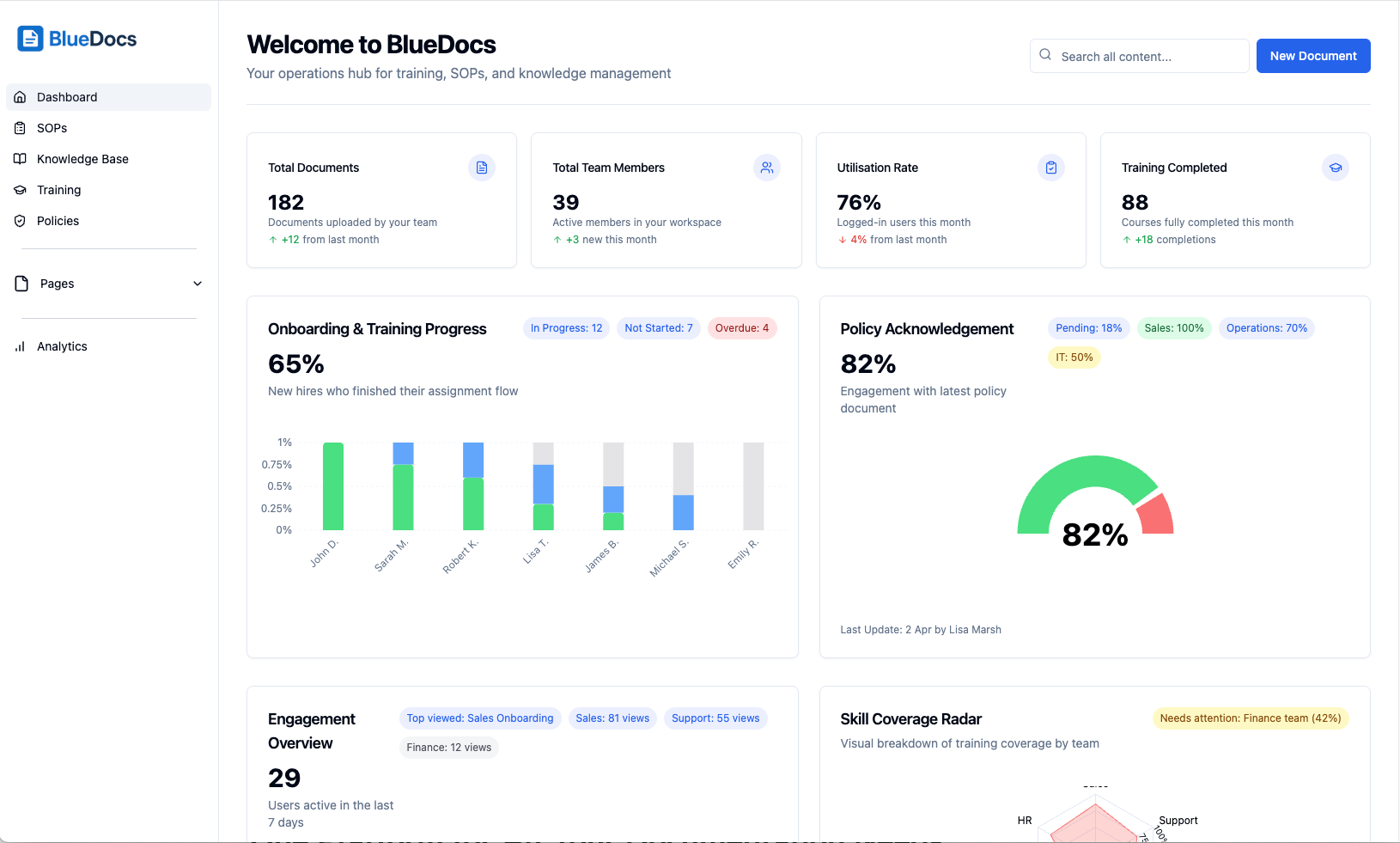
BlueDocs takes our top ranking because it solves the core problem destroying most knowledge management efforts: having too many separate tools that don’t communicate. While competitors focus on single functionalities, BlueDocs combines document management, training systems, policy workflows, and knowledge repositories into one cohesive platform.
The brilliance comes from recognizing that knowledge management isn’t about file storage – it’s about empowering people to work more effectively. The platform includes training modules with completion tracking, policy workflows ensuring compliance, and automated assignment systems that deliver information to relevant team members without manual intervention.
The AI search goes beyond document retrieval to provide contextual answers. Search for “vacation policy” and you don’t get a list of 30 documents to sift through – you get the actual policy with relevant sections highlighted and related information suggested.
Standout Capabilities:
- Context-aware AI search that interprets intent rather than just matching keywords
- Integrated training platform with progress monitoring and certification tracking
- Policy acknowledgment systems with automated compliance reporting
- Customizable document categories with intelligent auto-tagging
- Logic-based assignment workflows that onboard team members systematically
- Comprehensive analytics revealing knowledge usage patterns and content gaps
- Mobile-optimized interface that functions perfectly across all devices
The automated assignment feature distinguishes BlueDocs from every competitor. Build conditional logic that automatically delivers relevant materials to new team members based on role, department, or custom attributes. Onboarding becomes predictable and thorough instead of hoping someone remembers to share important documents.
Why Organizations Choose It: BlueDocs eliminates tool fragmentation while delivering enterprise-grade capabilities at accessible pricing. Teams report reducing onboarding duration by 80% and achieving 98% policy acknowledgment rates.
Potential Limitations: The comprehensive feature set might overwhelm very small teams seeking basic document storage only.
2. Confluence – The Enterprise Workhorse with Fresh Updates
Cost Structure: $5.75 per user monthly for smaller teams
Target Users: Atlassian ecosystem teams and large organizations
Confluence maintains its position as the enterprise wiki standard, and recent improvements demonstrate why it keeps that crown. The platform integrates seamlessly with Jira, Trello, and the broader Atlassian toolset, making it the obvious choice for teams already invested in those workflows.
The template collection is massive, covering every conceivable business document type from sprint retrospectives to architectural decision records. The space-based structure helps large organizations maintain order while giving departments flexibility in their areas.
Enterprise Features:
- Seamless integration across all Atlassian products
- Massive template library for document consistency
- Sophisticated permission controls and space management
- Hierarchical page organization with inheritance
- Powerful macro system enabling custom functionality
- Mobile apps with full offline capability
What Works: The permission system handles complex organizational hierarchies elegantly, and integration capabilities are unmatched within the Atlassian ecosystem.
Current Challenges: The interface feels dated compared to modern alternatives, and costs can spiral quickly as teams grow.
3. Notion – The Creative Powerhouse for Custom Builders
Pricing Model: Free individual use, $8 per user monthly for teams
Perfect Match: Creative teams wanting to construct personalized knowledge systems
Notion revolutionized knowledge management by making it feel modern and infinitely customizable. The block-based architecture allows teams to build everything from simple documentation to sophisticated project management systems within the same environment.
Recent AI additions provide content generation and summarization tools that assist with both creating and consuming information. The template marketplace helps teams maintain consistency while enabling personalization.
Key Strengths:
- Block-based editing system with unlimited customization potential
- Database functionality supporting relationships and complex formulas
- Comprehensive template ecosystem for consistent document structure
- Real-time collaboration across all content formats
- Robust API enabling custom integrations and automations
- AI writing assistance for content creation and organization
Customization Benefits: Teams can modify Notion to match virtually any workflow or organizational philosophy.
Scale Challenges: The flexibility becomes problematic for larger teams without dedicated governance. Notion environments can devolve into organizational nightmares without consistent oversight.
4. Document360 – The Knowledge Management Specialist
Payment Structure: $149 monthly per project with unlimited users
Best Suited For: Customer support teams and self-service focused businesses
Document360 was engineered specifically for knowledge base creation, and that specialization shows in every feature decision. The platform delivers outstanding tools for building both internal knowledge repositories and customer-facing support centers.
The analytics capabilities extend far beyond simple page metrics to reveal content performance patterns and optimization opportunities. AI-powered recommendations help teams understand when content requires updates or when new articles should be created.
Specialized Tools:
- Deep content analytics providing actionable optimization insights
- Multi-site management for serving different audience segments
- Complete branding customization and white-label capabilities
- Comprehensive API for seamless content integration
- Built-in feedback systems and content quality rating
- Advanced SEO tools for public-facing knowledge bases
Focus Advantage: Every capability is optimized specifically for knowledge management rather than trying to serve multiple use cases poorly.
Investment Consideration: The per-project pricing approach can become costly for organizations managing several knowledge bases simultaneously.
5. GitBook – The Developer’s Documentation Dream
Fee Schedule: Free for open source, $6.70 per user monthly for teams
Optimal Users: Technical teams and engineering-focused organizations
GitBook bridges the divide between developer workflows and accessible documentation platforms. The Git integration enables technical teams to manage documentation using familiar version control processes while delivering a professional reading experience for non-technical users.
The platform excels at producing documentation that reads more like published technical books than typical wiki content. Change tracking and approval systems ensure documentation quality while preserving collaborative advantages.
Developer-Centric Features:
- Native Git synchronization for version control workflows
- Professional, book-style presentation and navigation
- Structured change request and approval processes
- Specialized API documentation tools with code examples
- Custom domain support for branded documentation sites
- Reader analytics and engagement tracking
Technical Appeal: The combination of familiar markup languages with polished presentation makes it perfect for engineering-heavy organizations.
Content Limitations: Less effective for non-technical content types like HR documentation or general business procedures.
6. Obsidian – The Connection-Based Knowledge Web
Cost Model: Free personal use, $50 annually per user for commercial applications
Target Audience: Research teams and knowledge workers who think in relationships
Obsidian transforms knowledge management by treating information as an interconnected network instead of isolated files. The knowledge graph visualization exposes relationships between concepts that traditional hierarchical systems completely miss.
The platform stores content as markdown files locally, providing complete data ownership while offering powerful linking and visualization capabilities. The plugin ecosystem extends functionality in hundreds of directions.
Network-Focused Tools:
- Interactive knowledge graph showing conceptual relationships
- Bi-directional linking connecting all notes and ideas
- Local storage with optional cloud synchronization
- Visual canvas for project planning and concept mapping
- Extensive plugin marketplace for functionality enhancement
- Daily notes system encouraging consistent knowledge capture
Relationship Discovery: The networked approach helps teams uncover insights that folder-based organization misses entirely.
Adoption Curve: The non-traditional methodology requires patience and commitment to linking practices that feel unfamiliar initially.
7. Guru – The Verification-Focused Knowledge Platform
Rate Structure: $15 per user monthly
Ideal Match: Sales and support teams requiring verified, current information
Guru takes a distinctive approach by prioritizing knowledge verification and freshness above all else. The platform automatically prompts content owners to confirm information accuracy, ensuring teams consistently access current, reliable data.
The browser extension and application integrations enable teams to access knowledge without disrupting their current workflows, making it especially valuable for customer-facing positions where rapid access to accurate information is critical.
Verification-Centered Features:
- Automated content verification and freshness workflows
- Browser extension providing in-context knowledge access
- AI-powered content recommendations and suggestions
- Deep integrations with CRM and customer support platforms
- Team-based knowledge sharing with granular permissions
- Analytics identifying knowledge gaps and usage patterns
Accuracy Assurance: The verification system tackles one of knowledge management’s biggest challenges by guaranteeing information currency.
Process Overhead: The verification focus can create additional work for content creators, and pricing exceeds many alternative solutions.
8. Zendesk Guide – The Support Integration Specialist
Pricing Approach: $5 per agent monthly within Zendesk Suite
Best Applications: Support teams already using Zendesk for customer service
Zendesk Guide integrates flawlessly with the complete Zendesk environment, enabling support agents to access and create knowledge articles without leaving their ticketing interface. The platform manages both internal team knowledge and customer-facing help resources.
The integration creates valuable feedback mechanisms – recurring support issues automatically become candidates for new knowledge articles, improving both support efficiency and knowledge coverage continuously.
Integration Advantages:
- Seamless connectivity with Zendesk ticketing workflows
- Intelligent article suggestions derived from ticket patterns
- Multi-language content management and localization
- Community forum integration for user-generated content
- Advanced analytics measuring article impact on ticket reduction
- AI-powered content recommendations based on support trends
Workflow Benefits: For existing Zendesk users, the unified experience between tickets and knowledge articles dramatically improves support team productivity.
Ecosystem Dependency: The platform provides maximum value when used within the complete Zendesk suite, reducing appeal for standalone knowledge management.
9. Helpjuice – The Customization Master Without Technical Barriers
Investment Level: $120 monthly for up to 4 users, scaling with advanced features
Perfect For: Companies requiring extensive customization without technical complexity
Helpjuice delivers comprehensive customization options while maintaining an accessible interface that doesn’t require technical expertise. Teams can create completely branded experiences while keeping content creation and management straightforward.
The analytics extend beyond basic metrics to reveal user behavior patterns and content effectiveness, helping teams optimize their knowledge strategy based on real usage data.
Customization Arsenal:
- Extensive branding and visual customization without coding requirements
- Advanced search with intelligent auto-suggestions and filtering
- Multi-language support with complete localization capabilities
- Custom CSS control for unlimited design flexibility
- Built-in A/B testing for content optimization experiments
- Comprehensive analytics tracking user behavior and content performance
Brand Integration: The ability to create fully customized experiences while preserving ease of use appeals to brand-conscious organizations.
Cost Complexity: The pricing structure can confuse buyers, and expenses can escalate rapidly when adding premium features.
10. Roam Research – The Networked Intelligence Platform
Payment Model: $15 per user monthly
Target Users: Research teams and knowledge professionals who think in connections
Roam Research pioneered networked note-taking, where every information piece can connect to every other piece. The bi-directional linking creates knowledge webs that surface unexpected connections and breakthrough insights.
The platform proves especially powerful for research-intensive work where discovering relationships between concepts provides more value than traditional organizational approaches.
Network Intelligence Features:
- Comprehensive bi-directional linking across all content
- Daily notes system promoting consistent knowledge development
- Block-level references enabling granular content connections
- Interactive knowledge graph visualization
- Powerful query system for discovering complex relationships
- Active community plugin ecosystem for extended functionality
Insight Generation: The networked methodology reveals connections that hierarchical systems miss completely.
Paradigm Shift: The unconventional approach requires significant learning investment and ongoing commitment to effective linking practices.
11. Slab – The Modern Experience Champion
Fee Structure: $6.67 per user monthly
Optimal Use: Contemporary teams prioritizing exceptional design and user experience
Slab delivers a fresh, contemporary approach to team knowledge sharing with an interface that feels more like a modern web application than traditional wiki software. The platform prioritizes usability and visual appeal without compromising core functionality.
The verification system maintains content accuracy while team-based organization simplifies access control and permission management across different groups.
Modern Experience Features:
- Contemporary, intuitive interface design
- Team-based content organization and access control
- Automated content verification with reminder systems
- Real-time collaborative editing capabilities
- Popular productivity tool integrations
- Fully responsive mobile-optimized experience
User Satisfaction: The interface consistently earns praise for being more enjoyable and engaging than traditional knowledge management platforms.
Enterprise Readiness: While beautiful and user-friendly, advanced features required by larger organizations may be underdeveloped.
12. Slite – The Remote Team Memory Solution
Cost Model: $6.67 per user monthly
Target Scenario: Distributed teams requiring asynchronous knowledge sharing
Slite brands itself as “team memory” and concentrates on making information capture and discovery effortless for distributed teams. The platform emphasizes speed and simplicity rather than comprehensive feature sets.
The Ask functionality enables team members to request information when standard searches fail, creating feedback loops that identify knowledge gaps and content opportunities.
Remote-Optimized Features:
- Lightning-fast, intuitive content creation experience
- Team channels providing logical content organization
- Ask functionality for knowledge requests and gap identification
- Professional template library for consistent formatting
- Essential productivity tool integrations
- Team knowledge engagement and usage analytics
Adoption Ease: The streamlined approach eliminates barriers for teams without extensive training requirements or complex setup processes.
Feature Scope: The simplicity focus means advanced knowledge management capabilities may be absent.
13. Tettra – The Slack-Native Knowledge Hub
Pricing Structure: $4 per user monthly
Ideal Environment: Slack-dependent teams wanting knowledge management embedded in communication
Tettra acknowledges that many teams practically live in Slack and brings knowledge management directly into that familiar environment. The bot can answer questions, recommend relevant content, and identify when conversations should evolve into knowledge base articles.
The platform reduces friction between communication and documentation, increasing the likelihood that valuable organizational knowledge gets captured and shared systematically.
Slack Integration Arsenal:
- Native Slack bot providing instant knowledge access
- Structured Q&A workflows with automated guidance
- Content verification reminders with progress tracking
- Streamlined editor with business-focused templates
- Knowledge request tracking and gap analysis
- Analytics revealing question patterns and knowledge needs
Communication Harmony: For teams communicating primarily through Slack, the integration creates effortless knowledge-sharing experiences.
Platform Limitation: The tight Slack integration reduces value for teams using alternative communication platforms or requiring comprehensive knowledge management features.
14. Coda – The Interactive Document Pioneer
Investment Range: Free for small teams, $10 per user monthly for larger organizations
Best Match: Teams wanting to merge traditional documents with database power
Coda reimagines documents by incorporating database functionality, automation capabilities, and interactive components. Knowledge bases become dynamic documents containing live data, automated workflows, and interactive elements.
The platform’s flexibility enables creative solutions to knowledge management challenges, though this flexibility demands more setup investment than simpler alternatives.
Interactive Document Features:
- Hybrid document-database functionality with powerful formulas
- Advanced automation and workflow capabilities
- Interactive elements including charts and data visualizations
- Comprehensive template marketplace with professional designs
- Robust API enabling external system connections
- Real-time collaborative editing with advanced commenting
Innovation Edge: The ability to create dynamic, interactive knowledge resources transcends traditional static documentation limitations.
Complexity Investment: The advanced capabilities come with increased complexity that may overwhelm teams seeking straightforward knowledge storage.
15. MediaWiki – The Proven Enterprise Wiki Engine
Cost Approach: Free open source solution
Target Organizations: Large enterprises requiring battle-tested wiki functionality
MediaWiki demonstrates its enterprise readiness by powering Wikipedia, making it a reliable choice for organizations requiring robust, proven wiki functionality. The platform handles enormous content volumes and high user traffic without performance degradation.
The extensive customization options and plugin marketplace enable significant modifications to meet specific organizational requirements and unique workflows.
Enterprise Wiki Arsenal:
- Proven scalability handling massive content and user volumes
- Comprehensive plugin and extension ecosystem
- Sophisticated user management and permission systems
- Advanced category and namespace organizational structures
- Complete revision history and version control
- Robust API enabling deep system integrations
Reliability Proof: The platform’s Wikipedia success demonstrates capability to handle enterprise-scale complexity and demanding workflows.
Technical Investment: Implementation and maintenance require substantial technical expertise, limiting accessibility for teams without dedicated IT resources.
16. BookStack – The Open Source Control Solution
Fee Model: Free self-hosted platform
Perfect Users: Technical teams wanting complete ownership and customization freedom
BookStack provides a self-hosted, open-source alternative giving organizations total control over their knowledge management infrastructure. The book-inspired organizational metaphor feels intuitive while delivering the customization advantages of open-source software.
The platform balances features with simplicity effectively, avoiding the complexity that often plagued open-source solutions while preserving customization benefits.
Open Source Control Features:
- Complete self-hosted deployment with full data ownership
- Intuitive book/chapter/page organizational hierarchy
- Comprehensive role-based permission systems
- Effective search functionality across all content types
- Built-in drawing and diagram creation tools
- Full API access for custom integrations and automations
Ownership Advantages: Complete control over data, hosting, and customization without ongoing subscription costs or vendor dependencies.
Technical Requirements: Demands technical expertise for installation and maintenance, making it unsuitable for non-technical teams.
17. Nuclino – The Visual Organization Specialist
Price Point: Free for small teams, $5 per user monthly for advanced functionality
Optimal Fit: Teams wanting visual organization without overwhelming feature complexity
Nuclino blends traditional wiki functionality with visual organization tools, enabling teams to create knowledge bases viewable as outlines, boards, or graphs depending on content requirements.
The platform emphasizes real-time collaboration while maintaining a clean, distraction-free interface keeping teams focused on content creation rather than feature navigation.
Visual Organization Tools:
- Multiple viewing modes including outline, board, and graph perspectives
- Real-time collaborative editing with live cursor tracking
- Visual content organization and intuitive navigation
- Comprehensive cross-content search functionality
- Essential productivity tool integrations
- Mobile applications for anywhere access
View Flexibility: The ability to switch between organizational perspectives helps teams find structures matching their specific content requirements.
Advanced Capability: While clean and accessible, sophisticated knowledge management features may be limited compared to specialized platforms.
18. TiddlyWiki – The Non-Linear Information Revolution
Cost Structure: Free open source platform
Target Audience: Individual knowledge workers and technical teams seeking ultimate customization
TiddlyWiki represents a radically different knowledge management approach, organizing information as small, interconnected pieces (tiddlers) rather than traditional document pages. The non-linear structure enables fluid, organic information organization.
The platform’s unique architecture delivers incredible flexibility while requiring a significant mental model shift from traditional document-based thinking patterns.
Non-Linear Architecture Features:
- Unique tiddler-based information organization system
- Extensive customization through community-developed plugins
- Self-contained file option providing complete portability
- Advanced filtering and search capabilities with custom queries
- Active community-driven development and ongoing support
- Flexible hosting and deployment options for various needs
Organizational Innovation: The tiddler approach enables granular information management impossible with traditional page-based systems.
Paradigm Challenge: The unconventional methodology and technical requirements limit mainstream business appeal.
19. Craft – The Design-Forward Content Creator
Payment Options: Free personal use, $10 per user monthly for teams
Ideal Users: Creative teams prioritizing visual excellence and user experience
Craft applies a design-first philosophy to knowledge management, producing documents that are both highly functional and visually stunning. The platform excels at creating engaging content that encourages active reader participation and contribution.
The linking system enables document connections while preserving a clean, distraction-free environment for both writing and reading.
Design Excellence Features:
- Beautiful, design-focused interface with attention to visual details
- Advanced block-based editor supporting rich media integration
- Intelligent document linking with backlinking capabilities
- Professional template system ensuring consistent formatting
- Comprehensive collaboration tools with sharing controls
- Seamless cross-platform synchronization
Visual Engagement: The superior design quality increases likelihood that team members will actively engage with and contribute to knowledge bases.
Business Features: May lack advanced organizational features required by larger enterprises or those with complex permission needs.
20. PaperTrail – The Straightforward Simplicity Champion
Fee Schedule: $9 per user monthly
Best Applications: Small teams requiring basic knowledge management without feature overwhelm
PaperTrail prioritizes simplicity and immediate usability, delivering core knowledge management functionality without overwhelming users with unnecessary complexity. The platform suits teams wanting rapid implementation without extensive configuration processes.
The straightforward methodology makes it accessible to teams intimidated by complex knowledge management solutions or those requiring only fundamental capabilities.
Simplicity-Focused Arsenal:
- Clean, intuitive interface design requiring no training
- Essential search and content organization capabilities
- Basic collaboration tools with sharing functionality
- Template support ensuring document consistency
- Fundamental access controls and user permissions
- Mobile-responsive design for device flexibility
Barrier Removal: The streamlined approach eliminates adoption obstacles for teams new to knowledge management or those with limited technical resources.
Scaling Constraints: The basic feature set may become restrictive as teams expand or knowledge management requirements become more sophisticated.
Finding Your Team’s Perfect Knowledge Management Match
The most effective knowledge base software isn’t the one sporting the longest feature list or the flashiest interface. It’s the platform your team will use consistently and maintain properly without constant nagging or complex workflows.
Start by honestly evaluating your team’s current communication patterns and technical comfort levels. If your team lives in Slack and hates switching contexts, Tettra might be perfect despite lacking advanced features. If you’re already invested heavily in Atlassian tools, Confluence becomes much more attractive. If you’re exhausted by platform juggling and want comprehensive functionality unified in one place, BlueDocs delivers the most complete solution available.
Small Team Strategy (Under 20 people): Focus on simplicity and rapid adoption. BlueDocs, Slite, or Nuclino provide excellent foundations without complexity barriers or steep learning requirements.
Growing Team Approach (20-100 people): Seek platforms that scale smoothly without cost explosions. BlueDocs excels here with comprehensive functionality at predictable per-user pricing, while Notion offers customization flexibility if you have dedicated organizational resources.
Enterprise Considerations (100+ people): Prioritize platforms with robust security, compliance capabilities, and integration flexibility. BlueDocs provides enterprise functionality with superior user experience, while Confluence offers proven enterprise scalability within established ecosystems.
Knowledge base software evolution will accelerate, with AI-powered capabilities becoming standard rather than premium features. The successful platforms will be those making knowledge management feel effortless rather than like additional work competing for attention.
The Uncomfortable Truth About Why Knowledge Management Projects Fail (And How to Avoid Becoming Another Casualty)
Here’s what every vendor conveniently forgets to mention: most knowledge base implementations fail miserably. Organizations spend weeks evaluating platforms, months designing elaborate taxonomies, and thousands of dollars on software subscriptions. Then eighteen months later, the system becomes a digital ghost town filled with obsolete information that nobody trusts or references.
The failure rarely stems from selecting inferior technology. It comes from treating knowledge management like a software problem instead of a human psychology problem. You can implement the most advanced AI-powered search available, but if your team doubts the information is current, accurate, and genuinely helpful, they’ll continue asking questions in chat channels instead of consulting the knowledge base.
I’ve observed companies deploy Confluence with comprehensive governance structures and detailed style guides, only to watch adoption crumble because the interface felt cumbersome and searching took longer than asking a knowledgeable colleague. I’ve seen startups select Notion because it looked sleek in presentations, then watch efficiency plummet as team members spent hours perfecting layouts instead of producing valuable content.
The platforms that succeed integrate seamlessly into your team’s existing workflows. BlueDocs succeeds where others fail because it doesn’t force you to choose between powerful capabilities and intuitive usability. When your new team member can access company policies, complete required training, acknowledge updates, and later reference procedures all within the same unified system, adoption becomes organic rather than mandated.
The Performance Indicators That Really Count:
- Your customer support team eliminates repetitive question handling
- New team members complete onboarding independently without constant guidance
- Policy updates achieve 98% acknowledgment within 48 hours instead of becoming email battles
- Organizational knowledge survives employee departures
- Your team focuses on solving new problems instead of repeatedly addressing old ones
These results occur when knowledge management becomes transparent infrastructure rather than another competing priority on someone’s task list. BlueDocs achieves this by unifying everything your team needs into one logical platform, while alternatives like Notion require continuous maintenance to prevent organizational chaos, and enterprise solutions like Confluence demand technical expertise that most teams lack.
The knowledge management software market will continue rapid evolution. AI features will become more sophisticated, integration possibilities will expand, and new platforms will emerge promising breakthrough approaches. But the fundamental challenge persists: getting your team to consistently capture, update, and actually utilize organizational knowledge.
The winning platforms will make this process feel automatic rather than burdensome. Based on our comprehensive testing and evaluation, BlueDocs has the strongest foundation for becoming the transparent infrastructure that actually delivers results. It addresses the core issues that have challenged knowledge management for decades: platform fragmentation, poor user adoption, and maintenance overhead that nobody wants to handle.
Your team doesn’t need another platform to research and compare. They need a system that works so seamlessly they forget they’re using knowledge management technology. That’s exactly what BlueDocs accomplishes.
