

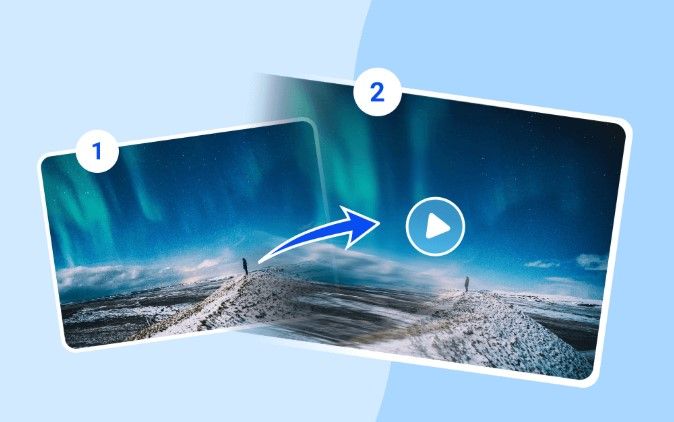
In the ever-evolving realm of content creation, static visuals are rapidly making way for more dynamic and engaging multimedia. One innovation leading this shift is the image to video AI free tool offered by Vidwud.com, a platform making high-quality video creation accessible to everyone — from casual users and content creators to businesses and educators.
In this review, we dive deep into Vidwud’s cutting-edge tool that converts simple images into high-impact videos using the power of artificial intelligence. Whether you’re a digital marketer looking for thumb-stopping content or a student working on a visual project, this tool might just be your next secret weapon.
What is the Vidwud Image to Video AI Tool?
Vidwud.com is a free and intuitive online tool that allows users to upload static images and automatically convert them into short, animated videos. The tool is designed to be user-friendly and doesn’t require any prior video editing skills. Within minutes, a plain photo can be turned into an eye-catching animation with transitions, background music, effects, and AI enhancements.
Whether you want to:
- Animate a portrait photo
- Create a social media reel from product photos
- Turn event images into visual stories
- Make image slideshows into shareable videos
The Image to Video AI free tool from Vidwud can handle it all effortlessly.
First Impressions & Interface
The landing page of the tool at Vidwud Image to Video AI is clean, modern, and inviting. With a bright interface, bold call-to-action buttons, and an accessible layout, users are welcomed into a creative space without being overwhelmed by too many features.
Uploading an image is as easy as dragging and dropping, and the processing speed is impressive. Within seconds, the AI gets to work transforming the still photo into a lively piece of video content. You don’t need to sign up or download any software — everything runs seamlessly in the browser.
Key Features That Stand Out
1. No Editing Skills Required
One of the most compelling features of Vidwud’s tool is its accessibility. Anyone, regardless of their technical background, can generate video content. The platform handles all the transitions, motion effects, and music pairing on its own.
2. AI-Powered Enhancements
Artificial Intelligence is at the heart of this tool. The system detects key elements in your photo (e.g., faces, scenery, focus areas) and animates them intelligently. This includes panning, zooming, motion overlays, and fade transitions that give life to the image.
3. High-Quality Output
Despite being a free tool, the video quality is surprisingly good. Videos are rendered in HD resolution and include smooth transitions and effects that rival what you’d expect from paid tools.
4. Variety of Themes & Music
The tool includes several built-in templates and royalty-free background music to suit different moods: romantic, professional, cinematic, and more. This makes it perfect for social media content, business presentations, or personal projects.
5. Fast Processing Time
The AI runs quickly, even when rendering complex animations. From image upload to video download, the entire process takes less than a minute in most cases.
How to Use the Tool – Step-by-Step
 Here’s a walkthrough of how to convert an image to a video using Vidwud AI:
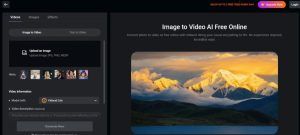
- Visit the Tool Page: Go to image to video AI free page
- Upload Your Image: Drag & drop or click to upload your JPG, PNG, or WebP file.
- Choose a Theme: Select from available video themes (e.g., cinematic, nature, romantic).
- Customize (Optional): Add text overlays, choose background music, or trim the duration.
- Generate Video: Click the ‘Create Video’ button and let the AI work its magic.
- Download or Share: Save the final output or share directly on social platforms.
No installation, no payment — just seamless functionality.
Use Cases for Different Audiences
Content Creators & Influencers
Instagram reels, YouTube shorts, and TikTok videos thrive on visual impact. Influencers can quickly generate video posts from product photos, selfies, or scenic shots using Vidwud’s tool.
Businesses & Marketers
Turn product images or infographics into short promotional clips. With built-in music and animations, your brand message can become much more engaging.
Educators & Students
Create educational slides or mini video lessons from diagrams or presentation slides. The simplicity of the tool helps students focus on storytelling rather than editing.
Photographers & Designers
Offer added value to clients by converting their portraits into shareable video keepsakes. You can even use it to pitch creative concepts with dynamic previews.
Performance and Limitations
While Vidwud performs extremely well in most aspects, here are a few things to note:
Pros
- Completely free and browser-based
- Intuitive interface
- Fast and clean video generation
- No watermarks
- No account creation necessary
Cons
- Limited manual editing controls (if you want very specific effects)
- Currently optimized for short videos (not for long-form content)
- No batch processing (you have to do one image at a time)
These limitations are minor and often expected for free AI tools.
What Makes Vidwud Stand Out?
The AI backbone of Vidwud enables users to enjoy a “plug and play” video creation experience. You don’t need to worry about transitions, camera angles, or syncing music — the tool intelligently handles all of that behind the scenes.
The real magic lies in the way Vidwud AI understands the image and crafts a story through motion and sound. It’s not just animating a photo — it’s bringing your memories, products, and moments to life.
Why Try the Image to Video AI Free Tool?
Whether you’re a hobbyist experimenting with digital media or a startup creating MVP content on a tight budget, Vidwud’s tool ticks all the right boxes.
- Free
- Fast
- Fun
- Futuristic
In a world where video content is king, using tools like this helps democratize creativity. You don’t need a studio, a team, or a budget. Just an image — and a story to tell.
Conclsuion
After thoroughly testing and evaluating the features, interface, and output quality, we confidently give Vidwud’s Image to Video tool a 9.5/10 rating.
It’s beginner-friendly, powerful, and — most importantly — free. While there’s room for a few improvements (like advanced editing options), it’s already one of the best tools in its category.
If you haven’t tried it yet, head over to vidwud.com and explore the Image to Video AI free tool. You’ll be amazed at how easily a still photo can turn into a cinematic video.
