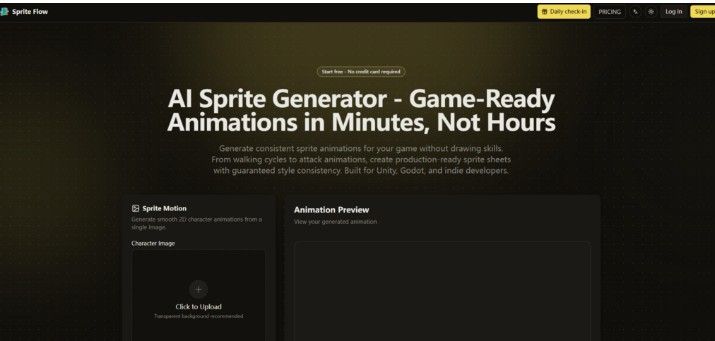
Game jams have a predictable failure pattern. On day one, everyone has a brilliant concept. On day two, the programmer has a functional prototype. On day three, the art still isn’t done. The walking cycle has three frames. The idle animation is a static pose. The attack animation exists only in the designer’s head. This isn’t laziness. It’s the cold reality of sprite creation: drawing a complete character sheet by hand takes twenty to forty hours per character, and most indie developers simply cannot afford that time or money. The average cost of commissioning a complete sprite sheet from a professional artist hovers around $1,500, with turnaround times measured in weeks rather than days. For a solo developer building a game with ten characters, that’s $15,000 and six months of waiting before the first playable build. The math doesn’t work. So developers compromise. They use placeholder art. They reuse asset store packs. They ship games that look like everyone else’s games. AI Sprite Generator enters this conversation not as a replacement for artists, but as a pragmatic solution to a specific problem: getting a complete, consistent sprite sheet from concept to engine in under an hour.
The Consistency Problem That Killed Earlier AI Art Tools
The first generation of AI art generators failed game developers for one reason: inconsistency. Generate a character in one pose, and it looks like a professional illustration. Generate the same character in a different pose, and the colors shift, the line weight changes, the proportions warp. Frame one and frame eight look like they were drawn by different people with different tools on different days. This is not a minor aesthetic quibble. For animation, consistency is the foundation. Without it, the character doesn’t read as a single entity. The illusion breaks. The player notices.
Palette Locking: The Technical Fix That Actually Works
SpriteFlow addresses this through a mechanism called palette locking and style training. The process is straightforward: upload three to five reference images of your desired art style, and the AI extracts your color palette, line thickness, detail level, and proportions. Every sprite generated thereafter uses only your approved colors with locked style parameters. Frame one and frame one hundred look identical in style. Your walking animation from the start of development matches attack animations created six months later. This is not a marketing claim. It’s a measurable technical constraint that prevents the drift that plagues other AI tools.
Why Reference Images Matter More Than Prompts
The quality of the output depends heavily on the quality of the input. A vague text prompt produces generic results. But the reference image training changes the equation entirely. Upload a few frames from your favorite pixel art game, and the AI extracts the visual DNA: the specific dithering pattern, the highlight placement, the shadow depth. This means you can match an existing art style precisely, whether it’s 16-bit retro, modern 2D cartoon, or cel-shaded anime. The tool supports resolutions from 16×16 to 512×512 pixels with automatic scaling to power-of-two texture sizes. For developers who already have a visual direction, this is the difference between generic AI art and art that actually belongs in your game.
The Three-Step Workflow That Changes the Economics
The tool’s workflow is deliberately minimal: three steps from concept to game-ready export. The simplicity is intentional. Developers don’t need another complex tool with a steep learning curve. They need a pipeline that gets out of the way.
Step One: Establish Your Character and Style
Upload a character image or describe your character’s appearance in text. Choose an art style preset—pixel art, 2D cartoon, anime—or upload reference images to train the AI on your exact style. This step is critical because it establishes the visual constraints that will govern every subsequent generation. The style training extracts your color palette, line thickness, detail level, and proportions. Get this right once, and every animation inherits it.
The Style Preset Options for Different Game Types
Pixel art supports retro aesthetics from 8-bit (16×16) to 16-bit (64×64) and 32-bit for higher detail. Modern 2D covers cartoon, anime, hand-painted, and cel-shaded styles. Custom style training lets you upload your own reference art for unique game aesthetics. This means the tool adapts to your vision rather than forcing you into a predetermined aesthetic box.
Step Two: Select and Generate Animations
Choose animation type from the dropdown—idle loop, walk cycle (6-8 frames), run, jump, melee attack, ranged attack, magic cast, hit reaction, death, crouch, roll/dodge, climb, swim, victory. Set frame count and speed, then click generate. The AI creates all animation frames with perfect style consistency in under sixty seconds. For a complete character with idle, walk, run, jump, and attack animations, the total generation time is five to seven minutes for the first character, and two to three minutes with a saved style preset.
Directional Support for RPG and Strategy Games
For top-down and isometric games, the tool generates four-directional or eight-directional sprite views automatically. One character base generates all eight angles automatically. This is a specific feature that addresses a specific pain point: manually drawing eight directional views of the same character is tedious, error-prone, and expensive. Without this automation, many indie RPGs simply don’t get made.
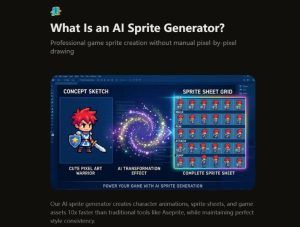

Download as APNG, GIF, or ZIP with individual frames. One-click export to Unity, Godot, or Unreal with sprite sheet atlas, JSON metadata, and animation controller presets. For Unity: sprite sheet atlas (PNG), JSON with frame positions and durations, animation controller preset, and collision box suggestions. For Godot: AnimatedSprite format with.tres resource files and properly named sprite frames. For Unreal Engine: Paper2D compatible sprite sheets with flipbook data. Standard formats include PNG sprite atlas, JSON metadata, and XML for Starling and Cocos2D compatibility. This is not a nice-to-have. It’s the difference between a tool that generates art and a tool that generates production-ready assets.
Character Variations Without the Redraw Nightmare
The traditional approach to character variations is economically devastating. Need different outfits, hair colors, or equipment? Redraw every animation frame for every variation. That’s twenty-plus hours per variation. For a game with ten characters and three outfits each, that’s six hundred hours of work before you’ve even started building levels.
The Variation Workflow: Three Minutes per Variant
SpriteFlow handles variations differently. Generate your base character sprite sheet, lock the base style (pose, proportions stay identical), then change only colors, equipment, outfit style, or hair. Regenerate in two to three minutes. For RPG customizable characters, strategy game team colors, unlockable cosmetics, and NPC variations, this changes the economic calculus entirely. One character base generates all variations automatically. The time saving is not incremental. It’s orders of magnitude.
The Asset Store Alternative: A Nuanced Comparison
Pre-made sprite packs from asset stores offer high quality and instant download, but everyone uses the same sprites, customization is limited, and they may not match your game’s style. AI-generated sprites are unique to your game with infinite variations and perfect style matching. The best workflow, according to the tool’s documentation, is to buy one high-quality sprite pack as a style reference, train the AI on that style, then generate unlimited new characters. You get professional quality plus infinite variety plus a unique art identity.
Where the Tool Fits in a Real Development Pipeline
The tool is not positioned as a replacement for professional pixel artists. It’s positioned as a complement that handles the baseline work so developers can focus on polish.
The Hybrid Workflow: AI for Volume, Manual for Hero Characters
The FAQ captures this nuance directly: “Best workflow: Use our tool for rapid prototyping and base animations, then import to Aseprite for final polish if needed. Many developers use AI for 90% of sprites and Aseprite only for hero characters”. This is honest positioning. It’s not claiming to replace pixel artists. It’s claiming to make pixel artists more productive by handling the baseline work. For a platformer with dozens of enemy types, generate all the basic sprites in the tool, then spend your manual effort on the boss characters that need extra attention. For an RPG with hundreds of NPCs, generate the variations automatically, then polish the main party members by hand.
The Speed Benchmarks That Actually Matter
Single eight-frame walk cycle: sixty to ninety seconds. Complete character (idle, walk, run, jump, attack): five to seven minutes first time, two to three minutes with saved style preset. Character variations: ninety seconds each. Batch of ten similar characters: fifteen to twenty minutes. Compare to manual pixel art: twenty to forty hours per character. Compare to professional artist commission: one to two weeks turnaround. The numbers are not subtle.
The Honest Limitations: What the Tool Doesn’t Do
The tool is not a magic solution for every art problem. Acknowledging the limitations is essential for realistic expectations.
Prompt Quality Still Matters
The output quality depends heavily on the input quality. Vague character descriptions produce generic results. The tool provides style presets and reference image training to mitigate this, but the user’s ability to articulate visual requirements still affects the outcome. The reference image training helps significantly, but garbage in, garbage out remains a universal rule.
Complex Scenes May Require Multiple Attempts
While the style consistency is robust, complex poses or unusual character designs may require regeneration. The tool generates frames quickly, so multiple attempts are not costly in time, but they are a consideration for developers with specific visual requirements.
Not a Replacement for Hero Character Polish
The tool’s documentation acknowledges this directly: many developers use it for 90% of sprites and dedicated pixel art software only for hero characters. The best workflow is to use the tool for rapid prototyping and base animations, then import to a professional editor for final polish if needed. This is not a limitation. It’s a sensible division of labor.
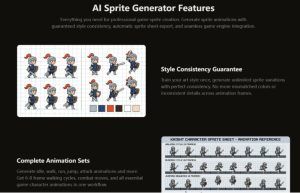

The most practical takeaway from testing is that the tool doesn’t just generate images—it generates production-ready assets with a fraction of the usual overhead. The palette locking and style training work. The export pipeline is genuinely one-click. The variation feature changes the economics of character customization. For developers who have been stuck in placeholder-art purgatory, this tool offers a way out. It’s not a magic bullet, but it’s a reliable, measurable improvement over the traditional grind. Try the free tier, run a character through the full workflow, and judge the output against your actual game requirements. The results may vary, but the time saved is real, and for many indie teams, that time is the difference between shipping and abandoning a project. AI Sprite Generator won’t draw your game for you, but it will handle the baseline work so you can spend your creative energy where it actually matters—on gameplay, level design, and the polish that makes your game stand out.