

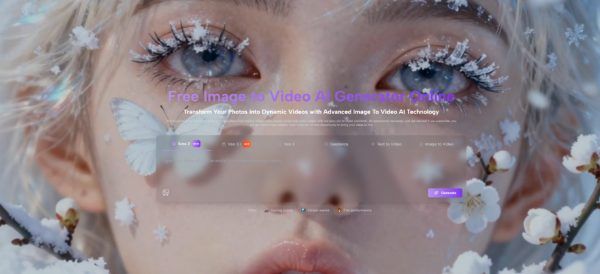
Image to Video AI makes more sense when you view it through the pressure of modern publishing rather than through the language of novelty. A still image can be thoughtful, polished, and emotionally precise, yet still underperform once it enters platforms that reward motion by default. This creates a familiar frustration for creators: the idea is already there, the visual is already good, but the format no longer feels sufficient. What interests me about this platform is not that it promises spectacle. It is that it addresses this gap between a finished image and a distribution-ready asset.
The pain point is practical. Most people who need more motion in their workflow do not actually want to become video editors. They want to make an existing visual more usable across channels that prioritize movement, pacing, and short-form attention capture. A product image, concept art piece, campaign visual, portrait, or lifestyle shot may already communicate the right message. The issue is that feeds, reels, and short-video surfaces often favor movement even when the underlying idea does not need a complete redesign. In that context, motion becomes a format adaptation rather than a creative reset.
Why Static Images Now Face Distribution Pressure
The platform becomes easier to understand once you recognize how much of today’s visual environment is shaped by behavior rather than by pure aesthetics. The best image in the room may still lose to a decent video if the platform is organized around autoplay and momentum.
Visual Quality Alone No Longer Guarantees Attention
A still image asks the viewer to pause and enter the frame. That still works in some contexts, but it is no longer the dominant pattern in many digital spaces. People scroll quickly. Interfaces preload movement. Recommendation systems often assume that dynamic media deserves a second look. This does not make still photography or illustration less valuable. It changes the conditions under which that value gets noticed.
Motion Has Become a Way to Preserve Intent
In many cases, creators do not need to add more information to a still image. They need to preserve the meaning it already has while helping it travel better in motion-first environments. A short animated version of the same visual can keep the original idea intact while making it feel more native to the places where it will be seen.
Adaptation Is Different from Reinvention
This distinction matters. The platform is not most interesting when it replaces a creative process. It is most interesting when it extends one. The image already exists. The message already exists. The system’s job is to help that message survive the realities of contemporary distribution.
How the Official Workflow Frames the Task
The official pages present a workflow that is intentionally short. That is not a minor detail. It reflects the product’s philosophy: lower the distance between source image and usable output.
The Image Remains the Starting Point
The process begins with uploading an image. This is important because it reveals the platform’s role clearly. It is not asking the user to build a scene from scratch first. It starts from an asset the user already owns or has already prepared. That makes it easier to fit into real workflows such as campaign reuse, social repurposing, visual experimentation, or client presentation.
Text Becomes the Main Control Surface
After the image is uploaded, the user writes a prompt describing the movement or visual behavior they want. In my view, this is one of the most meaningful design choices in tools like this. Instead of requiring manual animation knowledge, the platform translates intent expressed in natural language into motion output.
Prompting Changes the Skill Barrier
The platform does not eliminate craft, but it changes what kind of craft matters first. Instead of keyframes, masks, and timeline management, the user is asked to think in terms of movement, energy, framing, and atmosphere. That makes the workflow more accessible to people who understand visuals but do not necessarily identify as editors.
Settings Keep the Output From Feeling Generic
The generator interface shows practical parameters rather than only a single generate button. Users can choose settings such as aspect ratio, length, resolution, frame rate, seed, and visibility. These controls matter because they help shift the tool from entertainment to workflow utility.
A portrait ratio changes how a clip performs on short-form platforms. A different resolution affects how presentable the final result feels. Frame rate can influence whether the motion appears smooth, cinematic, or somewhat stylized. Seed control suggests room for repeatability and structured experimentation. These are not decorative settings. They shape how the output functions in the real world.
What Using the Platform Looks Like in Practice
Although the underlying AI may be complex, the public-facing process is intentionally simple. That simplicity is a core strength because it makes the workflow legible to ordinary users.
Step One: Upload a Supported Image File
The official pages indicate support for common image formats such as JPEG and PNG. This matters because most users are not working with obscure production assets. They are working with ordinary photos, brand visuals, artwork, renders, product images, or saved campaign materials.
Step Two: Describe the Intended Motion Clearly
The prompt tells the system what kind of movement should emerge from the still image. A user might want subtle camera drift, environmental motion, emotional pacing, or a more energetic transition into a short clip. The image provides the structure, while the prompt provides the direction.
Step Three: Choose the Output Conditions
The visible settings on the generator page allow the user to define aspect ratio, clip length, resolution, frame rate, and related details before generating. This is where the tool begins to feel less like a toy and more like a format-aware production shortcut.
Step Four: Generate, Review, and Export
Once processing is complete, the user can review the result and export the clip. The official presentation emphasizes a short path from input to output, which aligns with how many people actually need to work. They are not trying to stay inside the tool for hours. They want a useful moving asset quickly.
Why This Product Fits a Broader Shift
The platform is not only about animating photos. It reflects a larger shift in creative software, where the user increasingly speaks in intentions while the system handles a larger share of the transformation.
The Interface Moves Closer to Outcome Language
Traditional editing tools often ask users to think in operations. This platform asks them to think in outcomes. What should move. How should it feel. What should the visual rhythm suggest. That is a very different starting point.
This Makes Creation More Descriptive Than Technical
For many users, that shift is significant. It opens up motion creation to people whose strengths lie in taste, visual judgment, storytelling, product thinking, or branding rather than in editing technique.
The Real Gain Is Accessibility of Execution
In my observation, the important change is not that the tool is easier in an abstract sense. It is that it lets more people execute on visual ideas that otherwise would remain static because the production overhead would be too high.
Where the Platform Feels Most Useful
A tool like this becomes easier to assess when placed inside concrete creative situations instead of being judged only by marketing language.
Campaign Visuals That Need More Presence
A polished brand image can feel flat once placed in a motion-oriented channel. Turning it into a short clip gives it more presence without requiring a full commercial production cycle.
Product Images That Need More Display Energy
For e-commerce and product storytelling, a few seconds of motion can make the same visual feel more dimensional. This may help with perceived polish, especially when the original asset is already strong.
Concept Art That Needs a Stronger Emotional Entry
Illustrators, designers, and visual storytellers may use a static concept frame as the basis for a motion test. Instead of redrawing an idea as a video sequence, they can explore whether simple movement deepens mood or narrative potential.
Small Teams Benefit Most from Reuse
Large studios can always build more from scratch. Smaller teams often cannot. That is why reuse matters so much. A system that turns one approved visual into another media format can reduce cost, protect consistency, and increase output volume.
Much later in the content lifecycle, when a creator is less concerned with production theory and more concerned with turning existing assets into clips that feel native to short-form publishing, Photo to Video becomes a practical category rather than a slogan. It describes a workflow built around transformation, not around starting over.
How It Compares With Traditional Editing Work
The platform should not be framed as a universal replacement for editing software. It is more useful to think of it as serving a different layer of the workflow.
| Creative Question | Traditional Editing Workflow | Platform Workflow |
| What is the starting asset? | Raw footage or layered project files | A finished or nearly finished image |
| Main mode of control | Timeline edits and manual adjustments | Prompting plus output settings |
| Typical skill emphasis | Editing technique and sequencing | Descriptive intent and visual judgment |
| Best use case | Deeply customized video production | Fast motion adaptation of still visuals |
| Speed to first result | Often slower | Usually faster |
| Asset reuse value | Possible but more labor-intensive | Central to the workflow |
This comparison highlights something important. The advantage is not absolute quality in every scenario. The advantage is reduced friction when the goal is to make a strong still image more usable in motion-oriented environments.
Why Restraint Improves the Assessment
The most credible way to talk about a tool like this is to mention what it does well while staying honest about its boundaries.
Prompt Quality Still Shapes Results
Natural-language prompting is more accessible than manual editing, but it still demands clarity. Better prompts generally lead to better motion. Vague instructions often produce vague or less convincing outcomes.
Short Clips Are Useful but Finite
The visible workflow points toward short-form output rather than long-form editing. That is not necessarily a problem. In fact, it is part of the tool’s clarity. It knows where it is most relevant: quick, usable, motion-ready clips.
Iteration Remains Part of the Process
In my experience with tools in this category, the first result is not always the final result. Users may need to regenerate, adjust the prompt, or change settings before the clip feels aligned with the original intent. That is normal. The benefit is not perfect one-click completion. The benefit is that iteration becomes faster.
Good Tools Reduce Labor, Not Judgment
This is the key point for serious creators. The platform reduces execution effort, but it does not replace taste. Users still need to decide what kind of movement serves the image, what level of subtlety feels right, and what format suits the publishing goal.
What This Suggests About Future Workflows
The larger implication is not just that still images can now move. It is that many creative assets may no longer be considered finished in only one medium.
An Image Can Become a Reusable Starting Node
Instead of serving as an endpoint, a finished image can become a starting node for multiple outputs: static post, animated clip, vertical asset, widescreen variation, or motion test for broader production.
Publishing Logic Is Reshaping Creative Tools
As more creators need assets that travel across multiple surfaces, tools that convert rather than replace existing visuals will likely become more important. They address the practical conditions of publishing rather than only the ideal conditions of art-making.
The Real Value Lies in Extension
That is why I see the platform less as a gimmick and more as an extension layer. It does not ask users to abandon image-first thinking. It allows them to carry that thinking into motion with less friction, fewer tools, and a workflow that matches how many modern creators actually operate. In a distribution environment shaped by movement, that is not a small adjustment. It may become a standard part of how still imagery remains competitive.
