



Everyone’s talking about AI agents like they’re interchangeable. Download one, watch it do magic, done. That’s not how it actually works.
I spent the better part of three months running different AI agents through real tasks — not curated demos, but the messy, unspectacular stuff that makes up actual workdays. Answering 80 emails on a Monday morning. Digging through a 60-page research report at 11pm. Trying to remember what someone said in a meeting two weeks ago. Automating a weekly task that I’ve done manually for a year.
What I found surprised me. The best AI agent isn’t the one with the most features. It’s the one that fits the gap you’re actually trying to close. And most people are using the wrong tool for their problem.
Here’s what I learned — broken down honestly, without the hype.
The Mistake Most People Make When Choosing an AI Agent
They optimize for intelligence. They run benchmark comparisons, read SWE-bench scores, and debate which model “reasons better.” Then they pick a tool and discover it doesn’t actually do what they needed it to do.
The more useful question isn’t how smart is this agent? It’s what does this agent change about my day?
With that lens, the tools below look very different from a typical ranking.
The Best AI Agents for Personal Use — Seen Through Real Scenarios
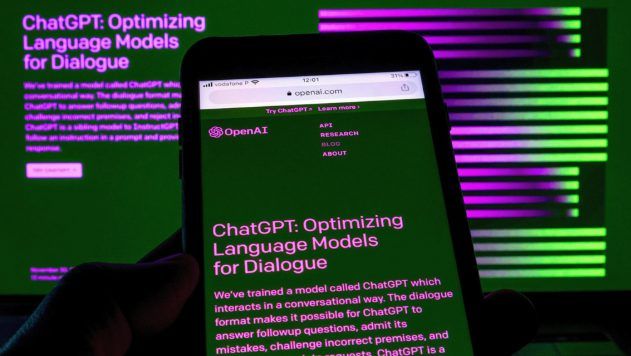
- ChatGPT — When You Need to Think Out Loud
The scenario: You’re staring at a blank document, a half-formed idea, or a problem you can’t quite articulate. You need a thinking partner who doesn’t get tired of your rabbit holes.
ChatGPT is, still, the best conversational AI for this kind of generative, exploratory work. With GPT-5.4 under the hood, it handles creative brainstorming, rough drafts, coding problems, image generation, and data analysis without skipping a beat. The interface feels natural in a way that matters — when you’re thinking through something messy, friction kills momentum, and ChatGPT has almost none.
Where It Earns Its Keep
The Operator feature lets ChatGPT take action in the real world — buying products, filling out forms, comparing options on your behalf. It’s slower than doing it yourself, and it hits walls when websites deploy bot protection, but it’s genuinely useful for repetitive browsing tasks. For non-technical users, the GPT ecosystem also means there’s likely a pre-built assistant for whatever niche workflow you have.
The Honest Caveat
ChatGPT is reactive. It does what you tell it. Unless you configure something specific, it won’t show up in your life unprompted. If you want something that manages your world while you focus on other things, ChatGPT is the starting pistol, not the runner.
The type of person who should use it: Anyone who wants a capable, frictionless tool for daily thinking, writing, and problem-solving — and doesn’t need the agent to act proactively.
- Claude — When the Work Is Long, Nuanced, and High-Stakes

The scenario: You’ve got a 90-page contract to review. A research report to synthesize. A piece of writing that needs to sound like you, not a corporate press release.

Claude handles the long game better than anything else on this list. Its 128K-token output capacity means it doesn’t run out of runway on big documents. More importantly, it reads the room — responses have texture and voice that other models often flatten into generic output.
Where It Earns Its Keep
The Projects feature gives Claude persistent context, so it knows your background, your preferences, and what you’ve worked on before. For knowledge workers who return to the same domains repeatedly — a consultant working with the same client, a writer building out a consistent body of work — this persistent memory makes Claude feel like a genuine collaborator rather than a fresh hire every session.
The Cowork desktop agent is worth mentioning too: it can take autonomous, multi-step actions on your local files and applications, bridging the gap between “smart chatbot” and “agent that does things.”
The Honest Caveat
If you need integrations — your CRM, your project management tool, your communication stack — Claude requires more setup work than purpose-built tools. It’s a powerful engine that occasionally needs a chassis built around it.
The type of person who should use it: Researchers, lawyers, writers, consultants, anyone doing serious knowledge work that demands depth, nuance, and long context.
- Perplexity — When You Need to Know Something True
The scenario: You’re making a decision that matters. A business bet, a health question, a market analysis. You need real information, not a confident hallucination.

Perplexity built its reputation on a simple but powerful promise: every answer comes with sources attached. In a world where AI models routinely make things up with complete confidence, this is not a small thing.
Where It Earns Its Keep
Deep Research is the feature that separates Perplexity from standard search. Feed it a complex question and it returns a structured, cross-referenced report in minutes — pulling from authoritative sources, flagging where information is thin, and presenting findings in a format you can actually work from. Model Council takes this further: you can run the same query through Claude, GPT, and Gemini simultaneously, then see where they agree and where they diverge. For high-stakes research, that consensus check is genuinely valuable.
Perplexity Computer — their cloud-based agentic worker — can scrape sites, run code, and build dashboards, extending the tool from “research assistant” toward “research agent.”
The Honest Caveat
Perplexity finds and verifies information. It doesn’t take action on that information. It won’t update your CRM, send a summary to your team, or automate a follow-up. It’s a researcher, not an operator. Pair it with something else if execution is what you need.
The type of person who should use it: Analysts, journalists, investors, academics, anyone for whom getting the facts right is more important than speed.
- Lindy — When Your Calendar and Inbox Are Running Your Life
The scenario: It’s Wednesday morning. You have 47 unread emails, three meetings you haven’t prepped for, and a follow-up you promised someone last week that you completely forgot about. You don’t need a smarter search engine. You need help.
Lindy is built specifically for this. It’s not a general-purpose AI — it’s a proactive assistant that connects to your email, calendar, task manager, Slack, CRM, and 1,500+ other tools, and acts on your behalf before you even ask.
Where It Earns Its Keep
The difference between Lindy and every chatbot on this list is the word proactive. Lindy drafts replies in your tone, surfaces what needs attention before things slip, chases unanswered threads, and preps you for meetings with relevant context — without you prompting it. It operates on your schedule, not yours.
For anyone whose cognitive overhead comes less from hard thinking and more from logistics and communication management, Lindy addresses the actual problem.
The Honest Caveat
Lindy is an operator, not a thinker. It moves information and manages workflows with impressive autonomy, but it’s not where you go for deep analysis, creative output, or nuanced writing. It complements the tools above; it doesn’t replace them.
The type of person who should use it: Founders, managers, consultants, or anyone who spends more time on coordination than on the actual work they’re paid to do.
- MyClaw — When You Want an AI Agent That’s Actually Yours

The scenario: You’ve read enough about AI agents. You want one — a real one that runs continuously, connects to your life, handles tasks while you’re asleep, and doesn’t disappear when you close a browser tab. But every time you try to set something like that up yourself, you end up in a terminal debugging Python version conflicts.

This is exactly what MyClaw was built to solve.
The Background Worth Knowing
MyClaw is managed cloud hosting for OpenClaw — an open-source autonomous AI agent that hit 134,000+ GitHub stars and over 500 million social media views in its first weeks after launch. OpenClaw is the real thing: it can see your screen, use your apps, execute multi-step tasks, and work across your entire digital life. The problem is that setting it up yourself is genuinely brutal. Most people who try never finish.
MyClaw eliminates the setup entirely. You get a private, always-on OpenClaw instance — fully configured, updated, and secured — without touching a single line of code. Your agent runs 24/7 in the cloud. It doesn’t go offline when you close your laptop. It doesn’t need maintenance. You just use it.
What You Can Actually Do With It
The OpenClaw ecosystem ships with over 80 documented workflows: inbox triage, scheduling, reminders, code review, media creation, home automation, fitness tracking, financial management. Community members have built weekly Notion meal planners with weather-based suggestions, full media studios with transcription and browser automation, family home management agents that send weekly roundup emails, and Garmin fitness visualizations with custom heat maps.
The mobile app lets you communicate with your agent in real time — watch it reason, call tools, and fetch data token-by-token — so you’re always aware of what it’s doing on your behalf.
What makes MyClaw stand out in a crowded market is the combination of autonomy and ownership. The instance is yours. Fully isolated. Nobody else shares it. And it runs continuously — which is what separates a real AI agent from a fancy chatbot.
The Honest Caveat
MyClaw launched publicly in early 2026 and is still in an early growth phase. Some users have reported occasional instability and features that are still maturing. It’s worth starting with lower-risk workflows before handing it your mission-critical processes. And as with any hosted service that touches your email and files, reviewing the privacy terms before diving in is time well spent.
The type of person who should use it: Non-technical users who want a true autonomous agent without the setup nightmare; power users who’d rather ship product than manage servers; small teams that need always-on automation they can trust.
A Realistic Stack for Most People
You don’t need all five. But here’s how these tools tend to combine naturally for different user profiles:
The solo knowledge worker: Claude for deep work and drafting + Perplexity for research + MyClaw running background automation on their behalf.
The busy executive or founder: Lindy managing communications and calendar + ChatGPT for quick ideation and writing sprints.
The researcher or analyst: Perplexity as the primary engine + Claude for synthesizing and writing up findings.
The person who just wants one agent that does real things: MyClaw. Full stop.
What Actually Changes When You Use the Right Tool
Three months of testing taught me one thing more than anything else: the best AI agents don’t feel like software. They feel like having an extra hour in the day. The inbox that used to sit at 80 unread gets managed while you’re in a meeting. The research that used to take an afternoon takes twenty minutes. The task you’ve been manually doing every week stops existing as something you do at all.
That’s the real value. Not the benchmark scores. Not the feature list.
Find the tool that removes your most expensive friction. Start there. The rest follows.


