

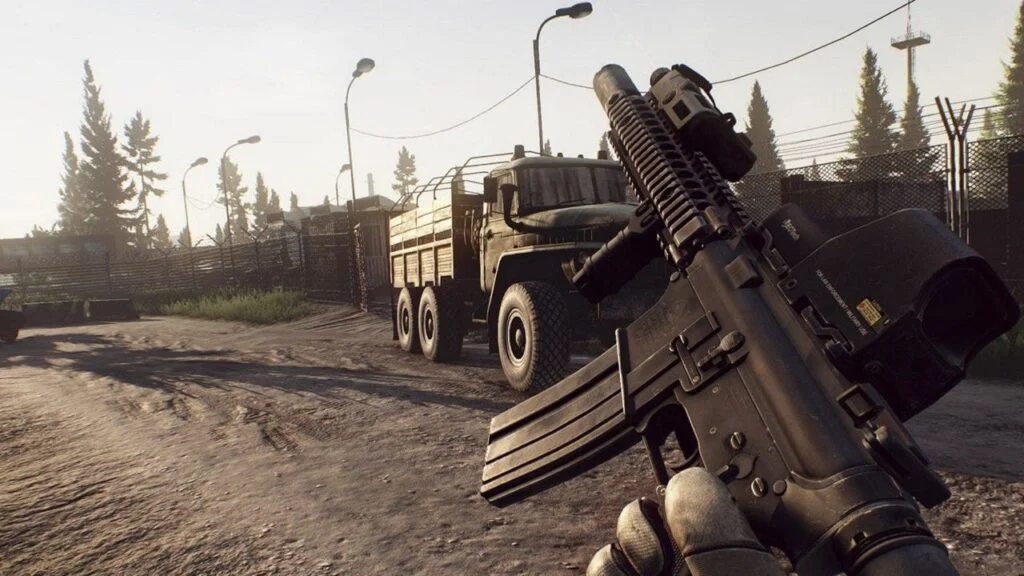
Escape from Tarkov is renowned for its brutal, unforgiving gameplay where a single mistake can cost you everything. In a game where tactical positioning, lightning-fast reflexes, and precise aim are the difference between extracting with legendary loot or losing your entire kit, every element of your setup must be optimized. Beyond your loadout and map knowledge, the most critical factor influencing your survival is often the one you can’t see: your network connection. High ping and packet loss in Tarkov don’t just cause minor inconvenience; they lead to devastating, seemingly inexplicable deaths that feel deeply unfair. This guide is dedicated to eliminating that variable, providing a comprehensive roadmap to diagnosing your connection issues and leveraging tools to secure a tangible advantage in the streets of Tarkov.
Why Ping is a Matter of Life and Death in Tarkov
In most shooters, a high ping might mean you get shot around a corner. In Tarkov, it can mean far worse. The game’s complex mechanics—such as intricate ballistics, detailed armor hitboxes, and real-time inventory management—require a constant and flawless exchange of data between your client and the server. When this connection is compromised, the consequences are severe.
Players with high ping may experience “desync,” a state where what they see on their screen is drastically different from the server’s reality. This can manifest as:
- Ghost Hits: You empty a magazine into an enemy on your screen, but on the server, your character hasn’t even raised their gun yet. No damage is registered.
- Instant Death: You are killed by an enemy you never saw because, on their screen, they had a full second to line up a shot while your character was still stationary on their end.
- Looting Lag: Critical seconds are wasted when trying to loot bodies or containers, leaving you exposed as the interface struggles to sync with the server.
Understanding your ping is therefore not about gaining a slight edge; it’s about ensuring the game functions as intended. A stable, low-latency connection is the foundation upon which all your skills are built.
The Essential First Step: How to Test Ping in Tarkov
You cannot fix what you do not measure. Relying on the in-game ping counter is a start, but it only shows you a number after you’ve already loaded into a raid and potentially put your gear at risk. To make informed decisions, you need data from the main menu. The process for how to test ping in Tarkov accurately involves using external tools designed to connect directly to the same servers the game uses.
A specialized how to test ping in Tarkov service is the professional solution. This method provides a precise, pre-raid analysis of your connection to every available Tarkov server region. It goes beyond a simple number, diagnosing key issues like:
- Server-Specific Latency: It shows your exact ping to each individual server location, allowing you to manually select the very best one in the game’s launcher before you play.
- Packet Loss: It identifies if your data packets are being lost in transit, which is a primary cause of rubber-banding and desync.
- Jitter: It measures the consistency of your connection. A stable 50ms is vastly superior to a connection that spikes from 30ms to 150ms.
By using this data to manually select your server, you ensure you are always playing on the most stable and responsive connection available to you, dramatically reducing the chances of a network-related death.
Beyond Testing: The Role of a Tarkov Game Booster
For some players, even after selecting the best server and optimizing their home network, geographical distance remains an immutable obstacle. If you are physically located far from the game’s data centers, you will always have a higher base ping due to the laws of physics. This is where advanced network optimization tools come into play.
A Tarkov game booster is not a magic bullet that breaks the laws of physics, but rather a sophisticated tool that optimizes the route your data takes. Think of it like a GPS that finds the absolute shortest and least congested path to the game server. While your standard internet connection might send your data through a convoluted, busy path with multiple stops, a game booster uses optimized private networks to create a more direct and efficient route.
The benefits of this are:
- Reduced Ping: By avoiding internet congestion and taking a smarter path, you can often lower your ping beyond what a standard connection allows.
- Eliminated Packet Loss: The optimized and stable connection provided by a booster virtually eliminates packet loss, ensuring every one of your actions reaches the server.
- Connection Stability: It provides a consistent, reliable connection that protects you from the ping spikes and jitter that can occur on public internet routes, especially during peak hours.
Building a Comprehensive Performance Strategy
Optimizing your Tarkov experience is a multi-faceted effort. Alongside network tools, you should:
- Use a Wired Connection: Always use an Ethernet cable. Wi-Fi is susceptible to interference and packet loss, which is a death sentence in Tarkov.
- Close Background Applications: Ensure no other programs (web browsers, streaming services, downloads) are consuming bandwidth while you play.
- Configure Your Router: Enable Quality of Service (QoS) settings to prioritize gaming traffic on your home network.
- Choose Your Server Wisely: Always use the data from your ping tests to manually select a single, low-latency server in the game launcher. Never use “Auto” selection.
Conclusion: From Victim to Victor
In Escape from Tarkov, you are meant to be fighting opponents, not your internet connection. By taking a proactive approach—learning how to accurately test your ping, interpreting the data, and utilizing advanced optimization tools like a game booster—you seize control of your network destiny. You replace frustration with confidence, knowing that your victories and defeats will be determined by skill and strategy alone. Stop leaving your survival to chance; optimize your connection and step into the raid with the ultimate advantage.
