



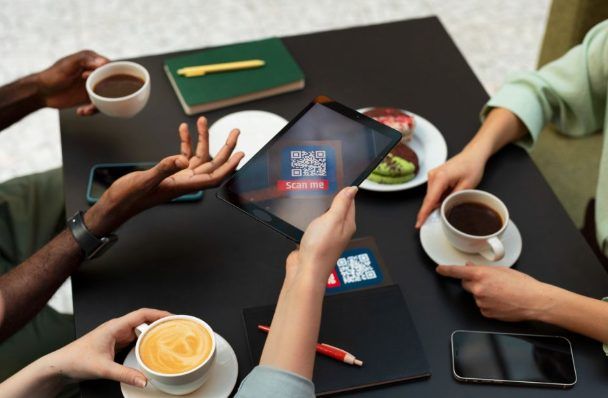
This guide is for creative professionals, freelancers, and brand-conscious small business owners who need QR codes that reflect the quality of the rest of their work. If your current process produces a plain, unstyled code that looks disconnected from your brand, you are leaving a visible gap in your visual identity. There are now several strong platforms in this category, each with a different set of strengths depending on how you work and what you are trying to produce. By the end of this article, you will understand what separates capable platforms from limited ones, and you will have a clear basis for choosing the right tool for your specific situation.
The Case for Treating QR Codes as Brand Assets
For a long time, QR codes were treated purely as functional objects. You generated one, it worked, and that was the extent of the decision-making process. Design was not part of the conversation because the tools available did not make it easy, and the mainstream adoption of QR codes had not yet made them a regular fixture in professional materials.
That has changed significantly. QR codes now appear on restaurant menus, retail packaging, event badges, business cards, portfolio pages, and marketing campaigns of every kind. When a code appears in a professional context, it is surrounded by designed elements. A generic, unbranded code in that environment does not just look like a missed opportunity. It creates a visible inconsistency between the care taken with the rest of the material and the utility-first appearance of the code itself.
Creative professionals who understand this dynamic have started approaching QR codes the way they approach any other brand asset: with intentionality. The color should align with the palette. The form should reflect the visual language of the brand. The code should feel like it was designed to be there, not dropped in as a functional afterthought. The platforms that make this possible have become genuinely useful tools for this audience, and understanding the differences between them is now a worthwhile investment of time.
What to Look for in a QR Code Platform: 8 Evaluation Criteria
Evaluating QR code platforms without a consistent framework leads to choices based on surface-level impressions. The following eight criteria apply across every platform type and give you a structured way to compare options before committing.
- Hex-level color control. Platforms that only offer a preset color palette put your brand second. Look for tools that let you enter exact hex or RGB values so the code matches your brand colors precisely, not approximately.
- Logo and graphic embedding. The ability to place your brand mark inside the QR code itself is one of the clearest signals that a platform was designed with brand identity in mind. Confirm that the tool supports this and that it handles the placement without compromising scan reliability.
- Dot and corner styling. The visual texture of a QR code comes from the shape of its individual modules and the appearance of its three corner markers. Platforms that offer options here, such as rounded dots, geometric patterns, or softened corners, give you significantly more control over how the final code feels.
- File output quality and format options. Any code that will be printed needs to be available in a format that scales without degradation. SVG and PDF outputs are the standard for print use. PNG works for digital. A platform that only offers low-resolution raster downloads is not suitable for professional print work.
- Code expiration policy. This is one of the most consequential features to understand before choosing a platform, and one of the least visible during initial evaluation. Confirm whether free-tier codes expire, whether paid-tier codes expire upon cancellation, and what the platform’s policy is for codes embedded in materials that have already been distributed.
- Static versus dynamic code options. A static code permanently encodes its destination into the visual pattern. A dynamic code stores the destination on the platform’s servers and allows you to update it without changing or reprinting the code. Both serve legitimate needs, but they come with different risk profiles depending on how long your materials will be in use.
- Workflow and design integration. A QR code generator that exists entirely outside of your design environment adds friction. The more tightly integrated the tool is with the rest of your creative workflow, the less time you spend moving files between applications and the more consistent your visual output will be.
- Template and layout support. Being able to place your QR code directly into a real layout context, whether that is a business card, a product label, or a social post, helps you evaluate how the code looks in context rather than in isolation. Platforms that combine QR code creation with broader design template libraries support this naturally.
Platform Categories and How They Perform Across the Criteria
Dedicated QR Code Generator Platforms
These tools are purpose-built for QR code creation and management. They typically lead the category on technical depth: module styling, frame customization, dynamic code management, scan analytics, and sometimes batch generation for high-volume needs. For teams running campaigns where destination editing and performance tracking matter, dedicated platforms often offer features that more general tools do not.
The trade-off is context. A dedicated QR code generator does one thing well but leaves the surrounding design work to other tools. For creative professionals who need the code to live inside a finished layout, this means an extra step: generate the code, export it, bring it into a design application, place it, adjust sizing and spacing, and then output the final file. That process introduces opportunities for visual inconsistency and adds time to what should be a contained task.
On the expiration question, dedicated platforms tend to tie dynamic code functionality to active subscriptions. Before committing codes generated on one of these platforms to print materials with a long distribution window, read the cancellation terms carefully. A code that worked at print time but fails six months later because of a plan change is a real problem, and it is one that catches professionals off guard more often than it should.
All-in-One Creative Platforms with Integrated QR Tools
This category has grown considerably as creative platforms have expanded their feature sets. The defining characteristic is that QR code creation is built into a broader design environment rather than offered as a standalone product. You work on your layout, add a QR code as an element within that layout, style it to match the surrounding design, and export the finished piece as a single file.
For branding-focused work, this integration has a meaningful effect on quality. When the QR code shares the same workspace as the rest of your design, it naturally aligns with the established visual system. The colors are already set. The brand assets are already loaded. The proportions and spacing are evaluated in real context rather than guessed at. The result tends to look more cohesive because the process itself is more cohesive.
Within this category, depth of QR customization varies. Some platforms include QR code generation as a convenience feature with minimal styling options, treating it as a utility rather than a design element. Others have invested in genuine customization capability, including color control, logo embedding, style options, and multiple export formats. Evaluating the actual QR-specific feature set, rather than assuming it matches the platform’s overall quality level, is an important step before choosing.
Analytics and Link Management Platforms with QR Output
Platforms built around URL shortening and campaign tracking sometimes include QR code generation as a supporting feature. Their value proposition is on the data side: scan volume, geographic distribution, device breakdowns, and campaign attribution. If you are running performance-driven marketing and need your QR codes tied to a broader analytics framework, these tools can be useful as part of a larger stack.
Their visual customization capabilities are typically minimal. They are not designed for creative professionals and the QR code output reflects that. These platforms are best understood as analytics tools that happen to produce QR codes, not as design tools for branded code creation. For the visual quality and workflow integration that creative professionals need, they generally need to be paired with a more design-oriented platform.
Adobe Express: An Integrated Option Worth Considering
For creative professionals who want their QR code creation built into their broader design workflow, the QR code maker in Adobe Express is a strong option to evaluate. It requires no software installation, runs in any browser, and works across desktop and mobile devices without compatibility issues.
Three features make it particularly relevant for brand-focused work:
- Integrated design context. Once you generate a QR code in Adobe Express, you can place it directly into any template in the platform’s library, covering business cards, flyers, event materials, brochures, menus, and social content. The code and the layout around it exist in the same editor, which means color matching, spacing, and sizing are evaluated together rather than separately. This reduces the back-and-forth between tools that often leads to visual inconsistencies.
- Brand customization at the code level. Adobe Express supports color customization and logo embedding directly within the QR code interface. You can upload your brand mark and place it in the center of the code, and adjust the code’s color scheme to reflect your brand palette. For printed materials where the QR code needs to read as a designed element rather than a pasted-in utility, this level of control produces noticeably better results.
- Non-expiring codes and flexible export formats. Codes created in Adobe Express do not have an expiration date, which matters for anything printed in volume or distributed over a long period. Export options include PNG, JPEG, and PDF, giving you format flexibility depending on whether the final use is digital or print.
Adobe Express also connects QR code creation to thousands of professionally designed templates, an integrated stock asset library, and AI-powered design tools. For a creative professional managing their own brand or producing materials across multiple formats, this breadth of capability in a single platform is a practical advantage. It is one solid option in a real category of choices, and particularly well-suited to those who want visual quality without managing a fragmented set of specialized tools.
How to Match Platform Features to Your Actual Workflow
Knowing what features exist is useful. Knowing how those features map to your specific working situation is more useful. Here are five questions that help translate the evaluation criteria into a practical choice:
- How often do you need to create QR codes? If you need codes infrequently, a free tier with solid customization and non-expiring output may cover everything. If you produce codes regularly across multiple clients or projects, a platform with batch generation or template management will save meaningful time.
- Will the codes go to print? If yes, vector export is non-negotiable. Confirm that the platform you’re evaluating offers SVG or PDF downloads, and verify that these are available on the pricing tier you plan to use.
- How long will the materials be in circulation? Short-run event materials have different needs than product packaging or permanent signage. For anything with a long distribution life, static codes or guaranteed long-term dynamic code hosting should be a requirement, not an assumption.
- Do you need to track scan performance? If campaign analytics matter to you, look for platforms that offer scan data, or consider layering a link management tool underneath a design-focused platform by using a tracked short URL as the QR code destination.
- What tools are you already using? Choosing a QR code platform that integrates with your existing design environment will always be more efficient than adding a standalone tool, even if the standalone tool is technically more capable in isolation.
Seven Things to Check Before You Publish or Print a QR Code
Even a well-designed QR code can fail in execution if the final details are not confirmed. Before any code goes live or to print, work through this checklist:
- Scan the code on at least three different devices, including both iOS and Android, to confirm it works consistently across platforms.
- Verify that the contrast between the code’s foreground and background is sufficient for reliable scanning. Very light or very low-contrast combinations perform poorly in real-world conditions.
- Check that the quiet zone around the perimeter of the code is intact. Cropping into this margin during layout can cause scan failures.
- If a logo is embedded, confirm it covers no more than 30 percent of the code’s total area. Most platforms enforce this limit, but verify it has been respected in your final file.
- For print use, open the exported file and zoom in at full resolution to confirm that the modules are sharp and clean, not blurry or pixelated.
- Add a short call-to-action near the code. Labeled codes get scanned more often than unlabeled ones because people know what to expect before they commit to scanning.
- Test the code on the actual printed material, not just on screen. Paper texture, ink absorption, and lighting conditions can affect scan performance in ways that screen testing does not reveal.
Frequently Asked Questions
Does adding a logo or changing the colors of a QR code make it less reliable?
Customization done correctly does not meaningfully affect scan performance, and understanding why helps you work with confidence rather than caution. QR codes are built with a feature called error correction, which allows the code to be read even when a portion of its visual pattern is altered or obscured. This is why embedding a logo in the center of a code does not prevent it from scanning: the information is distributed redundantly across the pattern, and the error correction compensates for the covered area. Color changes work similarly, as long as the contrast between the foreground modules and the background remains strong enough for a camera to distinguish them clearly. Where problems arise is when logos are too large, colors are too similar, or the pattern is distorted in ways that confuse the corner markers scanning apps use to orient the code. Work within the platform’s built-in guidelines, test across devices, and you can customize confidently without sacrificing reliability.
What should I know about QR code expiration before I choose a platform?
Expiration is one of the most practically significant features in this category and one of the easiest to overlook during a free trial. The first thing to understand is that a static QR code, by definition, cannot expire in a technical sense. The destination is encoded into the pattern itself, not stored on any server, so as long as the destination URL remains live, the code will work indefinitely regardless of your relationship with the platform that generated it. Dynamic QR codes are a different story. Because they redirect through the platform’s servers, their functionality is tied to the platform’s continued operation and, in most cases, to your subscription status. When evaluating any platform that uses dynamic codes, look specifically at what the cancellation policy says about existing codes. Some platforms deactivate dynamic redirects immediately upon plan cancellation. Others offer a wind-down period. A few maintain free-tier dynamic codes indefinitely. For any material printed in volume or intended to circulate for more than a few months, understanding this policy before you generate a single code is essential.
How do I evaluate whether a QR code platform’s output is actually print-ready?
The clearest signal is whether the platform offers vector-based export formats, specifically SVG or PDF. Vector files describe shapes mathematically rather than as a grid of pixels, which means they scale to any size without losing definition or introducing blurriness. A QR code printed at business card size and the same code printed on a trade show banner can both look sharp if the source file is a vector. Raster formats like PNG and JPEG are resolution-dependent, and a file that looks clean on screen can print blurry when scaled up. If a platform only offers raster downloads, check the resolution, measured in dots per inch, at the maximum available size. For most standard print applications, 300 DPI at the intended print size is the minimum acceptable quality. For anything larger, you need vector. A practical way to test any platform’s print readiness before committing is to download a sample code, open it in a design application, scale it up to a large format, and inspect the edges of the modules at high zoom. Clean, sharp edges indicate a print-ready file. Soft or jagged edges indicate a raster file that will not hold up under print scaling.
Can I use a free QR code platform for professional client work?
In many cases, yes, but it requires knowing exactly what the free tier includes and does not include. The most common limitations on free tiers are watermarks on downloaded files, restrictions on download formats, caps on the number of codes you can generate, and in some cases, code expiration. Watermarks are a firm disqualifier for client work since they introduce branding that is not yours or your client’s. Download format restrictions matter if the work is going to print and the free tier only offers low-resolution raster files. For client work specifically, the most conservative approach is to confirm the platform’s terms around commercial use on free tiers, since some platforms restrict commercial application to paid plans. A useful resource for understanding how QR codes fit into broader marketing campaign measurement is Google’s Campaign URL Builder, which lets you generate trackable UTM parameters to use as QR code destinations, so even codes generated on a free platform can feed measurable data into your analytics setup.
How do I make sure a QR code fits visually into a layout without looking out of place?
The starting point is alignment between the code’s visual properties and the design system it is being placed into. This means using the brand’s actual colors rather than default black and white, maintaining appropriate clear space around the code so it does not feel crowded by surrounding elements, and scaling the code to a size that is large enough to scan reliably without dominating the layout. A QR code that is too small will frustrate scanners. One that is too large will compete with the headline or primary imagery. For most business card formats, a size between 0.8 and 1.2 inches works well. For flyers or posters, scale up proportionally while maintaining the code’s visual weight relative to the other elements. Beyond size and color, the code benefits from having a clear human-readable label nearby, either a short instruction like “scan to book” or a plain-text version of the destination. This label serves the design as well as the function: it gives the viewer a reason to engage with the code and signals that it was placed there deliberately.
Conclusion
Choosing a QR code platform is a design decision before it is a technical one. The platforms that serve creative professionals best are those that treat the QR code as a brand asset rather than a utility output, offering precise color control, logo embedding, strong file format options, and workflow integration that keeps code creation connected to the rest of the design process. The eight criteria in this guide give you a consistent framework for evaluating any tool you are considering, and the questions at the end help you translate those criteria into a decision that fits your actual working situation.
Start by identifying which platform type aligns with how you work: a dedicated generator if you need deep dynamic code management and analytics, an integrated creative platform if visual cohesion and workflow efficiency are the priority, or a combination of both if campaign tracking and design quality are equally important. Test a real project on the free tier of your top one or two options before committing. The right platform is not necessarily the one with the longest feature list. It is the one that makes your QR codes look like they were designed to be there.


