

Making a traditional PPT takes too much time and energy. You spend hours collecting information, looking for templates and fixing format problems. Now, AI tools are changing how we work. We do not need to worry about design problems anymore.
WorkPPT is a popular AI presentation generator that makes presentations in minutes. Just need a topic or a simple prompt. This guide will show you the automatic workflow of WorkPPT best AI PPT Makerand discover how itspeeds up your entire presentation process.
Why WorkPPT AI is Better Than Traditional Tools
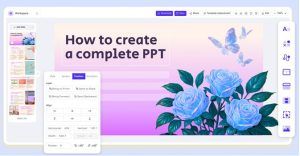
- 10x Faster: You can get a full first draft in just 1–5 minutes, saving over 90% of the time compared with making slides manually.
- Smart Content Understanding: It’s more than a template tool. WorkPPT reads your input, understands the key points, and builds clear slide logic with suitable text and images.
- Professional Design: WorkPPT offers 5,000+ templates across many fields. All designs look modern and professional, so you can create great slides even without design skills.
- Multilingual Support: Whatever language you type in, WorkPPT generates the presentation in the same language. Perfect for teams working across different countries.
Step 1: Start Your Account
It is easy to start using WorkPPT AI:
Go to the Website: Go to the WorkPPT AI Maker official website.
Sign Up or Log In: Sign up fast with your Google account.
Access to AI Slide:After logging in, it will take you to the workspace.
Step 2: Main Features – 2 Ways to Create Slides
WorkPPT offers two ways to input your information. You can choose the way that fits your needs best. Before typing your information, you can also set the number of slide cards.
Method A: Text-to-Slide
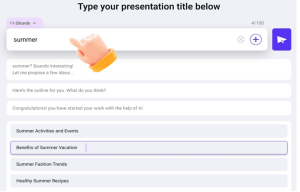
This method is best when you have a clear idea but no document yet. Type a topic or a simple prompt sentence in the text box.
Example: “The history of World War II.”
Method B: Document-to-Slide
If you have a full report, a PDF file, or a Word document, this method saves the most time.Click the plus sign next to the text box to upload the file.
Supported file types: TXT, Docx, Doc, XLSX, XLS, JPG, PNG, PDF
Click the “send” icon system willanalyze your information and show you the outline. You can regenerate or edit if the structure does not fityourneeds.
Step 3: Polish Slides with WorkPPT AI
The AI automatically fills in the content, designs the layout, and builds the full slide deck for you, and you still have full control to edit, refine, and add your personal style.
- Change Themes: Switch to a different theme anytime, and your slides will update automatically.
- One-Click Image Replacement: Replace images instantly without breaking the layout.
- Add Watermark: Insert your logo or text watermark to protect your presentation.
- Insert Videos or Audio: Add multimedia files to make your slides more engaging.
Step 4: Present or Export
When your slides look ready, you can choose to present them online or export them in different formats.
WorkPPT supports online presenting, so you can open and present your slides directly in the browser.Your projects come with 30 days of cloud storage, allowing you to access your presentations anytime, anywhere during this period.
If you want to work offline or use your slides for other purposes, WorkPPT offers four export formats — all without any formatting issues.
PPTX:Best for further editing in PowerPoint or Keynote. Fully compatible and keeps your design layout perfectly.
PDF:Great for sending final reports or client deliverables where you want the layout to stay unchanged.
PNG:Each slide is exported as a high-quality image. Useful for social media posts, blog inserts, or using slides as graphic assets.
JPG:Smaller file size than PNG. Good for email attachments, quick previews, or fast-loading image sharing.
More AI Tools to Support Your Workflow
WorkPPT is more than an AI presentation generator — it also includes a full set of productivity tools to help you handle documents, research, planning, and everyday tasks with ease.
- AI PDF Tools:
Merge, split, convert PDF to images, add watermarks, and stamp documents quickly. Ideal for preparing materials before turning them into slides. - AI Summarizer:
Summarize information from text, files, or links. This helps you turn long articles or reports into clear key points for your presentation. - AI Mind Map Generator:
Enter a topic and instantly get a structured, logical mind map. Great for brainstorming, organizing ideas, or planning your slide flow. - AI Chat Assistant:
Ask questions, gather ideas, rewrite text, or get inspiration. It helps you stay productive while preparing content for your deck.
Conclusion
Creating slidesmanually is outdated. Using AI PPT makers like WorkPPT AI makerto generate is faster and more professional. It does not replace human designers, but it gives you back your time and lets you focus on your content and presentation.
