

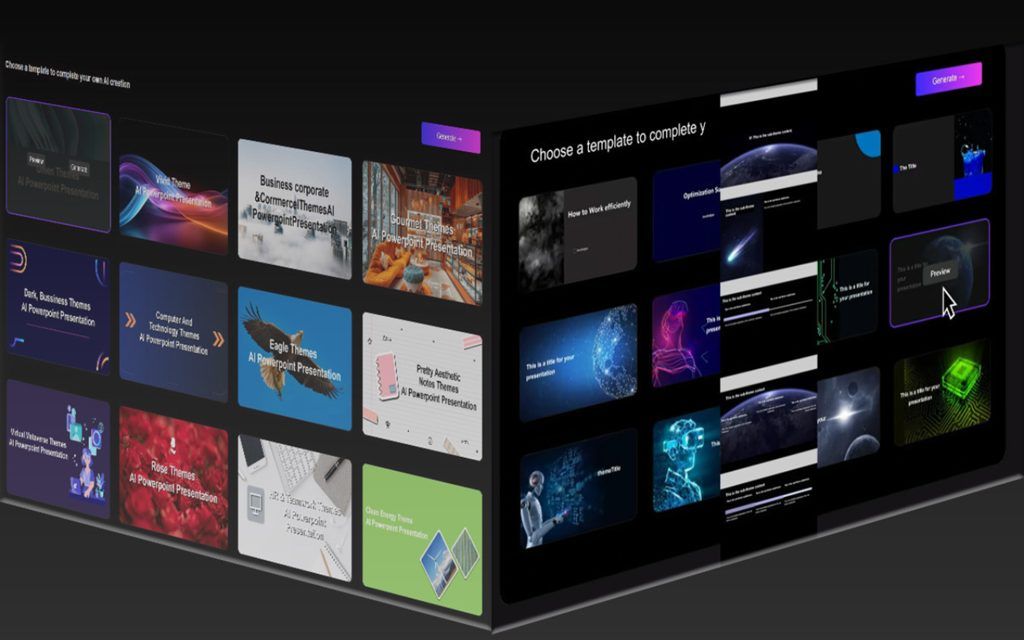
Imagine this: your team scrambles to finish a pitch deck. One person overwrites another’s changes. Feedback gets lost in email chains. Those old ways waste time and cause frustration. Smallppt’s AI Slide Maker changes that. It now offers tools built for teams to work together smoothly. This article breaks down the latest team collaboration features. You’ll see how they fix common issues and boost your workflow.
Real-Time Co-Editing and Conflict Resolution
Teams often struggle with slide edits that clash. File sharing leads to confusion and lost work. Smallppt’s new real-time co-editing lets everyone edit at once, like a shared whiteboard. No more waiting for turns. This feature keeps your AI-generated slides fresh and accurate.
Live Cursor Tracking and Contextual Presence
See your teammate’s cursor move across the slide. It shows their name and what they’re changing. This setup cuts down on accidental overwrites. Picture a sales team building a report. One person adds data while another tweaks the layout. You spot issues right away and fix them live. It feels natural, almost like sitting in the same room.
Advanced Version History and Rollback Capabilities
Every change saves automatically. Go back to any point with a click. The AI even creates smart snapshots after big updates. This beats old methods where you’d hunt for the right file version. For example, if a graph goes wrong mid-edit, roll back without losing hours of work. Teams save time and stay on track.
Actionable Tip: Establishing Co-Editing Etiquette for Large Teams
Set clear rules to make co-editing work well. Agree on who leads each section. Use comments for big ideas instead of jumping in to edit.
- Start sessions with a quick chat on goals.
- Color-code cursors for easy spotting.
- Pause for 10 minutes if things get busy.
These steps help big groups avoid chaos. Your presentations turn out sharper.
Integrated Feedback Loops Powered by AI
Feedback can drag down projects. Comments pile up without clear next steps. Smallppt uses AI to make this part faster and smarter. It turns messy input into useful actions. Now, your team collaboration features shine in refining slides.
Contextual Commenting and Threaded Discussions
Pin comments right on a text box or image. No vague notes on whole slides. Threads keep talks focused and easy to follow. Say you’re designing a marketing deck. A designer flags a blurry photo. Others reply in the thread with fixes. This precision speeds up revisions.
AI-Driven Feedback Summarization
The AI reads all comments and picks out key points. It lists the top three issues or ideas to act on. This cuts through noise, especially in long projects. Studies show teams waste 20% of time on unclear feedback. With this tool, you focus on fixes. Leaders get a quick overview before meetings.
Stakeholder Review Modes and Permission Granularity
Invite outsiders with custom access. Give read-only to clients. Let managers comment but not edit. Set rules per slide or section. For a client pitch, share just the final slides for approval. Full team members get edit rights on drafts. This control keeps things secure and organized.
Shared Asset Libraries and Design Consistency
Keeping designs uniform is tough in teams. New members grab wrong colors or images. Smallppt’s features fix that with shared tools. Everyone pulls from the same spot. This ensures your AI slide maker output looks pro every time.
Centralized Brand Kit Synchronization
Admins upload fonts, colors, and logos once. New slides auto-apply these rules. No more mismatched decks. Think of a company report. All charts use the right blue shade. It builds trust and saves design time.
Shared Media Repository Integration
Access approved images and icons inside the app. Skip digging through folders or websites. Drag and drop what you need. For product launches, grab team photos fast. This speeds creation and keeps files tidy.
AI Governance Checks for Compliance
Before export, AI scans for problems. It spots wrong colors or fuzzy pics. Get alerts to fix them quick. This acts like a built-in proofreader. Teams avoid embarrassing errors in final versions.
Simplified Handoffs and Export Management
Finishing a deck shouldn’t mean more hassle. Sharing versions or prepping for talks takes effort. Smallppt streamlines the end game. Your collaboration flows right into delivery.
Dynamic Export Presets for Different Audiences
Pick export types based on your crowd. AI pulls from feedback to make notes-only PDFs. Or create web-friendly versions. For internal reviews, include edit history. Clients get clean slides. This tailors output without extra work.
Integrated Presentation Scheduling and Rehearsal Linking
Link your deck to calendars or video tools. Schedule rehearsals with one tap. It syncs changes automatically. No more updating files last minute. In hybrid teams, this bridges gaps smoothly.
Actionable Tip: Optimizing for Hybrid Workflows
Make slides work for all setups. Test on different screens early.
- Use high-contrast colors for projectors.
- Keep text big for small laptop views.
- Add alt text to images for screen readers.
Follow these, and your talks impress everyone, no matter the setup.
Conclusion: The Future of Collaborative AI Presentation Building
smallppt new team collaboration features transform how groups make slides. Real-time edits stop conflicts. AI feedback sharpens ideas fast. Shared libraries lock in brand looks. Handoffs become effortless. These tools turn solo creators into strong teams. Productivity jumps as work flows better.
Picture your next project: less stress, quicker wins. Smallppt leads in AI presentation tools for groups. Try these features today. Sign up and build your first team deck. You’ll wonder how you managed without them.
