



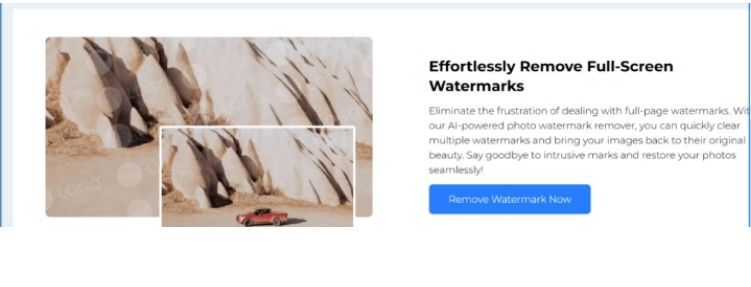
An image watermark remover is a tool designed to erase watermarks, logos, or text overlays from digital images. Watermarks are commonly used to protect copyright or brand identity, but there are legitimate cases where removing them is necessary—such as for personal projects, marketing campaigns, or educational materials. Using AI-powered solutions simplifies this process, making it fast, precise, and effective without compromising image quality. A reliable option is the AI watermark remover, which leverages artificial intelligence to automatically detect and remove watermarks with minimal effor
Why Remove Watermarks from Images?
Removing watermarks can be useful for several reasons:
- Enhanced Visual Appeal: Watermarks can distract from the main subject of an image, making it look cluttered.
- Content Repurposing: Marketers and content creators often require watermark-free images for campaigns, social media, or presentations.
- Educational and Personal Use: Students, educators, and hobbyists may need clean images for slides, reports, or personal projects.
It’s important to remember that removing watermarks without permission may infringe on copyright. Always ensure you have the right to use the image before removing any watermarks.
Common Methods for Removing Watermarks
Manual Editing
Manual watermark removal uses photo editing software such as Photoshop or GIMP. Techniques like the clone stamp or healing brush allow users to cover the watermark by sampling surrounding pixels. While this method can be effective, it is time-consuming and requires skill, especially for complex backgrounds.
Automated Tools
Automated tools detect and remove watermarks without requiring advanced editing skills. These tools are faster than manual methods and can handle multiple images at once, though results may vary depending on the watermark complexity.
AI-Powered Solutions
AI-powered watermark removers are the most advanced option. They use machine learning to detect watermark patterns and intelligently reconstruct the underlying image. This method preserves image quality and minimizes visible artifacts. Tools like the AI watermark remover provide a fast and reliable solution for both beginners and professionals.
Step-by-Step Guide to Using an AI Watermark Remover
Using an AI-powered tool typically involves four simple steps:
- Upload the Image: Select the image containing the watermark.
- Detect the Watermark: The AI automatically identifies the watermark location.
- Remove the Watermark: One click removes the watermark while reconstructing the background.
- Download the Result: Save the watermark-free image for your project.
This process is intuitive and saves considerable time compared to manual editing.
Tips for Effective Watermark Removal
- Select the Right Tool: Some watermarks, especially on textured or gradient backgrounds, require advanced AI algorithms.
- Use High-Resolution Images: High-resolution images give the AI more data, improving removal accuracy.
- Manual Touch-Ups: Even after AI removal, minor manual adjustments may be necessary for complex areas.
Legal and Ethical Considerations
Removing watermarks carries legal and ethical responsibilities:
- Copyright Laws: Watermarks indicate ownership. Removing them without permission can be illegal.
- Fair Use: In certain cases, such as educational or commentary purposes, removal may be justified.
- Ethics: Even if legally allowed, using someone else’s work for commercial gain without attribution is unethical.
Always respect copyright and use watermark removal tools responsibly.
Frequently Asked Questions About Image Watermark Removers
1. What is the best free watermark remover?
AI-powered tools like the AI watermark remover are fast, reliable, and often free for small-scale use.
2. Can AI watermark removal tools handle videos?
Some AI platforms also support video watermark removal, enabling content creators to clean video frames efficiently.
3. How do I remove watermarks without losing quality?
AI-based solutions intelligently reconstruct the image behind the watermark, preserving quality and minimizing distortion. High-resolution images improve results further.
4. Are online watermark removers safe?
Reputable AI tools protect user privacy and ensure secure image processing. Avoid unknown platforms when uploading sensitive images.
Transform Images with AI: From Watermark Removal to Image-to-Video AI
Removing watermarks is an essential skill for content creators, marketers, and hobbyists. AI-powered tools like the AI watermark remover allow users to remove watermarks quickly and efficiently, maintaining high-quality visuals.
For further creativity, platforms like image to video AI enable users to convert static, watermark-free images into dynamic videos. This opens opportunities for engaging social media content, marketing campaigns, and storytelling using AI technology.


