



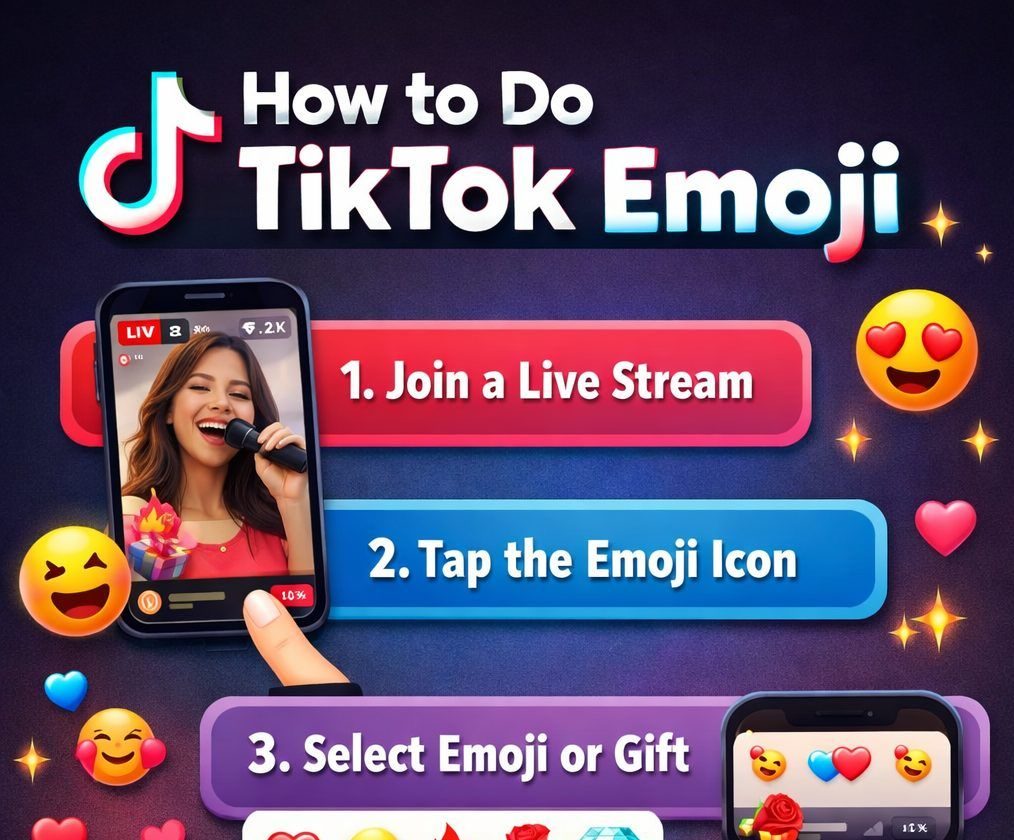
How to do Tiktok Emoji is a simple yet powerful way to make your TikTok comments, captions, and bio more engaging. TikTok offers unique Hidden Codes that convert into special emojis, allowing you to express emotions creatively.
Unlike normal emojis, TikTok emojis are exclusive to the app, making your content stand out. With Easy Steps, even beginners can quickly master these emojis and add flair to their posts.
Whether you want to decorate your bio, boost engagement, or interact with followers, understanding TikTok Emoji Codes is essential. This guide provides everything you need to know to start using TikTok emojis like a pro.
Why TikTok Emojis Are Different from Normal Emojis
TikTok emojis are not the same as regular phone emojis because TikTok uses its own internal emoji system. When learning how to do Tiktok emojis, it’s important to understand that TikTok emojis are created through Hidden Codes rather than the standard emoji keyboard. These emojis appear smaller, animated, and more expressive than normal emojis, which makes them perfect for comments and captions.
Unlike WhatsApp or Instagram emojis, TikTok emojis only work inside the app. This exclusivity helps creators stand out and grab attention. TikTok emojis also load faster and stay consistent across devices, while normal emojis may look different on Android and iPhone. Understanding this difference is the first step in the Beginner Guide step to mastering TikTok engagement and using emojis strategically.


Understanding Hidden Codes Used in TikTok Emojis
To fully master how to do TikTok emojis, you must understand TikTok’s Hidden Codes system. These codes are short text commands written inside square brackets, such as [smile] or [angry]. When posted, TikTok automatically converts them into special emojis.
These TikTok Emoji Codes are not visible until the comment or caption is published. Many users think emojis are broken when they don’t preview instantly, but this is normal behavior. Hidden codes work only on TikTok and cannot be used on other platforms.
Learning these codes gives you an advantage, especially if you want to look professional. This Beginner Guide approach ensures you don’t misuse codes and helps your comments appear clean, expressive, and highly engaging.
Step-by-Step Easy Steps to Use TikTok Emojis
If you’re searching for how to do TikTok emojis, following the Easy Steps is the fastest way to succeed. First, open TikTok and go to comments, captions, or bio. Second, type the TikTok Emoji Codes inside brackets, such as [happy] or [wow]. Third, publish your content—TikTok will instantly convert the text into emojis.
These steps work on both Android and iOS devices. You don’t need updates, apps, or special permissions. The key is typing the code correctly with no spaces.
These Easy Steps are ideal for beginners who want fast results. Once you practice, using hidden emojis becomes automatic and helps your content look more creative and interactive.
How to Do TikTok Emoji in Comments Correctly
Using emojis in comments is one of the most popular ways to apply How to do TikTok Emoji. Comments with Hidden Codes stand out more and often receive more likes and replies. To do it correctly, always type the TikTok Emoji Codes exactly as written, including brackets. Avoid adding spaces or extra text inside the code.
Comments are the best place for beginners because they are easy to test. If an emoji doesn’t appear, simply edit and repost. Using emojis wisely can make your comments look fun, emotional, or sarcastic, depending on your content. This Beginner Guide tip helps increase interaction and visibility under viral videos.
How to Do TikTok Emoji in Captions for Better Engagement
Captions are powerful when learning How to do TikTok Emoji because they directly influence engagement and watch time. Adding Hidden Codes in captions makes your text visually attractive and easier to read. TikTok’s algorithm favors engaging captions, and emojis help communicate emotion quickly.
Use TikTok Emoji Codes at the beginning or end of sentences for best results. Avoid overcrowding your caption with too many emojis, as this can reduce clarity.
Strategic emoji placement improves click-through rate and keeps viewers watching longer. Following these Easy Steps helps your captions look professional while boosting reach and engagement naturally.
How to Do TikTok Emoji in Bio (Profile Decoration Tips)
Your profile bio is another important area for How to do Tiktok Emoji. Using Hidden Codes in your bio makes your profile visually appealing and unique. Emojis can highlight your niche, personality, or call-to-action. Simply paste or type TikTok Emoji Codes and save your bio. If emojis don’t show instantly, refresh the app.
Avoid excessive emojis, as a clean bio looks more trustworthy. This Beginner Guide tip helps creators build a strong first impression. A well-decorated bio increases profile visits and follow requests, especially for new accounts trying to grow fast.
Complete Guide to TikTok Emoji Codes and Meanings
A complete understanding of How to do TikTok Emoji includes learning emoji meanings. Each TikTok Emoji Code expresses a specific emotion like happiness, anger, pride, or excitement. Knowing meanings helps avoid miscommunication.
For example, some emojis look playful but may carry sarcasm. This Beginner Guide ensures you choose emojis that match your message. TikTok emojis are often exaggerated, making emotions clearer than normal emojis.
Use this knowledge to react appropriately in comments and captions. Understanding meanings improves engagement, professionalism, and content clarity, especially when targeting global audiences.
Common Mistakes While Using How to do Tiktok Emoji
Many users fail at How to do Tiktok Emoji due to small mistakes. The most common error is typing Hidden Codes incorrectly or forgetting brackets. Another mistake is expecting emojis to appear before posting. Overusing emojis is also a problem, making text look spammy.
Some users copy codes from unsupported sources, causing them not to work. This Beginner Guide section helps you avoid these issues. Always test emojis in comments first before using them in captions or bio. Fixing these mistakes ensures smooth emoji usage and improves overall content quality.
Trending Emojis: Latest Viral Icons You Need to Know
How to Do TikTok Emoji Fast Without Any App
You don’t need extra tools to learn how to do Tiktok Emoji Fast. TikTok supports emojis natively through Hidden Codes. Simply memorize common TikTok Emoji Codes or save them in notes. Copy and paste when needed.
This method is fast, reliable, and works on all devices. Avoid third-party apps as they can be unsafe. This Easy Steps approach saves time and keeps your account secure. Fast emoji usage helps creators respond quickly to comments, increasing engagement and visibility under trending videos.
Beginner Guide to TikTok Hidden Emojis
This Beginner Guide explains How to do Tiktok Emoji without confusion. Start with basic Hidden Codes like [smile] or [happy]. Practice using them in comments before captions. Learn one emoji at a time to avoid mistakes. TikTok hidden emojis are designed to be simple, even for new users.
Once comfortable, expand to advanced codes. This beginner-focused method builds confidence and consistency. Hidden emojis are powerful tools for communication and creativity when used correctly.
How to Do TikTok Emoji on Android Devices
Android users can easily apply How to do Tiktok Emoji using the same Hidden Codes. Open TikTok, type the TikTok Emoji Codes, and post. Android keyboards do not affect TikTok emojis because they are app-based. If emojis don’t appear, update TikTok or restart the app.
This Easy Steps guide ensures Android users get consistent results. Using emojis on Android boosts interaction just as effectively as on iOS.
How to Do TikTok Emoji on iPhone (iOS Users)
For iOS users, How to do Tiktok Emoji works seamlessly. TikTok’s Hidden Codes are fully supported on iPhones. Simply type the code and post. Unlike Apple emojis, TikTok emojis stay the same across devices. This consistency is helpful for branding.
Follow the same Beginner Guide rules: correct spelling, no spaces, and proper brackets. Emojis enhance captions, comments, and bios equally on iOS.


Copy-Paste Method for TikTok Emoji Codes
The copy-paste method is ideal for mastering how to do Tiktok Emoji quickly. Save frequently used TikTok Emoji Codes in your notes app. Copy and paste them into comments, captions, or bio. This method prevents spelling errors and saves time.
It’s especially useful for beginners and busy creators. Using this Easy Steps approach ensures accuracy and consistency in emoji usage across all content.
How to Use TikTok Emojis Like a Pro Creator
Professional creators use How to do TikTok Emoji strategically. They place emojis to guide attention, express emotion, and boost engagement. Pro users avoid overuse and match emojis with content tone. They also stay updated with new Hidden Codes.
This advanced Beginner Guide transition helps creators look polished. Pro-level emoji usage can increase likes, comments, and shares significantly.
Trending TikTok Emoji Combos That Boost Views
Trending combos are essential when learning How to do Tiktok Emoji. Combining multiple TikTok Emoji Codes creates visual rhythm and emotion. Popular combos often appear in viral comments.
Using trending emojis helps your content feel current and relatable. This 2025 Guide strategy improves visibility and engagement. Always test combos before using them in captions.
How TikTok Emojis Improve Engagement & CTR
TikTok emojis directly affect engagement and CTR. When applied correctly, How to do TikTok Emoji increases comment replies and caption clicks. Emojis grab attention faster than text. Hidden Codes make comments stand out visually.
This boosts interaction and signals quality content to TikTok’s algorithm. Emojis also help express emotion instantly, improving viewer connection and retention.
Updated 2025 Guide for TikTok Emoji Features
This 2025 Guide ensures your knowledge of How to do Tiktok emojis stays current. TikTok regularly updates emoji designs and codes. Staying updated helps avoid broken emojis. Follow official updates and trending usage patterns. This guide helps creators adapt quickly and maintain professional-looking content throughout 2025 and beyond.
Safety Tips When Using Hidden Emoji Codes on TikTok
Safety is important when practicing how to do TikTok Emoji. Avoid third-party emoji generators. Stick to official Hidden Codes only. Never grant unnecessary permissions to apps claiming extra emojis.
This Beginner guide’s safety approach protects your account from bans or data risks. Proper usage ensures long-term success and secure engagement.
Blue TikTok Emojis: Meanings & Complete Guide


Fun Facts About How to do Tiktok Emoji
- TikTok emojis are animated and more expressive than standard emojis.
- They only appear inside the app, making them exclusive.
- Some hidden codes can be used to react silently without words.
- Copy-pasting TikTok emojis is a fast and beginner-friendly method.
- Using trending emoji combos can increase engagement and CTR dramatically.
Frequently Asked Questions on How to Do TikTok Emoji
What are TikTok Hidden Emojis?
TikTok Hidden Emojis are emojis that appear when you type specific TikTok Emoji Codes in brackets, like [smile] or [angry].
Can I use TikTok emojis on Instagram or WhatsApp?
No, TikTok emojis generated through Hidden Codes only work inside the TikTok app.
How do I use TikTok emojis in my bio?
Simply type or paste TikTok Emoji Codes in your profile bio and save; they will appear once published.
Are there risks using TikTok Hidden Codes?
Using official TikTok Emoji Codes is safe. Avoid third-party apps for extra emojis to protect your account.
How can I learn trending TikTok emoji combos?
Follow trending creators, explore viral comments, and refer to the 2025 Guide for popular combos.
Conclusion of How to do TikTok Emoji
Mastering how to do TikTok Emoji can significantly improve your TikTok content, making it more fun, expressive, and visually appealing. By understanding Hidden Codes, using Easy Steps, and knowing where to apply emojis—comments, captions, or bio—you can boost engagement and stand out in a crowded TikTok feed.
Following the Beginner Guide, using copy-paste methods, and learning trending TikTok Emoji Combos ensures your posts are always attractive. With the updated 2025 Guide and safe emoji practices, you can use TikTok emojis effectively without risks.
Overall, emojis are not just decorative; they are a strategic tool to increase visibility, CTR, and audience interaction, helping you grow faster on TikTok.


