



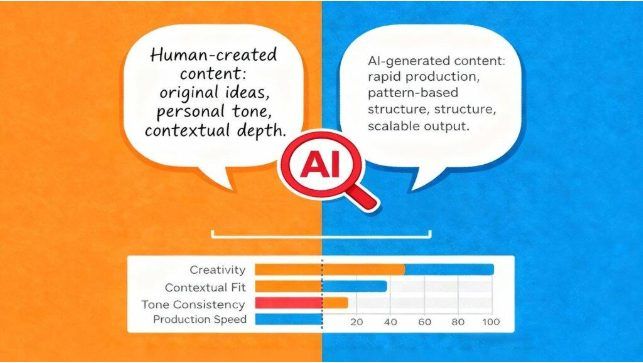
AI-generated content can feel flat and impersonal. While it’s a powerful tool for brainstorming and creating drafts, the final text often lacks the natural rhythm and personality that connects with a human reader. This guide will show you how to quickly transform robotic AI text into engaging, authentic content using simple online tools.
Humanizing your content makes it more readable and helps it bypass AI detection systems. It’s an essential skill for marketers, writers, and students who want to leverage AI without sacrificing quality. We’ll walk you through the process step-by-step, ensuring your final message resonates with your audience.
Your Step-by-Step Guide to Humanizing AI Text
Follow these simple steps to refine your AI-generated drafts. The process is straightforward and focuses on using tools as an assistant, not a replacement for your own judgment.
Step 1: Generate Your Base Content
Start by using your preferred AI writing tool to create the initial draft. Provide a detailed and clear prompt to get the best possible starting point. Think of this text as the raw material. It has the core information, but it needs to be shaped and polished before it’s ready for your audience. The goal here isn’t perfection but a solid foundation to build upon.
Step 2: Choose a Reliable AI Humanizer
Once you have your draft, the next step is to use a tool designed to rewrite it. An effective AI Humanizer can rephrase complex sentences, adjust the vocabulary, and alter the syntax to mimic human writing patterns more closely. These tools are trained on vast datasets of human-written text, allowing them to spot and correct the robotic signatures common in AI content. Select a tool with a clean interface and straightforward controls.
Step 3: Paste and Process Your Text
Copy your AI-generated text and paste it directly into the humanizer tool. Most platforms offer a simple input box and a button to start the process. A good tool to Humanize ai free will quickly analyze the text and provide a revised version. This new output should have better flow and a more natural tone. It often breaks up repetitive sentence structures and replaces predictable word choices with more engaging alternatives.
Step 4: Review and Compare the Output
Don’t just copy and paste the humanized version and call it a day. Place the original text and the revised text side-by-side. Read through the new version carefully to ensure it retains the original meaning and accuracy of your message. Check for any awkward phrasing or contextual errors the tool might have introduced. This is a critical step where your human oversight ensures the final quality. Look for improvements in sentence variety and word choice.
Step 5: Manually Refine and Edit
The humanized output is a fantastic second draft, but it still needs a final human touch. This is where you inject your unique voice and personality. Read the text aloud to catch any unnatural-sounding sentences. Add personal anecdotes, ask rhetorical questions, or use contractions like “it’s” or “you’ll” to make the writing more conversational. Fix any lingering grammar or spelling mistakes and ensure the tone aligns perfectly with your brand or personal style.
Tips & Best Practices for Authentic Content
Getting the best results involves more than just clicking a button. Use these tips to elevate your humanized content from good to great.
Vary Your Sentence Structure
AI models often fall into repetitive patterns, using sentences of similar length and structure. Manually edit the text to create more variety. Mix short, punchy sentences with longer, more descriptive ones. This creates a rhythm that keeps the reader engaged and makes the content feel much more dynamic. For example, turn a long sentence into two shorter ones for emphasis.
Inject Your Personal Voice
The best way to make content feel human is to add your unique perspective. If you’re writing a blog post, include a brief personal story or an opinion that relates to the topic. If it’s marketing copy, make sure the brand’s voice is present. Ask questions that prompt the reader to think. These small additions make a huge difference in building a connection with your audience.
Use Contractions and Simpler Language
Formal AI writing often avoids contractions. Adding them back in (e.g., “don’t” instead of “do not”) immediately makes the text more accessible and conversational. Similarly, replace overly complex or technical words with simpler alternatives that a general audience can easily understand. The goal is clear communication, not demonstrating a large vocabulary.
Check for Repetitive Words
AI writers sometimes overuse certain words or phrases. Use a word frequency counter or simply read through the text to spot these repetitions. Replace them with synonyms to make the writing more interesting. This simple editing trick can significantly improve the quality and flow of the content.
Common Mistakes to Avoid
Humanizing AI text is a straightforward process, but a few common mistakes can undermine your efforts. Be mindful of these pitfalls.
Over-Relying on the Tool
The biggest mistake is treating an AI humanizer as a magic wand. These tools are powerful assistants, but they are not perfect. Always treat the output as a starting point that requires your review and refinement. Blindly accepting the revised text without a thorough check can lead to factual errors, awkward phrasing, or a loss of the original message’s intent. The final quality check is always your responsibility.
Forgetting Your Audience
Every piece of content has a target audience. An academic paper requires a different tone and style than a casual blog post. Before you start editing, remind yourself who you are writing for. Make sure the vocabulary, tone, and examples are appropriate for them. A perfectly humanized text that misses the mark with its intended audience is still an ineffective piece of content.
Losing the Core Message
In the process of rephrasing and restructuring sentences, it’s possible to accidentally change the core meaning of your content. As you edit, constantly ask yourself if the key information is still clear and accurate. It’s better to keep a slightly robotic sentence that is factually correct than to have a beautifully flowing sentence that is misleading.
Skipping a Final Proofread
After running text through a humanizer and making your own edits, small grammatical errors or typos can easily slip in. Always perform a final proofread before publishing. Use a grammar checker tool and read the text aloud one last time to catch anything you might have missed. This final polish ensures your content is professional and error-free.


Conclusion
AI writing tools are incredibly useful for generating ideas and first drafts, but they can’t replicate the nuance and personality of a human writer. By using an AI humanizer and applying your own thoughtful edits, you can transform robotic text into content that truly connects with your audience. This five-step process helps you leverage the speed of AI without sacrificing the quality and authenticity that readers crave. Remember, the goal is to use AI as a collaborator, not a replacement, for your own creative judgment.


